
Epomaker Split70 Review: Worth It?
The new EPOMAKER keyboard was designed to make working at a computer or gaming as comfortable as possible. To achieve this, it was divided into two separate halves, giving users the freedom to decide for themselves how the keyboard should be positioned on their desk. How effective this approach turned out to be is something we will explore in this review.

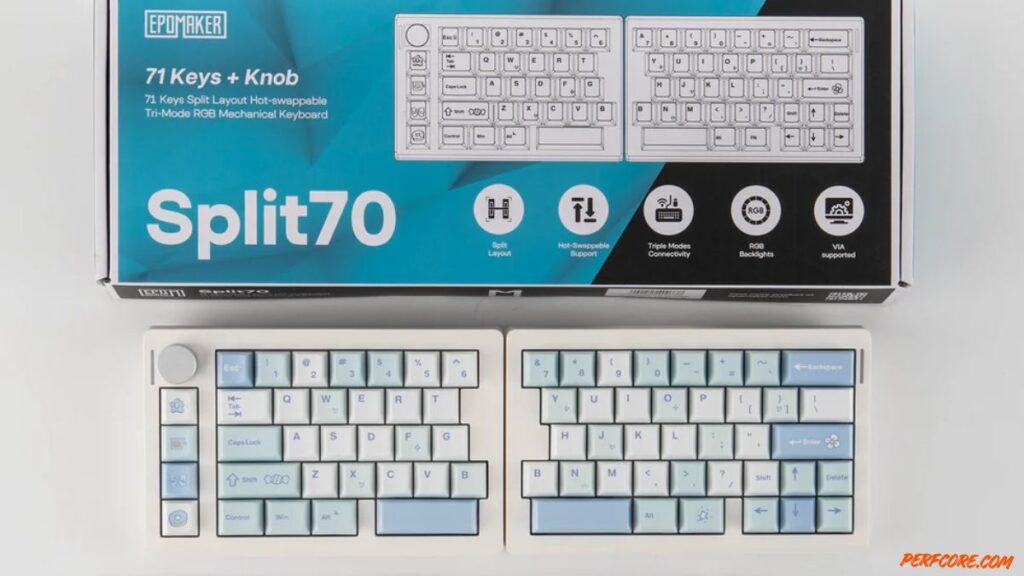
Table of Contents
TECHNICAL SPECIFICATIONS
| Specification | Epomaker Split70 | Keychron Q11 | Ergodox EZ |
|---|---|---|---|
| Base MSRP | ~$109 | $205 | Starts at $354 |
| Layout Type | 70% Split Mechanical | 75% Split Mechanical | Columnar / Ortholinear Split |
| Connectivity | Tri-Mode (Bluetooth, 2.4G, Wired) | Wired-only (Dual Type-C) | Wired-only (Mini-USB/USB-C) |
| Hot-Swappable | Yes (3-pin/5-pin switches) | Yes (3-pin/5-pin switches) | Yes (Hot-swap sockets) |
| Battery Capacity | 3000mAh (built-in) | N/A (Wired) | N/A (Wired) |
- Form factor: 70%
- Switches: EPOMAKER Wisteria Linear Switch V2 mechanical switches
- Number of keys: 71 + volume control wheel
- Layout: ANSI, English
- Hot-swappable switches: yes
- Design: classic
- Keycaps: PBT, Cherry profile
- Special features: volume control wheel, ergonomic split design
- Polling rate: up to 1000 Hz
- Case material: plastic
- NKRO: yes
- Backlighting: RGB (customizable)
- Multimedia: Fn key combinations + volume control wheel
- Connectivity: USB-C, Bluetooth, 2.4 GHz wireless
- Compatibility: Windows, macOS
- Wrist rest: no
- Dimensions: 184 + 188 × 118 × 40 mm
- Weight: 890 g
- Battery: 3000 mAh
- Software: available
Packaging and Design
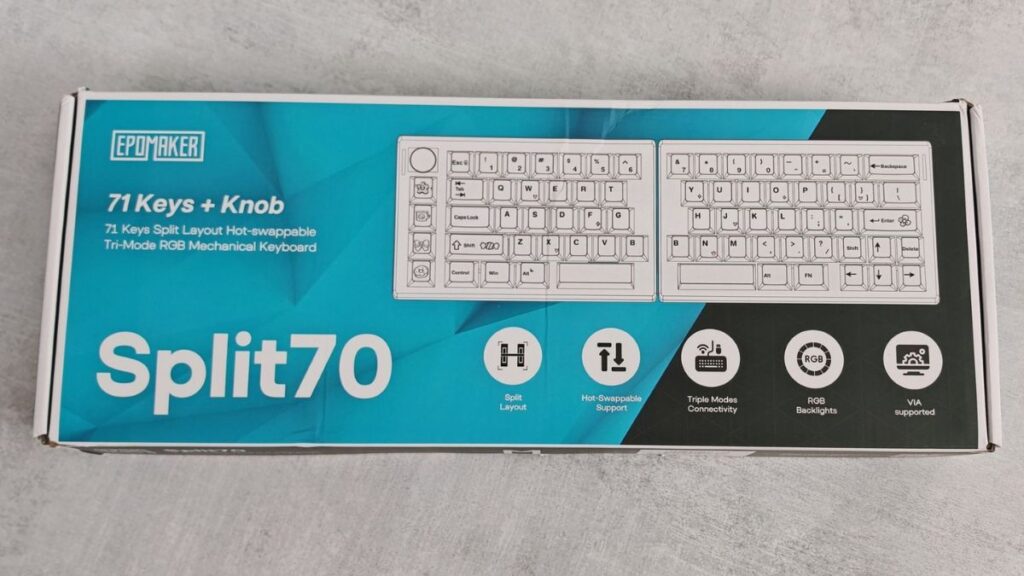
The EPOMAKER Split70 shows up in a pretty no-nonsense cardboard box. There’s a big picture of the keyboard right on the front (so you know exactly what you’re getting), plus a rundown of the headline features and some basic manufacturer info around the sides.
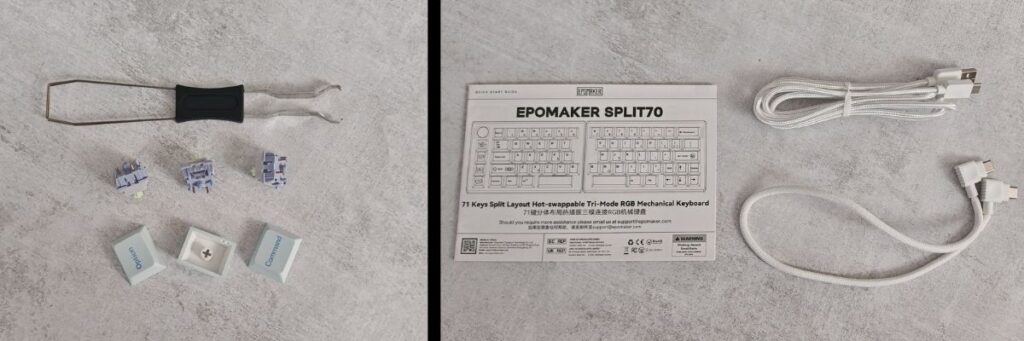
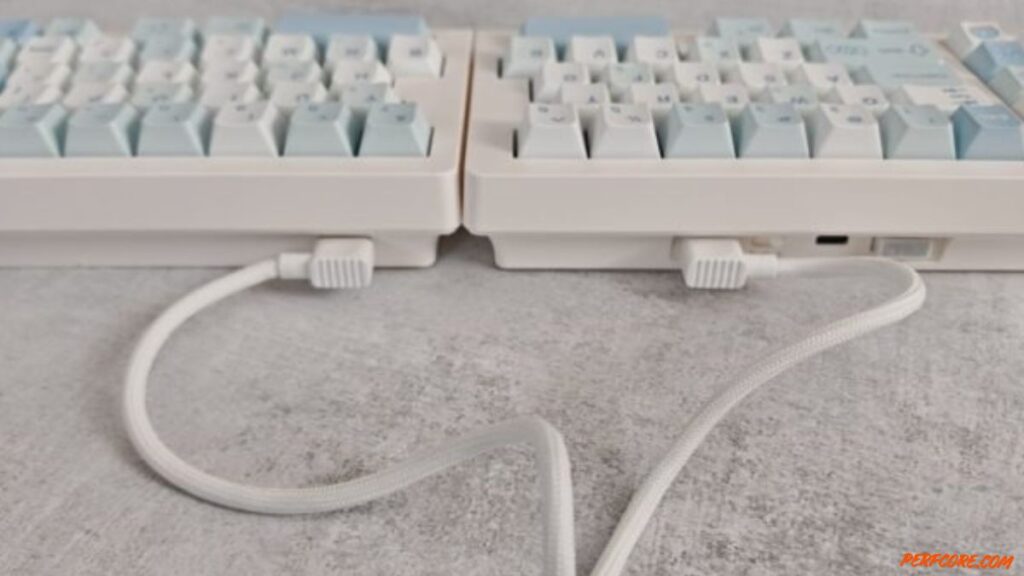
Inside the box, you get the Split70 itself (in two pieces, obviously), plus a small pile of the usual keyboard extras. There’s a USB-C to USB-C cable to link the halves together, and a USB-A to USB-C cable for standard wired use. EPOMAKER also tosses in a combo keycap/switch puller, a handful of spare switches and extra keycaps, the user manual, and a little card covered in QR codes that point you to the EPOMAKER site and the software.
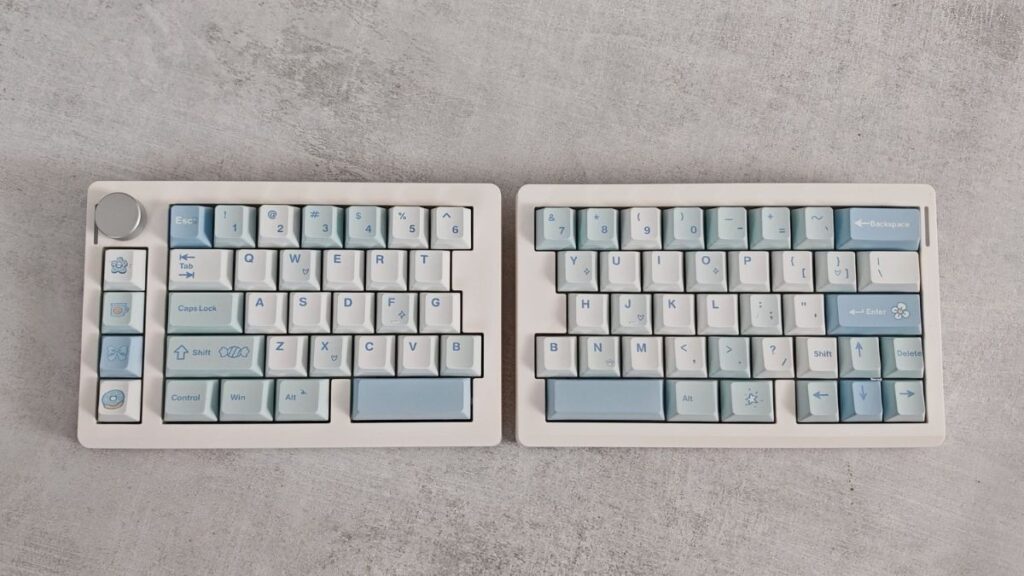
This thing’s built a little weird in a good way. The keyboard case (yeah, the body) is split into two halves that are almost the same size, except the left side is about 4 mm shorter than the right. You probably won’t notice that gap unless you’re the kind of person who measures keyboards for fun (no judgment).
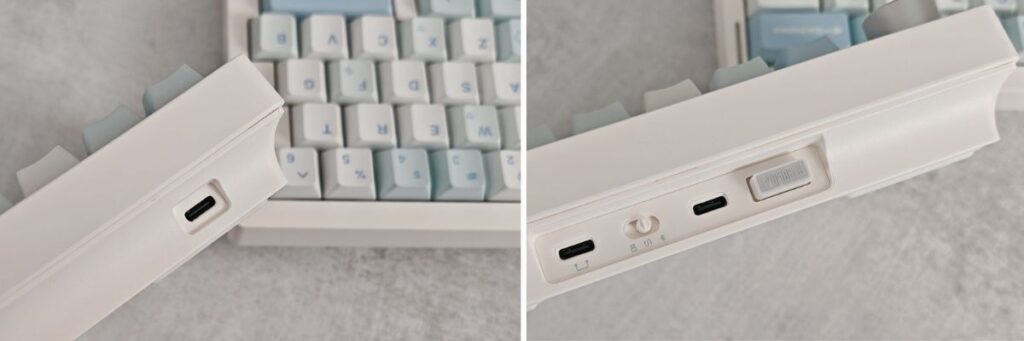
As I mentioned earlier, you can cable the two halves together with the included connector, but the left half is still the one calling the shots. That’s the “primary” unit: it’s got the USB-C port you use to plug into your PC and charge it, a switch for picking your connection mode, and a little storage slot for the 2.4 GHz dongle so you don’t immediately lose it in a desk drawer.
The right half is much simpler. It only has a USB-C port, and that port’s basically just there so it can talk to the left half.
The linking cable is long enough that you can put the two halves basically wherever you want—right next to each other like a “normal” board, spaced way apart, angled inward, angled outward, whatever feels good on your wrists that day. It sounds gimmicky at first (I had the same reaction), but once you start nudging each half into place, it’s hard to go back. Traditional keyboards even the ergonomic ones still force you into one fixed slab with a preset layout. The Split70’s whole trick is that it breaks the body in half, so you’re not stuck adapting to the keyboard. The keyboard adapts to you. Mostly.
Size-wise, this is a 70% layout with 71 keys and a volume wheel. There’s no numpad and no dedicated F1–F12 row, which is pretty standard for this size, but EPOMAKER also relocates a few keys you’d expect in the middle into a vertical column on the left half. It’s not hard to learn, but you’ll probably have a couple “wait, where is that?” moments early on.
The spacebar is split too two separate keys instead of one long bar. You can keep them both as Space (simple, sane), or you can map one half to something else if you’re into that kind of customization. I can see it being genuinely useful for stuff like backspace, layer switching, push-to-talk… or, honestly, whatever weird macro you’ve convinced yourself you need.
On the desk, it sits on silicone feet. No flip-out legs here, but the корпус is already taller at the back than the front, so you still get a bit of built-in tilt. It’s subtle, but it does help with comfort during longer typing sessions.
Color options are black or white, and the unit here is the white one. The keycaps are PBT (the good, more durable kind), and the legends aren’t shine-through so don’t expect your lighting to blast through the letters. The keycap profile is Cherry, which is basically the default “most people like this” shape in mechanical keyboards for a reason.
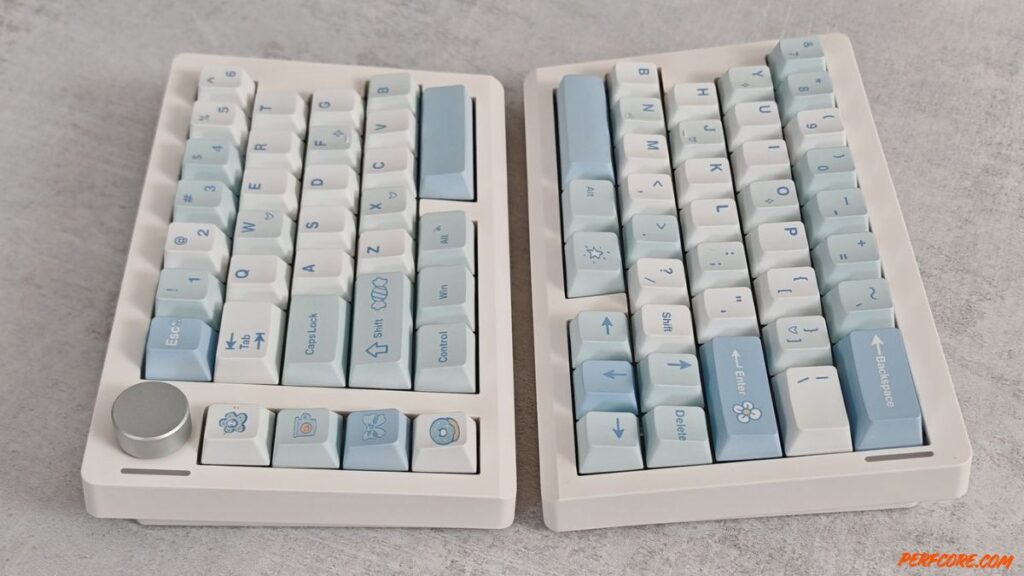
The EPOMAKER Split70 definitely turns heads, but honestly, the looks aren’t the whole point. The real sell is comfort. Because the корпус is split into two separate halves, you can angle them however your hands actually want to sit rather than forcing your wrists to conform to one fixed slab of keys.
In practice, that means less tension creeping into your wrists, and (if you set it up right) less shoulder hunching too, especially during long typing sessions or those “one more match” gaming marathons that turn into three hours. It’s the kind of thing you might not notice immediately… until you go back to a normal keyboard and wonder why everything suddenly feels slightly worse.
Connectivity and Setup
The new model gives you the full connectivity hat trick: wired USB, 2.4GHz wireless, and Bluetooth. The catch (because there’s always a catch) is Bluetooth speed. In Bluetooth mode, the polling rate drops to 125Hz, versus 1000Hz over USB or 2.4GHz. So yeah, Bluetooth is fine for typing, emails, spreadsheets, all that “responsible adult” stuff. But if you’re playing anything twitchy, you might notice extra input lag, and that’s when you’ll want USB or the dongle.
Out of the box, EPOMAKER also loads it up with a bunch of hotkeys. You can check battery level, trigger “missing” keys like F2 or Home, control the backlighting, and so on—basically the usual small-layout survival kit. The more interesting bit is that vertical column of keys on the left side of the left half: it ships pre-mapped to undo, cut, copy, and paste. Which is… extremely telling. This keyboard is absolutely flirting with the “office productivity” crowd, even if it looks like it wants to be on a gaming desk.
If you want to go deeper, customization runs through VIA. You’ll need to grab a configuration file from EPOMAKER’s official site and load it into VIA first—after that, the full set of options shows up. From there you can sanity-check key inputs, remap basically anything, and mess with lighting settings.
Fair warning: VIA isn’t exactly what I’d call friendly. It’s powerful, but it can feel like you’re poking at a tool meant for people who already know what they’re doing. The good news is you don’t have to use it. The Split70 works perfectly well without the software, and unless you’re itching to remap half the board or build layers like a wizard, you’re not really missing much by skipping it.
Impressions from Use
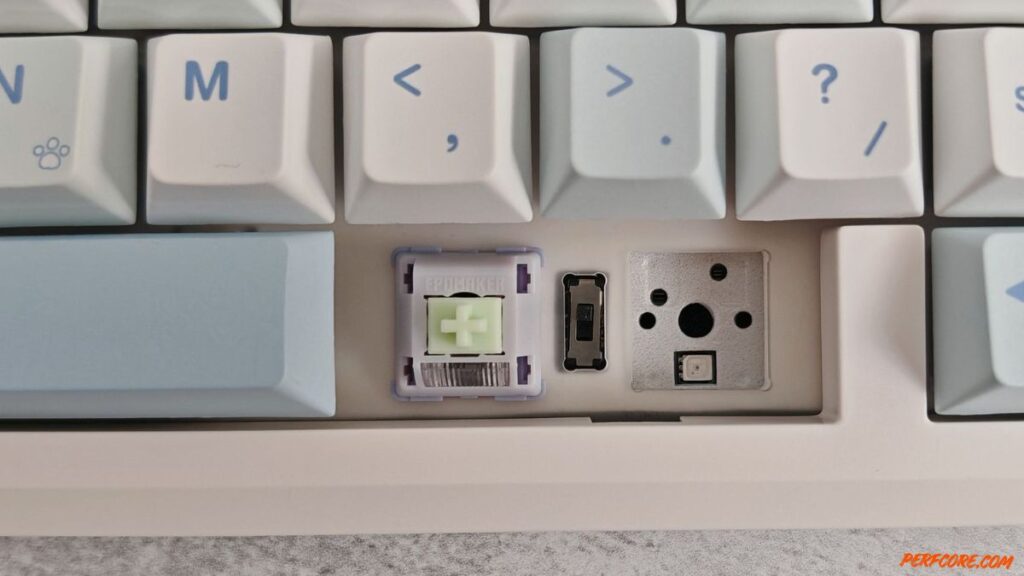
The keyboard is equipped with Wisteria Linear Switch V2 mechanical linear switches with a 45 g actuation force and a 62 g bottom-out force, a 2.0 mm actuation travel and a 3.6 mm total travel, as well as a rated lifespan of 5 million keystrokes. If needed, they can be replaced with any compatible switches without soldering or opening the keyboard case, as hot-swapping is supported.
The model features five layers of sound-dampening materials, which help create a quiet and soft acoustic profile with a pleasant, creamy sound. The device is not completely silent, but the keystrokes do not feel irritating, as is often the case with cheaper and lower-quality keyboards. On the contrary, the EPOMAKER Split70 sounds very solid and even, without any unwanted noise artifacts.
Moreover, the new model is fully capable of meeting a user’s needs both for work tasks and during gaming. The switches are responsive and reliable enough to provide precise character control and instant command execution. As a result, you won’t need to switch keyboards if you decide to take a break and play a few matches in an online shooter.
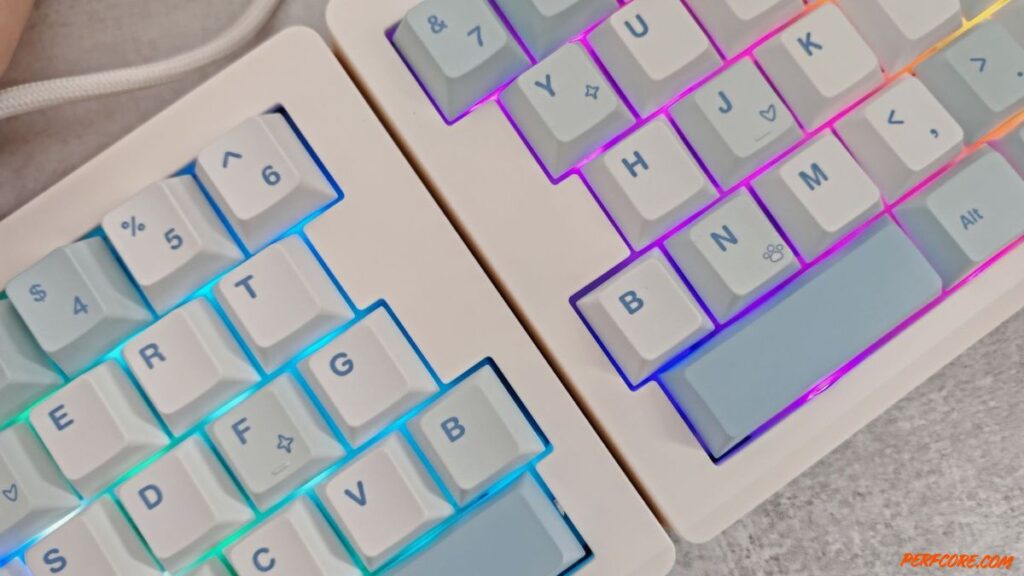
The device is equipped with a 3000 mAh battery. This is a fairly average capacity, so you can expect around 10 to 12 hours of battery life with the backlighting enabled and roughly 200 hours when it is turned off.
Final
The EPOMAKER Split70 is a keyboard designed primarily for work. Its two halves can be positioned at a comfortable angle, reducing strain on the wrists and helping to improve user productivity. In addition, its high-quality acoustic profile creates a pleasant sound backdrop while typing. For readers interested in a more traditional high-end gaming-focused model, you can also check out our article titled Razer BlackWidow V4 Pro Gaming Keyboard , which explores a very different approach to keyboard design and functionality.
At the same time, the model is also suitable for gaming: the mechanical linear switches are characterized by responsiveness and fast actuation.
The device’s drawbacks include rather unimpressive battery life and the absence of a row of F-keys. Otherwise, it is a solidly built, well-made keyboard with an original and distinctive design.

Sara Jakob is the Senior Gaming Software & Systems Editor at PerfCore, specializing in PC game optimization, browser performance benchmarks, and free-to-play MMO mechanics. With a background in computer science and software testing, Sara leads PerfCore’s game setting optimization guides and software utility reviews.