
Star Trek Fleet Command review : ultimate free Windows & Mac guide (2026)
Play Star Trek Fleet Command on PC with the official client or emulators. Covers Windows & Mac setup, system requirements, and 7 beginner tips - STFC earned $900K/month in 2026.

Cross-Platform Sync: how to transfer your mobile progress to PC
This is the part that trips up new PC players: account sync depends on your platform origin.
If you started STFC on Android, you’re in great shape. Just log into your Scopely Account on the PC client and your base, ships, officers, and resources will all be there instantly. Android and PC share the same account infrastructure.
If you started on iPhone or iPad, the situation is trickier. iOS accounts are not cross-platform compatible with the desktop client. You would need to start a brand-new game on PC and rebuild from scratch. It’s an unfortunate limitation on Apple’s side, and Scopely has not announced a fix as of 2026.
For anyone starting fresh on PC: finish the tutorial first, then immediately go to Settings > General > Save with Scopely Account. Do it before you invest real time. Once your account is saved, you can switch freely between PC (Windows or Mac) and Android.
Table of Contents
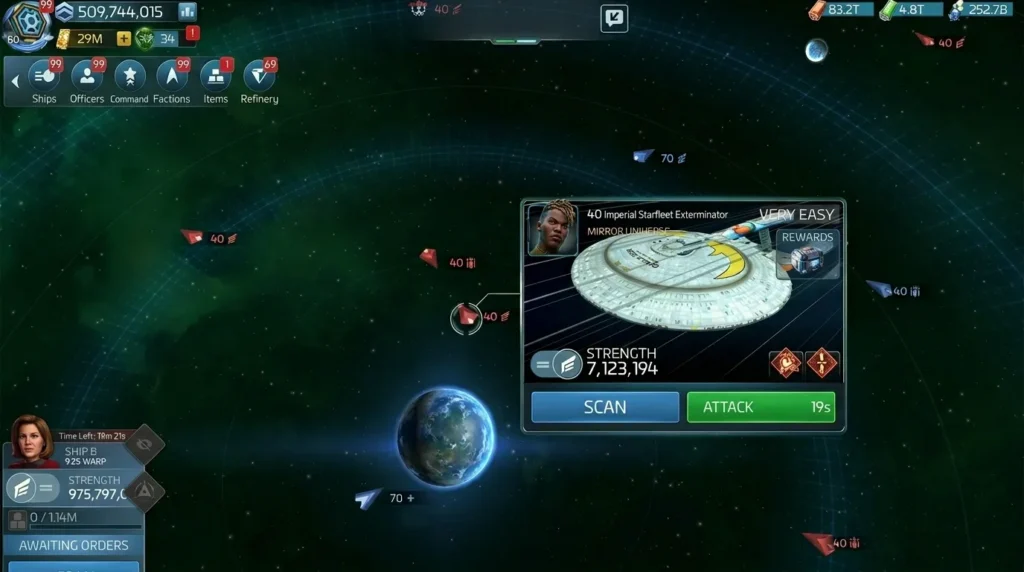
Star Trek Fleet Command PC keyboard shortcuts you must know
This is where the PC version really pulls ahead of mobile. Once you internalize these shortcuts, navigating the galaxy and managing your fleet becomes significantly faster. Here’s the full list:
General
- Opt (Mac) / Alt (Win): Toggle keyboard shortcut overlay
- Esc: Go back one screen (or exit from the main screen)
Navigation
- F1: Interior view
- F2: Exterior view
- F4: Galaxy view
- W / A / S / D or arrow keys: Scroll the viewport
- Caps Lock: Toggle galaxy label toolbar
- Enter: Open chat
Quick toolbar
- E: Ships
- R: Officers
- H: Command Center
- T: Factions
- Y: Items
- F: Refinery
Missions & goals
- X: Missions
- C: Away Teams
- V: Daily Goals
- P: Field Training
Ships
- 1 / 2 / 3…: Toggle that ship’s menu
- N: Manage active ship
- Space: Jump to active ship location on the map
Subscreens & buffs
- Shift: Alliance panel
- J: Alliance Help
- F5: Events
- B: Gifts (free chests)
- G: Research
- Z: Inbox
- Q: Offers
- U: Peace Shield
- I: Exocomps
A good habit: hit B every time you sit down to play. The free gift chest refreshes every 10 minutes, every 4 hours, and every 24 hours. It’s free resources you’re leaving on the table if you forget.
Star Trek Fleet Command PC: ultimate free Windows & Mac guide (2026)
You don’t need a phone to command a starfleet. Star Trek Fleet Command (STFC) has had an official PC and Mac client for a while now, and it’s the single best way to play if you’ve got a desktop or laptop sitting in front of you. Bigger screen, faster inputs, and exclusive web store rewards that mobile players can’t touch.
In 2026, STFC still pulls roughly $900,000 in monthly revenue on the Apple App Store alone . After seven years of continuous updates, the game isn’t slowing down. Whether you’re a returning captain or loading in for the first time, here’s exactly how to get it running on your PC or Mac – and why you’d want to.
Why play Star Trek Fleet Command PC instead of mobile?
In 2026, Scopely surpassed $15 billion in lifetime revenue across its game portfolio . A huge chunk of that comes from STFC’s dedicated player base – 80% of the game’s revenue comes from players who’ve been active for over 12 months (MobileGamer.biz, 2025). These aren’t casual players. They’re strategists running multiple systems, managing alliances, and fighting drawn-out PvP wars. That’s the kind of gameplay that screams for a bigger screen.
Here’s what the PC version gives you that your phone doesn’t:
- A proper display. Fleet battles, station management, and the galaxy map all benefit from a 1080p (or higher) monitor. You’ll spot hostile ships faster and manage your base without squinting at tiny icons.
- Mouse and keyboard input. Drag-selecting ships, clicking through menus, and typing alliance chat is noticeably faster with a mouse.
- Web store exclusives. The official PC client lets you access Scopely’s web store, which regularly offers bundles 15–30% cheaper than in-app purchases. You also earn Multiphasic Credits – a PC-only currency for exclusive items.
- Daily PC login bonuses. Log in via the PC client daily, and you’ll collect a separate reward track that stacks on top of your mobile dailies.
If you’re already invested in STFC, switching to PC isn’t a luxury. It’s a competitive edge.
Worth noting: Most competitor guides only mention emulators. The official PC client is actually the superior option – it’s faster to set up, doesn’t risk your account, and gives you rewards that emulators can’t.
How to download and install Star Trek Fleet Command PC on Windows
In 2026, the Android emulator market hit $3.8 billion in value (Dataintelo, 2025), but you don’t need one for STFC anymore. Scopely’s official client handles everything natively.
Step-by-step Windows installation
- Go to startrekfleetcommand.com and click the Download for PC button.
- Run the installer. It’s a standard .exe – double-click it, accept the terms, and pick your install folder.
- Launch the game from your desktop shortcut. It’ll download a small update patch on first run.
- Log in with your Scopely account. If you’re migrating from mobile, this syncs your progress, ships, officers, and resources instantly.
- Enable notifications (optional). The PC client can alert you when construction finishes or you’re under attack.
How to play Star Trek Fleet Command PC on Mac
In 2026, roughly 3.3 billion people play mobile games worldwide. A growing share of those players are on Apple hardware – and Scopely hasn’t forgotten them.
Official macOS client
- Download the Mac client from startrekfleetcommand.com.
- Drag the app into your `/Applications` folder. This is required – running it from Downloads or Desktop can cause crashes.
- Open it and sign in with your Scopely account.
Mac requirements are light: macOS 11 (Big Sur) or newer, a 1.3 GHz dual-core Intel i5, Intel HD 5000 graphics, and 4 GB of RAM. Most Macs from 2015 onward will handle it fine. Apple Silicon (M1–M4) Macs run it through Rosetta without issues.
Alternative: MuMu Player Pro for Apple Silicon
If the official client gives you trouble on newer M-series Macs, MuMu Player Pro is a native ARM emulator built specifically for Apple Silicon. It runs Android apps without translation layers, so performance is smooth. It’s free and supports multi-instance if you want to run multiple accounts.
Star Trek Fleet Command PC system requirements
Here’s what you actually need to run STFC across every platform. I’ve pulled these from official sources and tested configurations.
Official PC/Mac Client
*Source: Scopely Support / Helpshift, 2026
Emulator Requirements
| Spec | BlueStacks 5 | Google Play Games |
|---|---|---|
| OS | Windows 7+ | Windows 10 v2004+ |
| CPU (min) | Any Intel/AMD | 4 physical cores |
| RAM (min) | 4 GB | 8 GB |
| Storage | 5 GB | 10 GB SSD (required) |
| VT Required | Yes | Yes |
*Sources: bluestacks.com, play.google.com*
Our testing note: The official client used roughly 1.2 GB of RAM during a 30-minute session on Windows 11 with an i5-12400. BlueStacks 5 running STFC consumed about 2.8 GB. If your machine has 8 GB of RAM, the official client is the better bet for a smooth experience.
Official client vs. emulator for Star Trek Fleet Command PC
In 2026, BlueStacks holds about 29.9% of the Android emulator market with over 100 million users globally, followed by GameLoop at 21.8% and LDPlayer at 17.5% (Data Insights Market, early 2026). They’re popular for good reason – but for STFC specifically, the official client wins in almost every category.
The verdict? Use the official client unless you specifically need multi-instance for farming alt accounts. The web store discounts and daily bonuses alone are worth it.
7 captain’s tips for Star Trek Fleet Command PC
Whether you’re brand new or just switching from mobile, these tips will save you hours of frustration.
1. Sync your account immediately
Before you do anything else, link your game to a Scopely account (Settings → Account → Link). This lets you swap between phone and PC whenever you want without losing progress.
2. Use the web store for purchases
Buying packs through the web store is almost always cheaper than in-app. Bookmark webstore.startrekfleetcommand.com and check it before you spend on anything.
3. Collect your PC daily rewards
Open the PC client every day – even if you mainly play on mobile. The PC reward track gives out free resources, speedups, and officer shards. It takes 30 seconds.
4. Optimize your officer crews
Having the right crew determines combat outcomes. For PvP, PvE, and mining setup details, see our comprehensive STFC Best Officers Guide.
5. Prioritize your ship upgrades
Avoid upgrading every transition ship. Plan your progression from early game to Epic faction warships using our detailed STFC Best Ships Guide.
6. Join an active alliance early
Alliances provide help timers (reducing build and research time), territory bonuses, and protection from hostile players. Look for one with 30+ members in your server.
7. Avoid rushing your Operations Center
It’s tempting to upgrade your base as fast as possible, but maxing out your research and ship tiers at each level makes you significantly stronger. To learn about typical mistakes, camping milestones, and server ROE rules, read our full STFC Beginner Strategy & Mistakes Guide.
From experience: The single biggest mistake new players make is upgrading their Ops center without finishing their research tree first. You’ll hit a wall around level 20 where every enemy outmatches you because their ships are fully teched and yours aren’t.
Frequently asked questions
Is Star Trek Fleet Command free to play on PC?
Yes, completely free. In 2026, STFC operates on a free-to-play model with optional in-app purchases. You can download the official PC or Mac client at no cost from startrekfleetcommand.com. The game has maintained this model since its launch in November 2018, accumulating over 10 million installs on Google Play alone (Sensor Tower, 2023–2026).
Can I transfer my mobile progress to PC?
Yes. Link your mobile game to a Scopely account, then log in with the same credentials on the PC client. All your ships, officers, resources, and station progress sync instantly. You can switch between devices at any time – just make sure you close the game on one device before opening it on another.
Is it safe to use an emulator like BlueStacks for STFC?
Scopely doesn’t officially endorse emulators, and their Terms of Service technically don’t guarantee account safety when using third-party software. That said, thousands of players use BlueStacks and LDPlayer without bans. The safer option is the official PC client, which Scopely fully supports and doesn’t carry any TOS risk.
What are the minimum PC requirements for Star Trek Fleet Command?
You need Windows 10 (64-bit), an Intel Core i3-4130 processor, Intel HD Graphics 4400, and 8 GB of RAM. For Mac, it’s macOS 11 Big Sur, a 1.3 GHz dual-core i5, and 4 GB of RAM. These are modest specs – most computers from the last 8–10 years will handle the game without issues (Scopely Support, 2026).
Does Star Trek Fleet Command support keyboard and mouse on PC?
The official PC client supports mouse input but doesn’t have customizable keyboard shortcuts. If you want full keyboard mapping – binding keys to specific in-game actions – you’ll need to use an emulator like BlueStacks 5 or LDPlayer 9, both of which offer advanced keymapping tools.
Final verdict: is Star Trek Fleet Command PC worth playing?
Star Trek Fleet Command hit $100 million in revenue within its first eight months of launch (GamesBeat, 2019). Seven years later, it’s still pulling nearly a million dollars a month. That kind of longevity doesn’t happen with bad games.
Playing on PC won’t change the core gameplay – it’s still an MMO strategy game with long build timers and alliance politics. But it will make the experience meaningfully better. The larger screen, web store savings, and exclusive daily bonuses add up fast. If you’re spending real time in this game (and STFC players definitely do), making the switch to PC is a no-brainer.
Download the official client, sync your account, and start collecting those PC-exclusive rewards today.
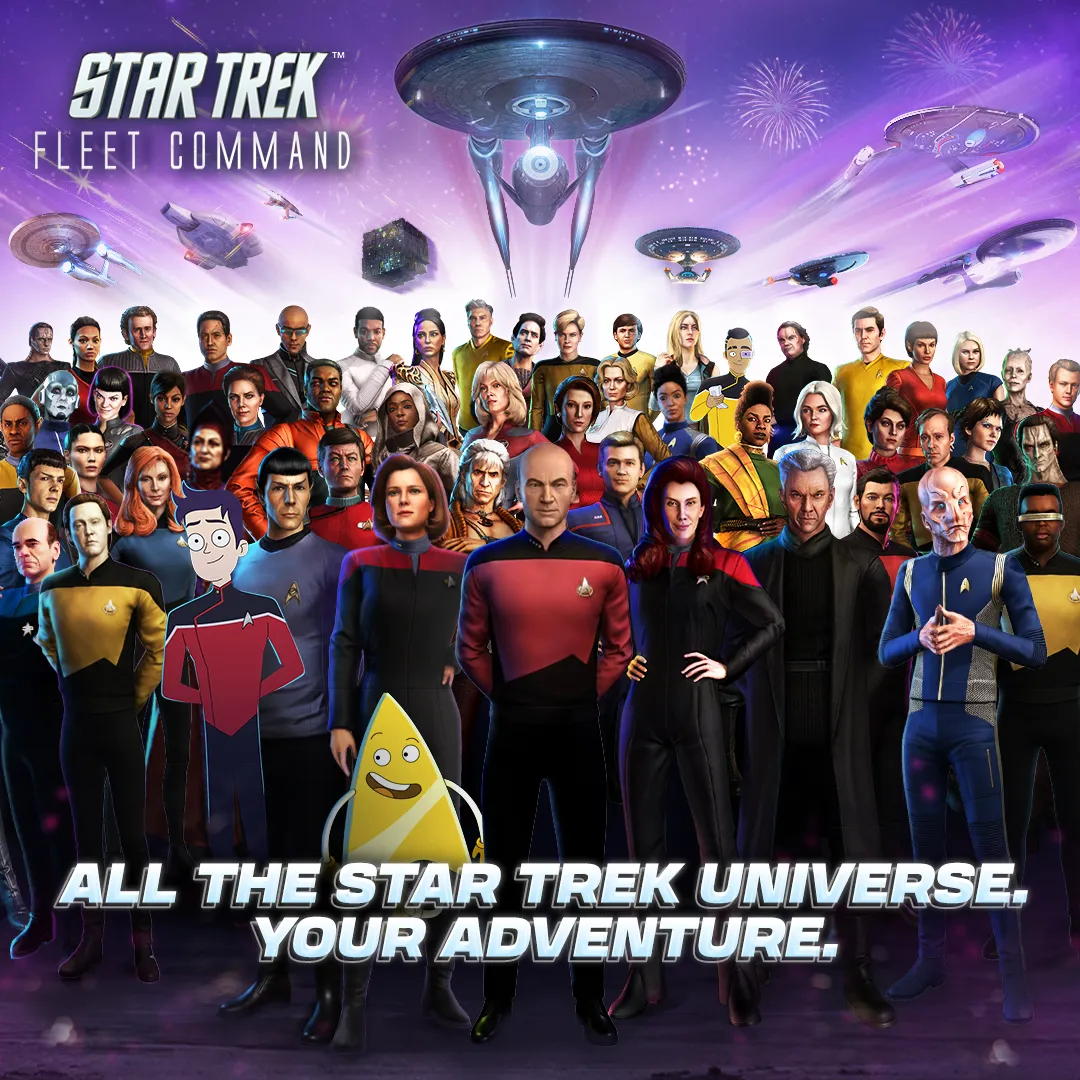
Star Trek Fleet Command
SPACE STRATEGYCommand powerful ships, explore the galaxy, battle hostile fleets, and build your own Star Trek empire in this immersive MMO strategy experience on PC.
New commander? Don’t miss our Star Trek Fleet Command Beginner Guide to avoid the 11 most common mistakes made by new players.

Allen Wade is a Senior PC Hardware & Performance Analyst at PerfCore with over 8 years of experience benchmarking CPUs, GPUs, gaming laptops, and system architectures. He specializes in 1080p and 1440p frametime analysis, thermal dynamics, and budget component optimization. Allen’s hardware testing methodology relies on standardized test benches, repeatable CapFrameX frametime captures, and clean OS environments.
This post contains affiliate links. If you make a purchase through these links, we may earn a commission at no extra cost to you.