

Star Trek Fleet Command Beginner Guide: 11 Mistakes to Avoid (2026)
The ultimate Star Trek Fleet Command beginner guide for 2026. Learn the 11 critical mistakes that ruin progression, how to manage resources, and ROE rules.


Star Trek Fleet Command is a massive, complex multiplayer game that behaves more like a marathon than a sprint. While the initial hours make it feel like a standard mobile strategy game, you quickly realize that every choice you make – from upgrading your base to leveling your officers – has long-term consequences.
Many players waste their first two weeks spending rare resources on temporary upgrades, upgrading their bases too fast, or getting hunted by stronger players because they do not understand server rules.
To help you get the best possible start, we have put together this comprehensive Star Trek Fleet Command beginner guide detailing the 11 most critical mistakes to avoid, along with a complete 30-day roadmap for new players.
Key Takeaways – Rushing your Operations Center is the single fastest way to hit a progression wall. – Always join an active alliance immediately to secure speedups and protection. – Server Rules of Engagement (ROE) must be followed to avoid being blacklisted by players. – Keep your research facilities active constantly; research buffs are permanent and stack.
Table of Contents
Mistake 1: Rushing Your Operations Center too Fast
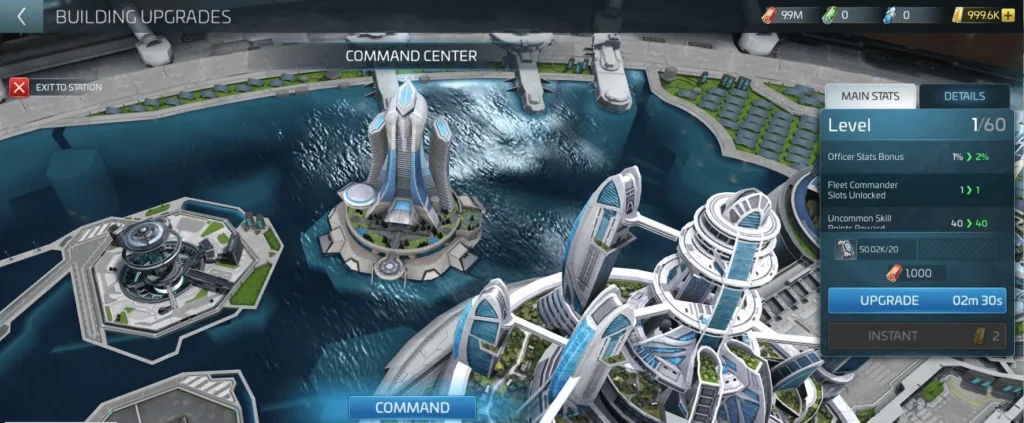
The most common trap in STFC is hitting the upgrade button on your Operations (Ops) Center the moment it becomes available.
In Star Trek Fleet Command, player progression is governed by the Operations level, which dictates base construction speed, available technology tiers, and maximum ship strength. Upgrading the Operations Center too quickly without fully researching baseline technologies is referred to as ‘rushing.’ Rushing creates a significant gameplay imbalance because daily mission difficulty and event requirements scale directly with the player’s Operations level. Consequently, a player who rushes will encounter hostiles and base raiding opponents that far exceed their fleet strength, creating a progression wall that is extremely costly to resolve. Experienced players recommend ‘camping’ at key milestones, such as Operations levels fifteen, twenty, and twenty-eight, to fully upgrade research trees, building tiers, and bridge officer ranks. This ensures the player maintains sufficient fleet power to complete daily activities and protect their resources from raids by stronger players on their server.
Before you touch that Ops upgrade button, ask yourself: Is all my combat and utility research maxed out? Are all my defense platforms and resource buildings leveled to match my current Ops? If the answer is no, wait and camp.
Mistake 2: Neglecting the Official PC Client
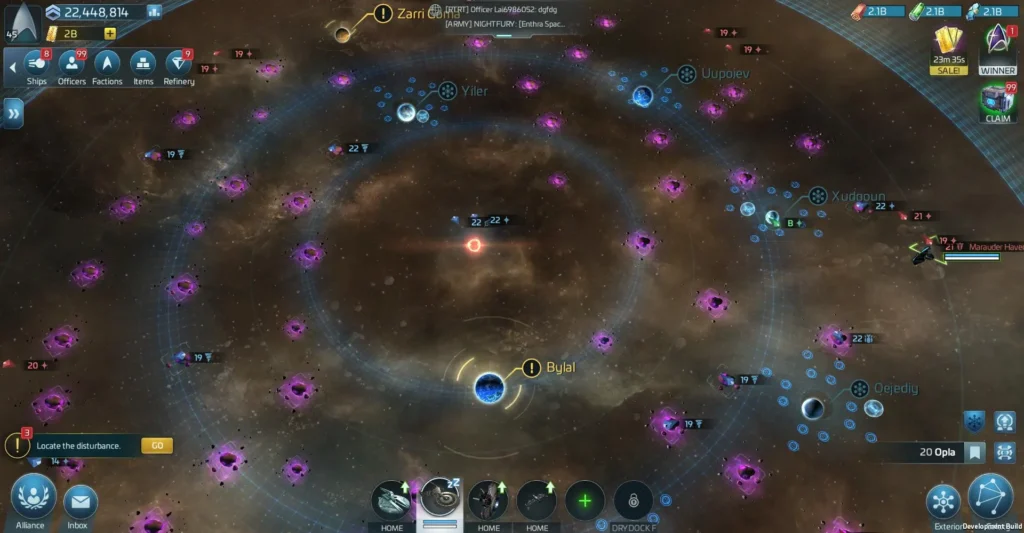
STFC started as a mobile game, but playing exclusively on a phone is a massive handicap in 2026. Juggling bridge crews, monitoring mining nodes, and navigating alliance wars on a small screen is sluggish.
The official PC client solves this by offering a high-performance desktop experience. Using the PC client makes gameplay significantly smoother because it provides keyboard shortcuts, zero UI latency, and the ability to manage multiple ships simultaneously during fast-paced alliance wars. It also grants access to exclusive web store bonuses that mobile players miss.
Mistake 3: Skipping Active Alliance Membership
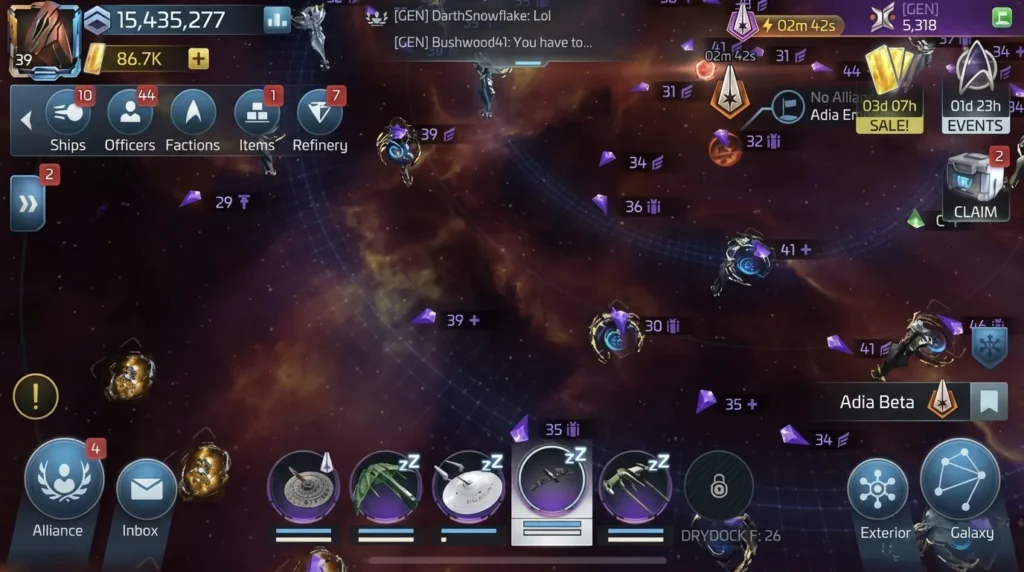
Trying to play STFC as a “lone wolf” is a recipe for disaster. Base shields are expensive, and without alliance protection, your base will become a farm for larger players.
An active alliance provides:
- Alliance Helps: Every time you build or research, alliance members can tap a help button to reduce your timers by 1% (or a minimum of 1 minute) per help.
- Armadas: Multi-player boss fights that reward epic ship blueprints and materials.
- Territory Benefits: Special systems controlled by alliances that offer massive mining and combat buffs.
Join a top-tier active alliance as early as possible. If your current alliance has fewer than 15 active members, leave and find a stronger one.
Mistake 4: Mismanaging Your Officer Leveling
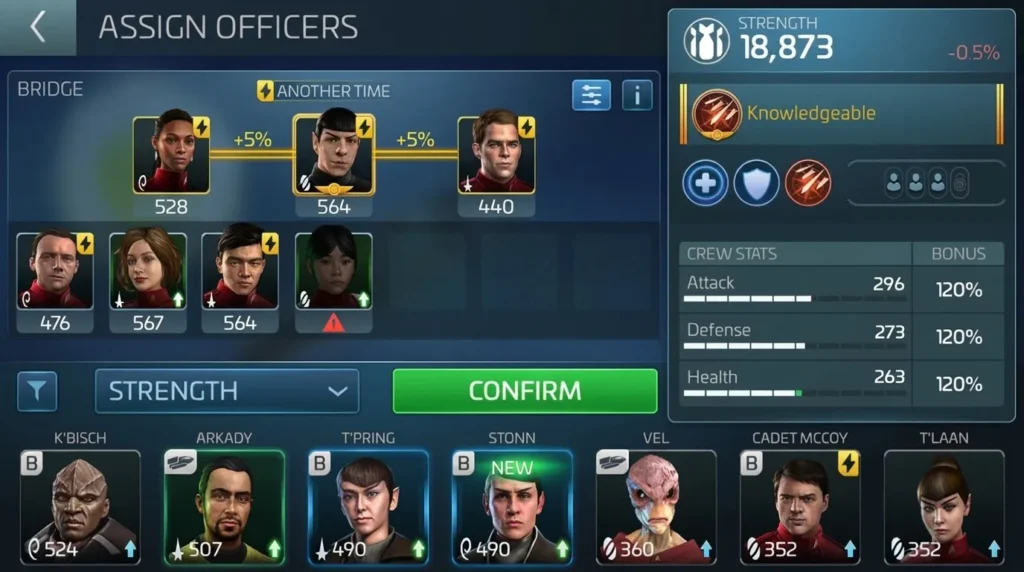
New players often dump their Officer XP into whoever they unlock first. This is a massive waste. Officer stats matter, but their synergy and capabilities matter far more.
Instead of leveling everyone, focus on key progression crews like Pike, Moreau, and Chen for PvE, or your primary mining captains. For a full breakdown of who you should prioritize leveling, check out our STFC Best Officers Guide.
Mistake 5: Forgetting Your Peace Shield
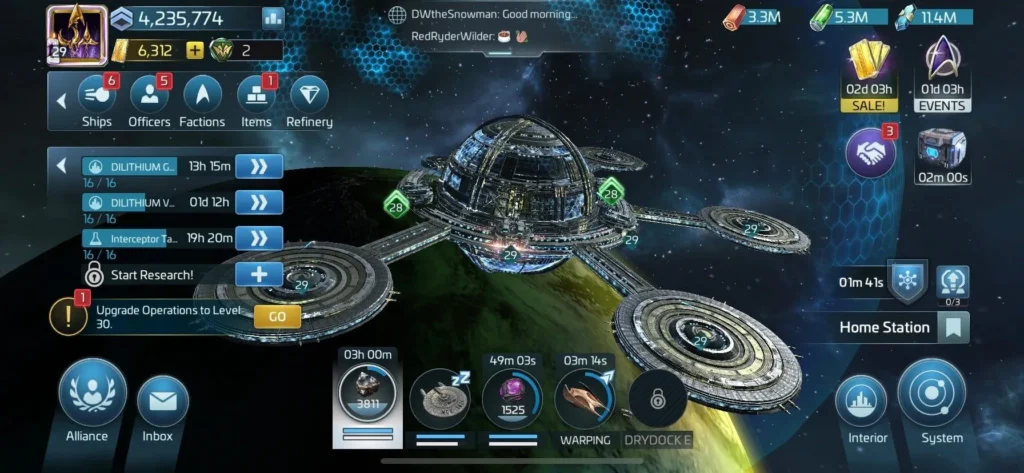
Your base stores three primary resources: Parsteel, Tritanium, and Dilithium. Once your Operations level hits 15, other players can attack your station and steal those resources.
A “Peace Shield” prevents anyone from attacking your base. If you go offline for more than an hour without a shield active, you risk waking up to find all your hard-earned resources gone. Get into the habit of keeping a 12-hour or 24-hour shield active at all times. Shields can be purchased cheaply using alliance credits or Lat-platinum.
Mistake 6: Upgrading Every Combat Ship You Unlock
Every ship in the game looks cool, but many are “resource traps.” Ships like the Phindra, Kehra, or Vahklas are transition hulls. They exist to help you complete basic tasks, not to be maxed out.
If you dump all your G3 uncommon materials into a Vahklas, you will not have enough crystal or gas to build and upgrade the Saladin or Centurion at Ops 28. For a detailed list of which warships are worth upgrading and which ones to skip, read our STFC Best Ships Guide.
Mistake 7: Ignoring the Rules of Engagement (ROE)
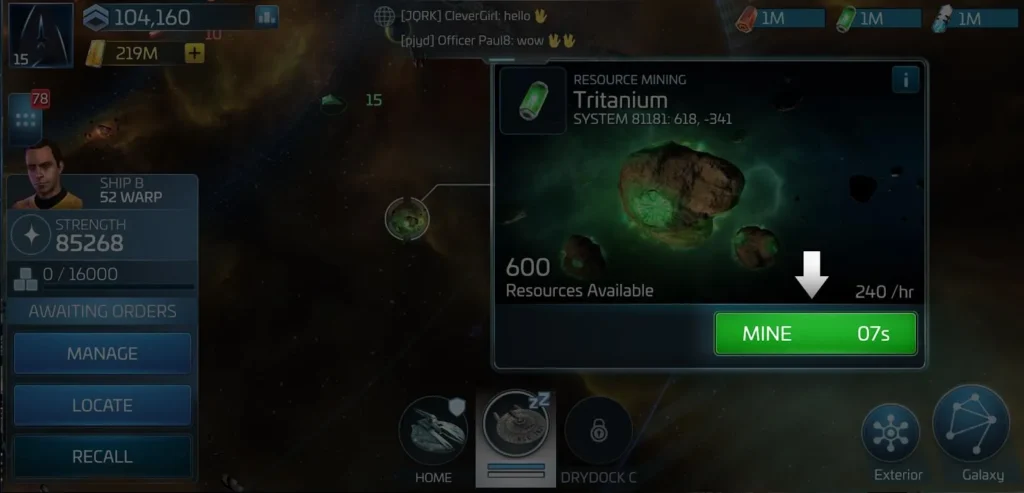
STFC is a game of faction wars, but every server has a community-enforced set of laws known as the Rules of Engagement (ROE).
Rules of Engagement, commonly abbreviated as ROE, represent a player-enforced code of conduct that regulates combat boundaries across individual game servers. While the game software allows players to attack any player ship, ROE defines which actions are socially acceptable within the community. The most universal ROE rules protect mining survey ships on resource nodes unless the ship is over protected cargo, known as OPC. A node is classified as OPC when the mined resources exceed the ship’s built-in protected cargo threshold, making the surplus vulnerable to theft. Additionally, hitting a player who is active on a ‘zero node’ – a depleted mine that is no longer yielding resources – is generally permitted under ROE to keep resources flowing. Violating server ROE results in severe social penalties, including alliance wars, blacklisting, and coordinated retributive attacks, which makes understanding and adhering to these community rules essential for new players.
Mistake 8: Letting Your Research Queues Sit Empty
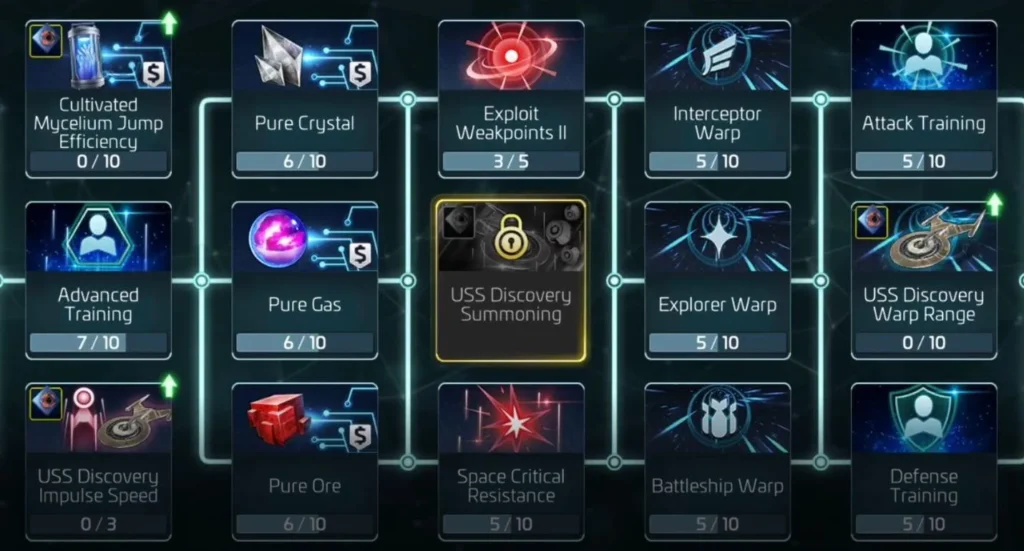
Building power numbers look impressive, but research is the real backbone of your account. Research buffs are permanent, cumulative, and apply to all your ships and buildings.
If your research queue is empty, you are wasting time. Prioritize the Combat and Galaxy trees first, focusing on damage output, warp speed, and mining efficiency. Keep those research bays running 24/7.
Mistake 9: Disregarding Daily and Faction Missions
Your “Dailies” are a set of tasks that reset every 24 hours. They include killing a specific number of hostiles, mining resources, and contributing to your alliance.
Completing these tasks is your primary source of free speedups, officer chest tokens, and faction credits. Faction daily missions also build your reputation with the Federation, Klingons, or Romulans, which is required to unlock mid-game warships. Make completing your dailies your first priority every time you log in.
Mistake 10: Over-spending on the Wrong Store Packs
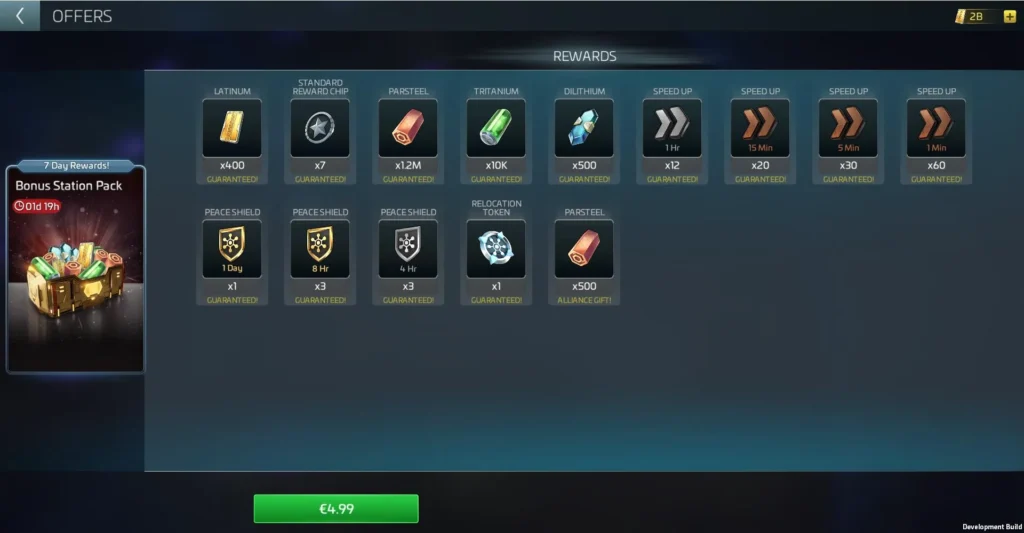
If you decide to spend money on STFC, do not just buy raw resources or speedups. These are quickly consumed and provide zero long-term value.
Instead, invest in “Elite” packs that offer permanent unlocks, such as the second research queue, extra builder slots, or blueprints for essential specialty ships like the Vi’dar or Franklin.
Additionally, avoid purchasing items through mobile stores. The official Scopely Web Store offers regular discounts and loyalty points that save you 15–30% on every purchase. Accessing the store through the official STFC PC client is the easiest way to make sure you get these savings.
Mistake 11: Playing on Only One Device
To maximize your progression, you should utilize cross-play. Link your game account to a Scopely ID in the settings menu.
This allows you to play on your PC when you are at home (for alliance wars, base management, and complex officer setups) and switch to your mobile phone when you are on the go (to reset mining nodes and shield timers). Never lock your account to a single device.
Frequently Asked Questions
What is the best way to get officer shards as a beginner?
The most consistent way is completing your daily tasks to earn Recruit Tokens, participating in alliance events, and refining Borg nanites using the Vi’dar ship later in the game.
How do I protect my resources from being stolen?
Keep your Peace Shield active whenever you are offline. Check your base shield timer regularly, and set notifications on your phone so you know when a shield is about to expire.
What is the “zero node” rule in mining?
A zero node is a mining resource node that has been depleted but still has a ship parked on it. Under most server ROE rules, you are allowed to attack and destroy any ship sitting on a zero node to free it up for active mining.
Which faction should I align with first?
Federation is generally recommended for beginners because its G3 faction ship (the Saladin) and Epic ship (the Enterprise) are the best overall warships in their respective tiers.
Why is rushing my Operations Center considered bad?
Because the difficulty of your daily hostiles, daily missions, and event brackets is determined by your Operations level. If you upgrade Ops without upgrading your combat research and ships, you will find daily tasks impossible to complete.
Start Your Journey the Right Way
Avoiding these basic mistakes will put you weeks ahead of other players on your server. Focus on research, protect your resources with peace shields, follow the community Rules of Engagement, and leverage the power of the PC client to manage your fleet.
For a detailed walkthrough on setting up the PC client and configuring custom keybinds for combat, check out our Star Trek Fleet Command PC guide.

Star Trek Fleet Command
SPACE STRATEGYCommand powerful ships, explore the galaxy, battle hostile fleets, and build your own Star Trek empire in this immersive MMO strategy experience on PC.

Allen Wade is a Senior PC Hardware & Performance Analyst at PerfCore with over 8 years of experience benchmarking CPUs, GPUs, gaming laptops, and system architectures. He specializes in 1080p and 1440p frametime analysis, thermal dynamics, and budget component optimization. Allen’s hardware testing methodology relies on standardized test benches, repeatable CapFrameX frametime captures, and clean OS environments.
This post contains affiliate links. If you make a purchase through these links, we may earn a commission at no extra cost to you.