

ASUS ROG Zephyrus G16 Gaming Laptop Review

ASUS’s 2025 lineup of ROG Zephyrus gaming ultrabooks sticks closely to the design language of its predecessors, but brings updated, more current hardware to the table. We got our hands on a mid-range configuration equipped with a GeForce RTX 5070 Ti.
Given our long familiarity with the Zephyrus series, there wasn’t much here that truly caught us off guard except for one key detail: performance comes surprisingly close to last year’s flagship. And honestly, this is one of those cases where a lack of surprises ends up being a pleasant surprise in itself.
Lately, the gap between gaming laptops and desktops has been steadily shrinking.
If you’re looking for the top options available right now, check out our
best gaming laptops 2025 guide.
Contents
show
Technical specifications
- Display: 16-inch OLED, 2560×1600 (16:10), high refresh rate (up to 240Hz), HDR support
- Processor (CPU): Latest-generation Intel Core Ultra (Arrow Lake-H series)
- Graphics (GPU): NVIDIA GeForce RTX 5070 Ti Laptop GPU
- Memory (RAM): Up to 32GB LPDDR5X
- Storage: PCIe Gen4 NVMe SSD (1TB or higher)
- Cooling System: Advanced vapor chamber with multiple heat pipes and dual fans
- Battery: ~90Wh, fast charging support
- Ports: USB-C (Thunderbolt 4), USB-A, HDMI 2.1, 3.5mm audio jack
- Wireless: Wi-Fi 7, Bluetooth 5.4
- Chassis: CNC-milled aluminum, slim ultrabook form factor
- Weight: ~1.9 kg (4.2 lbs)
Packaging and design
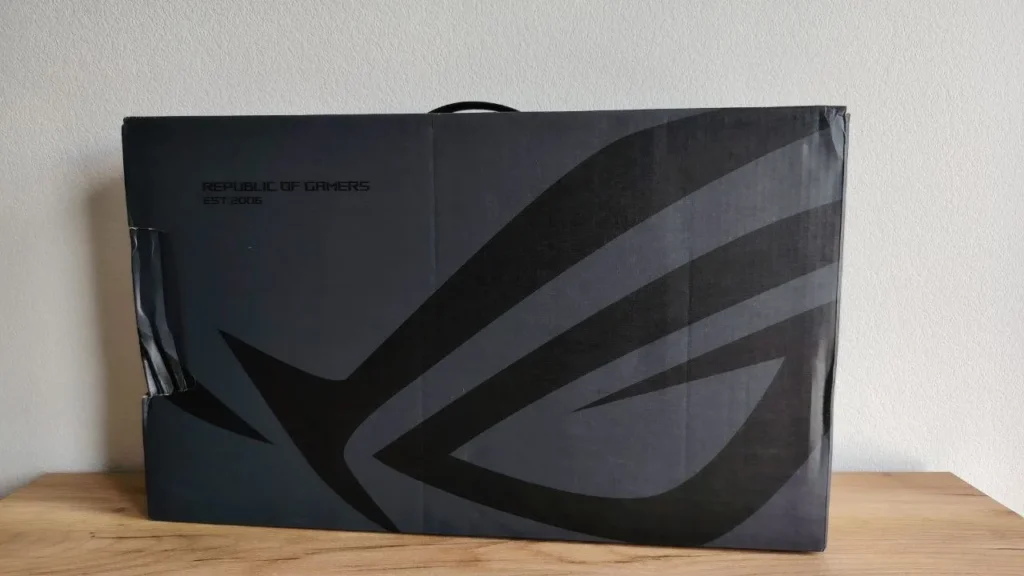
The laptop comes in a traditional dark gray cardboard box, dominated by a large black ROG logo that spans almost the entire front. Next to it, ASUS uses its signature typography to print “Republic of Gamers,” along with the brand’s founding year 2006.
Inside, the presentation remains familiar. You’ll find a slim black inner box with an embossed finish housing the laptop itself, secured in place with cardboard inserts. Off to the side sits a separate compartment containing the power adapter, also finished in black.
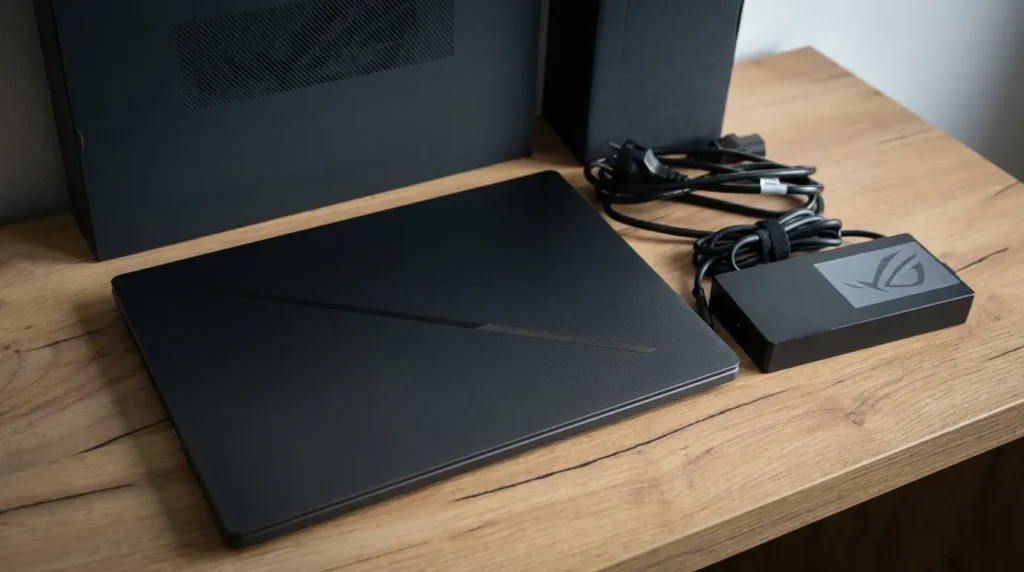
That’s where the standard bundle ends beyond the laptop itself and the 240W power adapter, you only get the bare minimum documentation.
However, ASUS does offer a wide range of optional bundles that include peripherals. Given the brand’s strong lineup and consistently high build quality, these packages may appeal to gamers looking to pick up everything they need for a comfortable, ready-to-go setup in one purchase.
That said, ASUS offers a wide range of optional bundles that include peripherals. Given the brand’s strong ecosystem and consistently high-quality gear, these packages may appeal to gamers looking to pick up everything they need for a comfortable, ready-to-use setup in a single purchase.
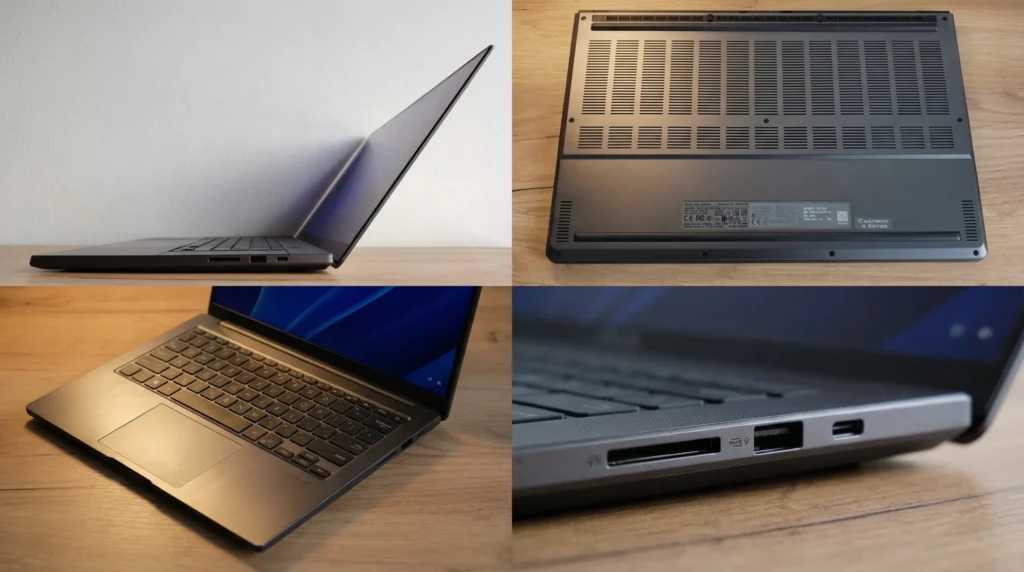
The bottom panel is roughly two-thirds perforated, allowing for improved airflow something especially critical in a chassis this compact. Grilles for the low-frequency speakers are positioned near the corners, while elongated rubber feet run along the top and bottom edges. These provide solid stability and, despite appearances, don’t significantly add to the overall thickness though the resulting air gap remains fairly minimal.
The keyboard takes up most of the deck, slightly recessed into the chassis. Flanking it are front-facing speaker grilles, made up of 1,992 ultra-fine perforations. Up top, there are four additional macro keys and a hexagonal power button without a fingerprint sensor (authentication is handled via password or the webcam). Below the keyboard sits a centrally aligned touchpad measuring 10×15 cm.
Display

In 2024, the Zephyrus lineup for the first time adopted the stunning ROG Nebula OLED display and it remains one of the best laptop panels on the market. After using it, most more basic displays feel dull, dim, and sluggish by comparison. It’s no surprise, then, that the 2025 models continue to feature the same panel.
The side bezels measure just 5 mm, with an 8 mm top bezel and a thicker 20 mm bottom chin that houses the centered ROG Zephyrus logo. The screen-to-body ratio reaches 88.4%. Both the panel and the surrounding bezels have a glossy finish.
The display itself measures 16 inches with a 16:10 aspect ratio, allowing the laptop to remain nearly identical in footprint to traditional 15.6-inch models.
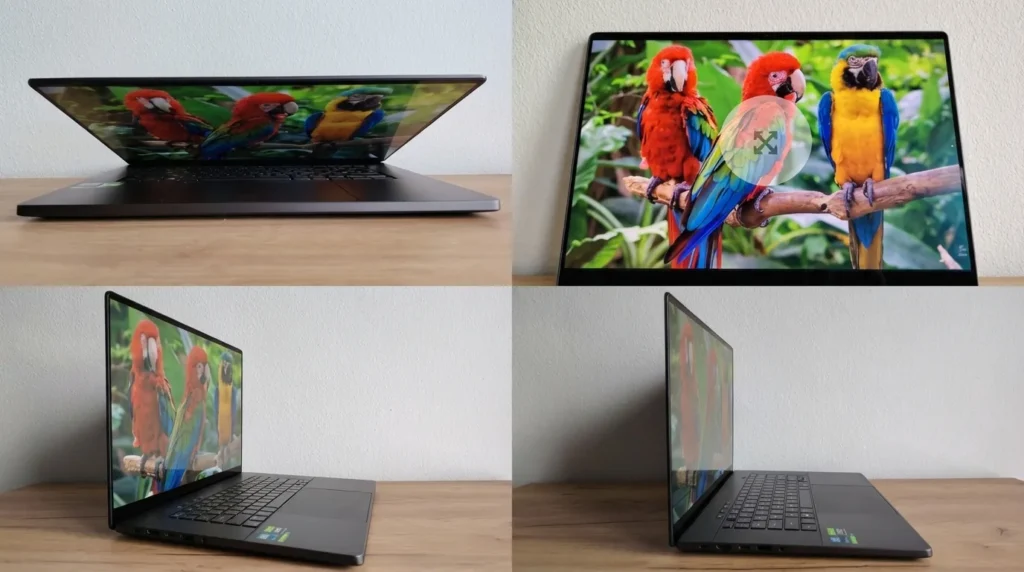
The display resolution is 2560×1600, delivering excellent sharpness and detail. Peak brightness reaches 500 nits, which is more than sufficient for comfortable use in most lighting conditions. In direct sunlight, some glare is inevitable but that’s primarily due to the glossy finish rather than a lack of brightness.
Color performance remains a standout feature. The panel covers 100% of the DCI-P3 color space, is Pantone-validated, and achieves a Delta E of under 1, making it suitable for color-critical work. HDR support is also present, meeting the VESA DisplayHDR 500 True Black standard. Even at extreme viewing angles, there’s no visible color shifting or inversion, and reduced blue light emission is TÜV Rheinland certified to help reduce eye strain.
Beyond that, the ROG Nebula OLED panel checks all the right boxes for both gamers and creators. A 240Hz refresh rate ensures ultra-smooth motion, while the 0.2 ms response time minimizes ghosting particularly important in fast-paced titles. Contrast is rated at 1,000,000:1, a massive leap over typical IPS panels, which usually sit around 1000:1. The display also supports NVIDIA G-SYNC and includes built-in OLED burn-in protection mechanisms, rounding out an already top-tier feature set.
Audio, microphone, camera

The ASUS ROG Zephyrus G16’s audio system delivers impressively high-quality sound especially considering the laptop’s thin and compact chassis. The setup includes six speakers, with two dedicated subwoofers, producing clear, loud audio with excellent detail across the frequency range.
Naturally, the lower frequency limit of around 100 Hz isn’t record-breaking compared to full-sized professional audio systems, but for an ultrabook, it’s an exceptional result. Bass is punchy and well-defined, while the mids and highs are crisp and balanced, creating an immersive experience whether you’re gaming, watching movies, or listening to music.
The microphone array operates as a unified system, offering flexible pickup patterns: front-facing capture, omnidirectional mode, or enhanced stereo with background noise suppression. Sample recordings clearly demonstrate both the clarity of voice capture and the effectiveness of the noise reduction.
There’s also bidirectional AI-powered noise cancelation for video calls. This technology filters out background noise not only from your microphone input but also from incoming audio, significantly improving overall call quality. Notably, all processing is handled by the CPU, with no load placed on the discrete GPU.
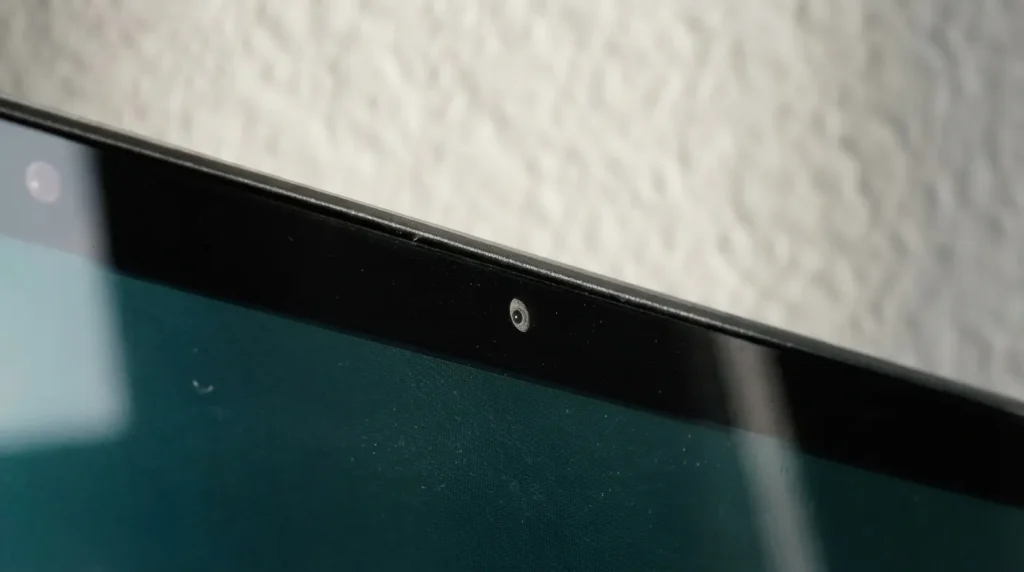
The built-in webcam is unlikely to satisfy streamers, but it handles everyday tasks perfectly well. It supports up to 1080p at 30 FPS and includes flicker reduction.
Its key advantage is the integrated IR module, which enables facial recognition even in low-light conditions making device unlocking much more convenient. There’s also an LED activity indicator, though a physical privacy shutter is notably absent.
Performance
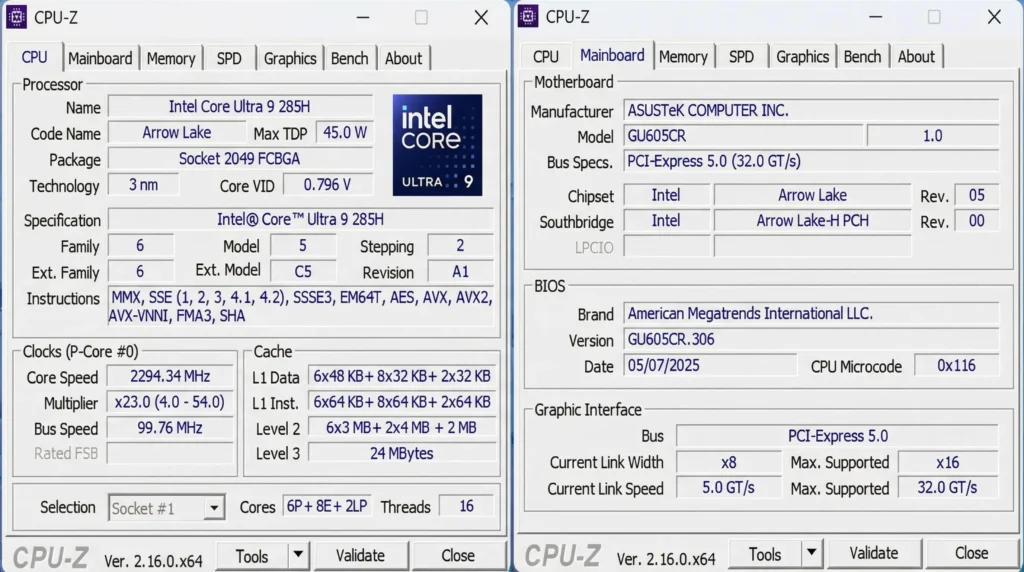
ASUS ROG Zephyrus G16 laptops are available in a wide range of configurations featuring both Intel and AMD processors. The Intel-based models including the unit we tested are powered by the new Intel Core Ultra 9 285H mobile processor. It packs 16 cores, reaches boost frequencies of up to 5.4 GHz, and operates at a TDP of up to 115W.
For improved performance in AI-driven workloads, the chip also integrates a dedicated Intel AI Boost engine, designed to accelerate machine learning and related tasks without overloading the primary CPU cores.
According to ASUS, the processor delivers up to a 50% improvement in performance per watt compared to the previous generation. We’re already quite familiar with the 2024 ROG Zephyrus lineup having reviewed three models, including the flagship powered by the Intel Core Ultra 9 185H and based on our benchmarks, the real-world CPU performance uplift lands in the 10–20% range in favor of the new chip.
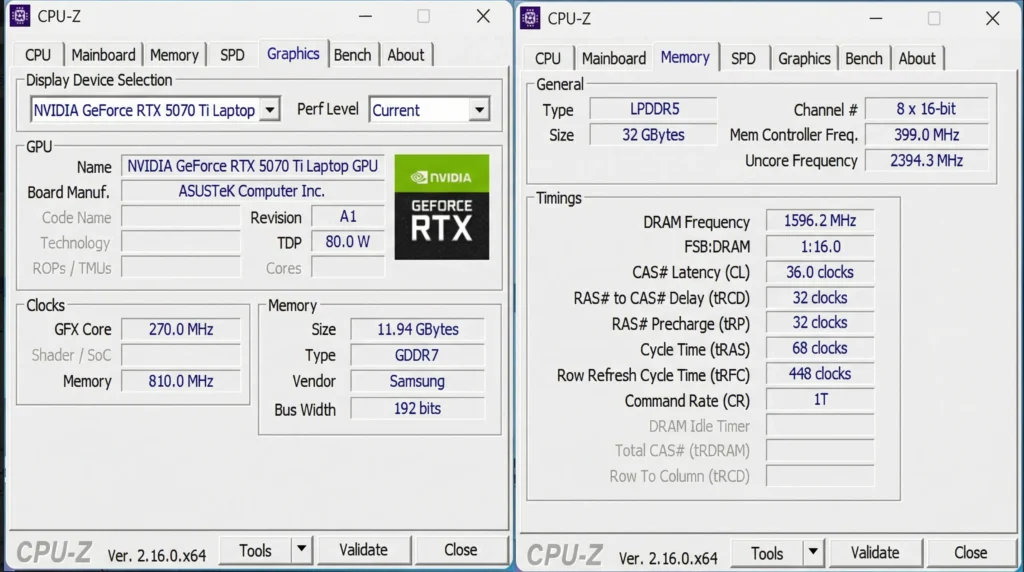
The rest of our configuration includes 32GB of high-speed DDR5 memory and an NVIDIA GeForce RTX 5070 Ti Laptop GPU with 12GB of GDDR7 VRAM and a solid 115W TDP for a mobile solution. Last year, we tested a flagship configuration, while this unit sits more in the mid-range tier of the current lineup. In a way, that worked in our favor we were able to directly compare this “mid-tier” model against last year’s top-end variant equipped with a mobile RTX 4090.
The results were surprisingly close. In synthetic benchmarks and in the built-in Cyberpunk 2077 benchmark (note that other games in our test suite differed), the performance gap was relatively small. And it’s worth noting that even more powerful configurations are available, featuring GeForce RTX 5080 and RTX 5090 GPUs as well as more affordable options based on the RTX 5070 and RTX 5060.
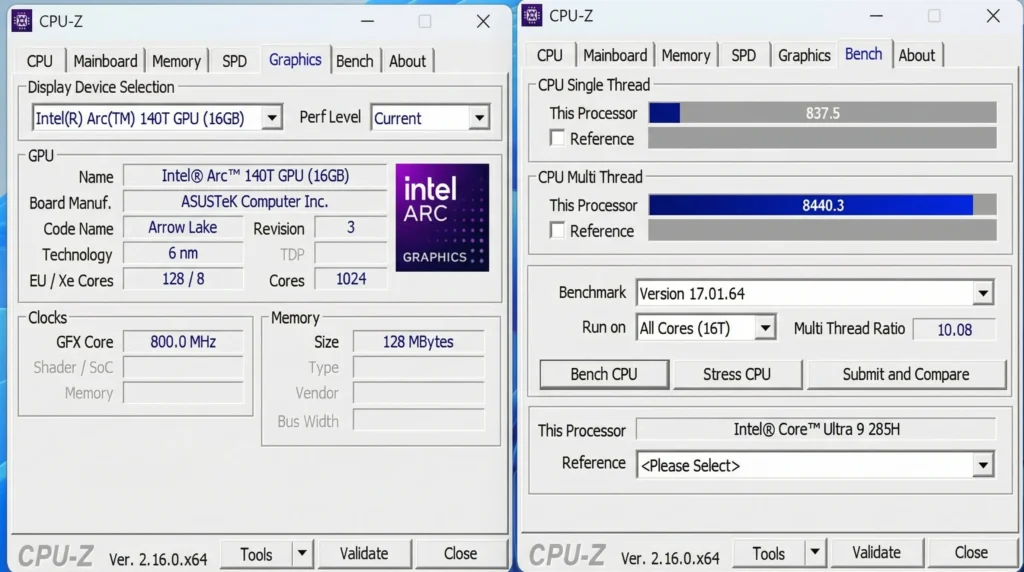
The GPU delivers excellent performance and supports all the latest technologies: hardware-accelerated ray tracing, DLSS 4 upscaling with frame generation, NVIDIA Reflex which can reduce input latency by up to 75% for more responsive gameplay and intelligent power management.
One of the key gaming advantages of DLSS 4 is its enhanced frame generation. In ideal scenarios, it can boost frame rates by up to 8x. In practice, however, most games offer a more balanced mode typically generating three additional frames per rendered frame, resulting in up to a 4x increase.
Storage is handled by a PCIe 4.0 NVMe SSD. While it doesn’t quite hit the absolute ceiling of the interface, it’s still extremely fast, with read and write speeds exceeding 6 GB/s. Our review unit came equipped with a 2TB drive, which should be plenty for a sizable game library, though ASUS has also included a second M.2 2280 slot for future expansion.
Packing this level of hardware into a compact chassis places significant demands on the cooling system. In the configuration we tested featuring the GeForce RTX 5070 Ti as well as in higher-end variants with RTX 5080 and RTX 5090 GPUs, ASUS employs a full suite of thermal solutions: liquid metal instead of traditional thermal paste, a vapor chamber, and specially designed fan blades.
For lighter workloads, there’s also a dedicated silent mode, allowing the system to operate with minimal noise when full performance isn’t required.
Keyboard and touchpad
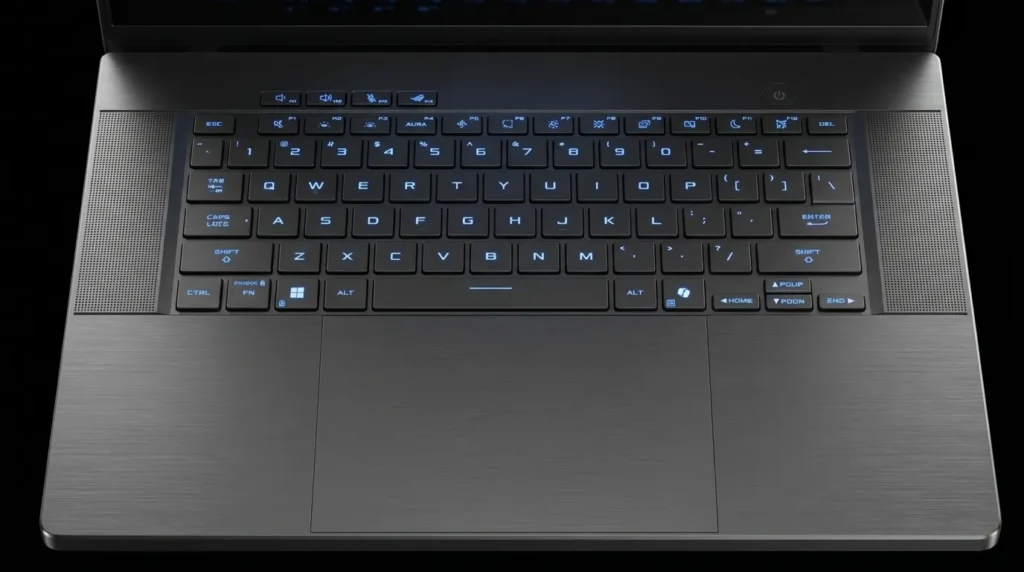
Despite its 16-inch form factor which often implies the presence of a numpad the ASUS ROG Zephyrus G16 does without one. The island-style keys offer a relatively deep 1.7 mm travel, delivering a tactile and satisfying typing experience. Actuation force is well-balanced, making the keyboard equally comfortable for both gaming and extended typing sessions this review, as usual, was written entirely on it. The F, J, and W keys feature tactile markers for easier touch typing.
The keyboard is rated for 20 million keystrokes. Key legends are laser-etched, ensuring long-term durability and clear visibility with or without backlighting. The lighting itself is single-zone RGB, with full spectrum support and customizable effects via Armoury Crate.
Alphanumeric keys are full-sized, while Tab, Caps Lock, both Shift keys, Backspace, and Enter are widened for convenience. Ctrl and Alt match standard key sizes, but the right Ctrl has been replaced with a dedicated Microsoft Copilot key a reflection of the growing emphasis on AI features.
The top row (Esc, function keys, Del) and arrow keys are narrower, which may take some adjustment. The absence of dedicated Home, End, Page Up, and Page Down keys is also noticeable their functions are mapped to the arrow cluster and accessed via the Fn modifier.
Battery life
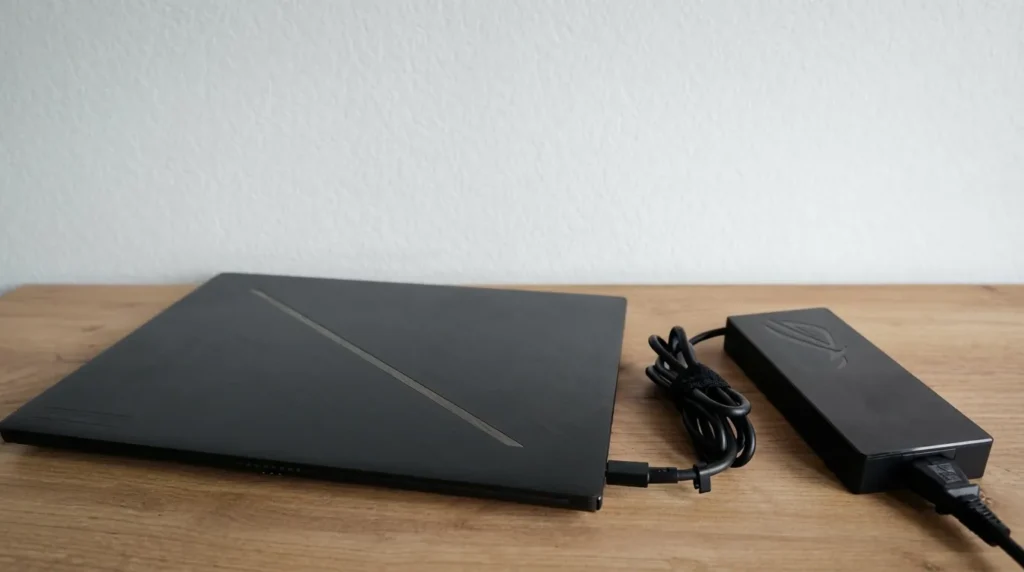
ASUS ROG Zephyrus G16 laptops are equipped with a sizable 90Wh battery. However, unlike last year’s lineup, ASUS no longer emphasizes specific battery life claims, instead highlighting fast charging up to 50% in just 30 minutes using the included power adapter.
Naturally, serious gaming on battery power isn’t a realistic use case. For everyday workloads, results are more relevant. In my typical usage scenario constant Wi-Fi connectivity, around 50% screen brightness, and a mix of writing and web-based data analysis the battery drains at roughly 25–30% per hour. That translates to about 3–4 hours of real-world use.
For a gaming laptop, that’s a quite respectable result. Still, if you’re planning extended sessions away from an outlet, bringing the charger is highly recommended. The good news is that for non-gaming tasks, even a USB-C smartphone charger can suffice providing enough power to top up the battery and maintain reasonable performance levels.

I haven’t been working in the IT industry for very long, but ever since I was a kid I knew this was what I wanted to do. I started studying and tinkering with hardware when I was around 10 years old, although I had been using computers long before that , I used my first mouse at just 3 years old.
My studies focused on computer science topics, mainly cybersecurity. Over time, I discovered how much I enjoyed sharing hardware-related news and information with others.
Like many professionals in the industry, video games were one of my main motivations for getting into tech. They’re still a big part of my daily life, and I’m always keeping an eye on the latest announcements.
I’ve been working at PerfCore for a while now as a writer, and little by little I’m gaining experience in other roles as well such as doing in-depth product reviews and developing a more critical, analytical approach to hardware.