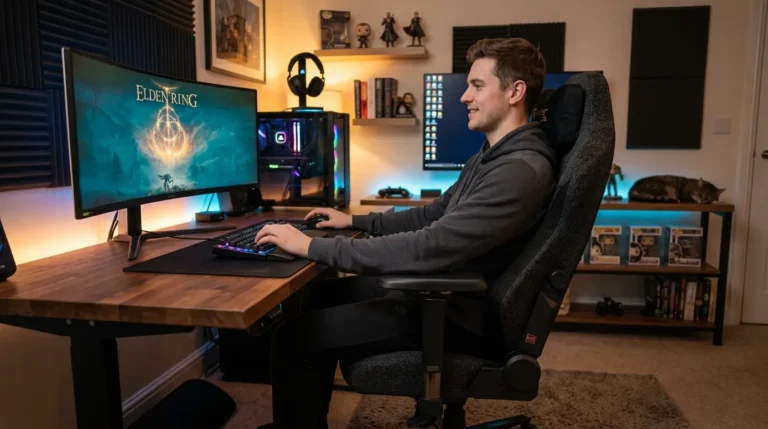

nuphy kick75 review: the world’s first hybrid keyboard that does it all

have you ever found yourself torn between two keyboards? one that feels incredible at your desk but turns into a bulky nightmare in your backpack, and another that travels well but never quite satisfies your fingers? i’ve been reviewing keyboards for two decades now, and i can honestly say that nobody had truly cracked that problem until the nuphy kick75 landed on my desk.
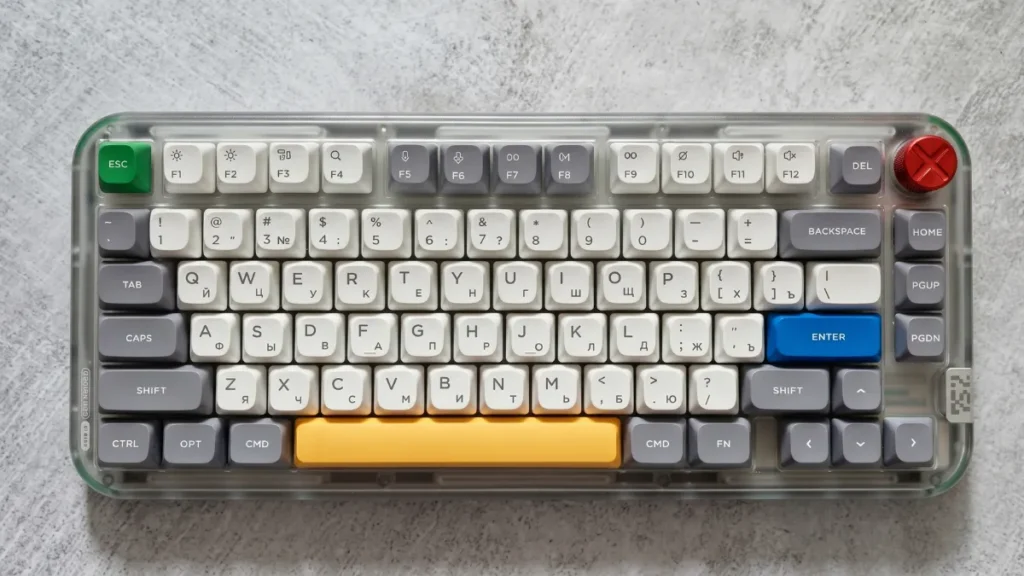
this remarkable piece of engineering is the world’s first keyboard that lets you physically switch between a high-profile and a low-profile configuration. think about that for a moment. one keyboard. two entirely different personalities. at home, you snap into the tall, sculpted setup that cradles your fingers during marathon typing sessions and intense gaming rounds. heading to the office or a coffee shop? drop it into the slim configuration, toss it in your bag, and go.
for people like me and probably like you who obsess over every detail of their workspace, the kick75 eliminates a frustrating compromise. you no longer need to buy two separate keyboards or settle for one that only half-meets your needs. that alone makes this thing worth paying attention to.
Contents
show
technical specifications
- form factor: 75%
- build: classic
- switches: mechanical tactile brown nano
- number of keys: 80
- layout: ansi, en
- hot-swappable switches: yes, 3-pin and 5-pin support
- keycaps: pbt, nsa / nsa profile
- nkro: yes
- backlight: rgb (customizable)
- multimedia: volume control wheel
- connectivity: usb-c, bluetooth, 2.4 ghz
- compatibility: windows, macos
- case material: plastic
- wrist rest: included
- dimensions: low profile 333 x 143.3 x 28.9 mm, high profile 333 x 143.3 x 33.6 mm
- weight: low profile 877 g, high profile 1009 g
- battery: 2500 mah
- software: available
- key features: physical switching between low and high profile
what’s under the hood
the nuphy kick75 runs a 75% form factor, which means you’re working with 80 keys in an ansi layout. that’s the sweet spot for most people: compact enough to free up desk real estate, yet complete enough that you never feel like something critical is missing.
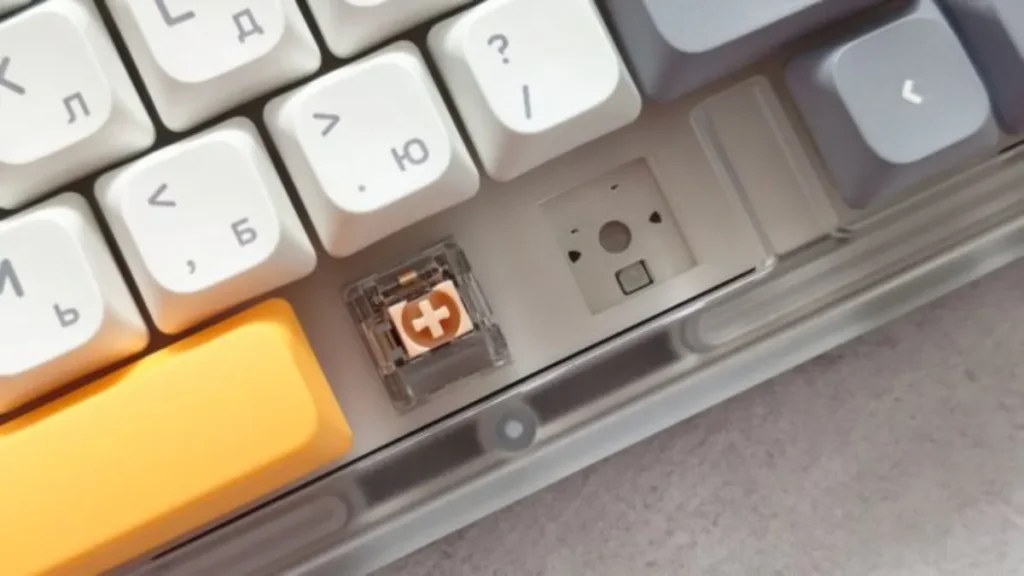
every keycap is made from pbt plastic, the gold standard material that resists shine and wear far better than cheaper abs alternatives. beneath those keycaps, you’ll find hot-swappable sockets compatible with both 3-pin and 5-pin mechanical switches, which opens the door to an absurdly wide world of aftermarket customization.
the battery tucked inside measures a generous 2500 mah. a customizable rgb backlight illuminates the board, and a satisfying rotary volume wheel sits in the upper corner, adding both function and personality. and yes, the kick75 plays nicely with both windows and macos right out of the gate.
first impressions: unboxing and design
cracking open the packaging reveals a thoughtfully curated bundle. you get the keyboard itself, a braided usb-a to usb-c cable, a dual-purpose puller for keycaps and switches, a handful of extra keycaps, a 2.4 ghz wireless dongle, instruction manuals, and a few stickers for good measure. nothing feels like an afterthought.
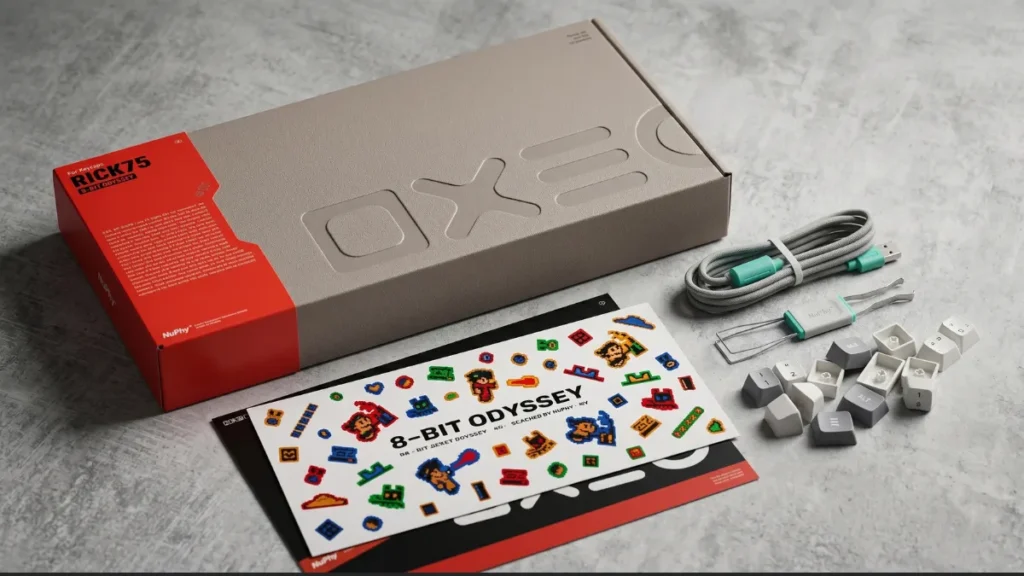
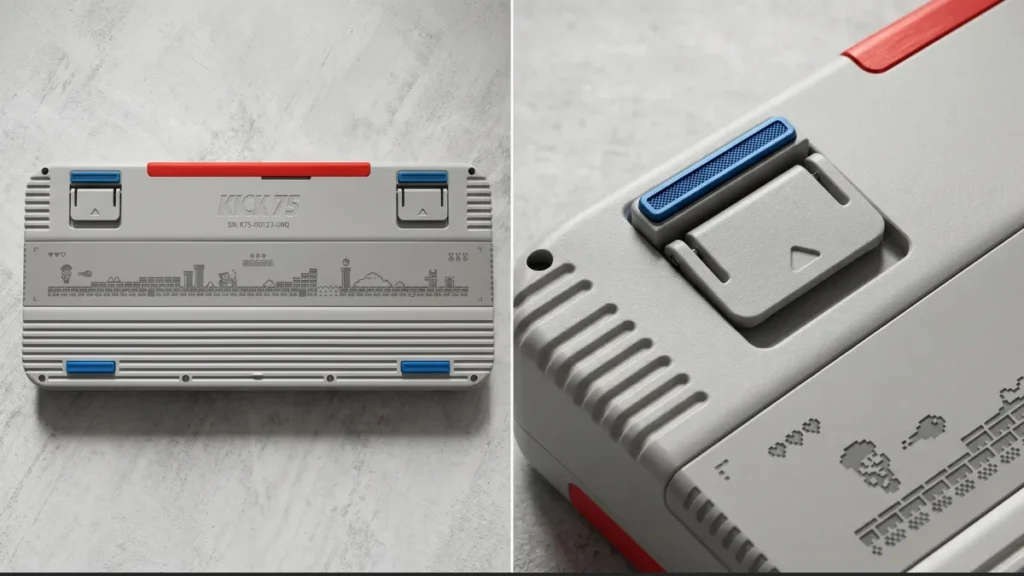
but honestly, the design language is what stopped me in my tracks. nuphy drew heavy inspiration from retro pixel-art video games, and the result is a keyboard that radiates nostalgia without feeling gimmicky. colorful accent keys pop against the main body. a magnetic led cover adds a layer of visual flair that you can swap to match your mood or setup. the rotary knob isn’t just decorative either you can map it to different functions depending on your workflow.
the high-profile configuration uses msa profile keycaps, which are slightly taller than standard caps and feature a gentle scooped shape on each key. that subtle curvature guides your fingertips to the center of every key, reducing mistypes in a way you genuinely feel within the first few paragraphs of typing. larger keys like the spacebar, shift, and enter benefit from rock-solid stabilization, so there’s zero rattle or mushiness when you slam them during heated gaming moments.
and the lighting? it goes well beyond a simple rainbow wave. you can choose from multiple reactive typing modes and user-defined scenarios, turning the keyboard into a light show that responds to your every keystroke.
connectivity that keeps up with you
the kick75 supports three distinct connection modes. plug in the usb-c cable for a direct wired link. pair it over bluetooth to juggle up to three devices simultaneously say, your laptop, tablet, and phone. or use the included 2.4 ghz dongle for a wireless experience that rivals wired performance.
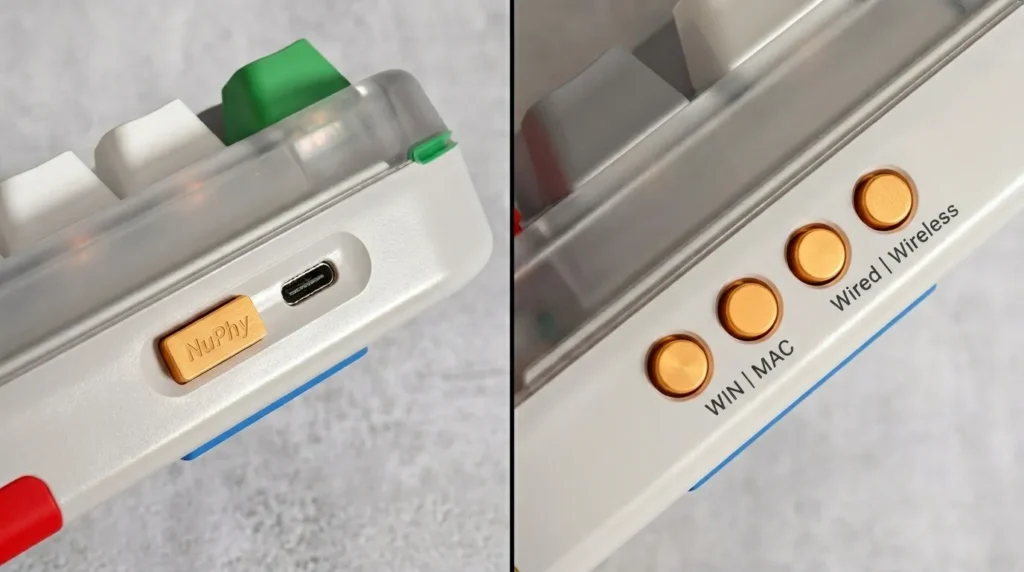
speaking of performance, both the wired and 2.4 ghz radio connections deliver a blistering 1000 hz polling rate. in practical terms, that means the keyboard reports your inputs a thousand times every single second. competitive gamers will appreciate the complete absence of input lag, and even fast typists will notice how every keystroke registers with razor-sharp precision.
configuration happens through the nuphyio web driver, an intuitive browser-based tool that lets you remap keys across multiple programmable layers, build intricate macros, and fine-tune every aspect of the backlight. no clunky software installation required.
living with the kick75
for the high-profile setup, nuphy offers four switch options: red max for smooth linear keystrokes, brown max for a tactile bump, silver max for speed-focused gaming, and blush max for something a little different. i spent most of my testing period with the blush max switches, and they genuinely surprised me. they’re exceptionally quiet and buttery smooth, producing so little sound that i comfortably typed late at night with my toddler sleeping in the next room. not once did a keystroke wake her up.
that quietness isn’t accidental. the chassis incorporates internal sound-dampening layers that absorb vibration and reduce hollow resonance. if you’re the kind of person who loves modding keyboards, you’ll also appreciate how easily the board disassembles for further acoustic tweaking adding foam, tape, or whatever material your audiophile heart desires.
battery life deserves its own standing ovation. with the backlight turned off, the 2500 mah cell delivers roughly 290 hours of use. turn the lights on, and you’re still looking at around 60 hours. either way, you’re charging this thing far less often than you’d expect.
the bottom line
after spending weeks with the nuphy kick75, i can say without hesitation that it stands in a category entirely its own. the hybrid construction isn’t a gimmick it fundamentally changes how you relate to your keyboard by adapting to your environment instead of forcing you to adapt to it.
the retro-inspired aesthetics are gorgeous. the build quality is exceptional. the switch variety caters to every preference. the software setup is painless and powerful. and the dual-profile capability solves a problem that keyboard enthusiasts have quietly accepted for years.
downsides? i genuinely struggled to find any. the nuphy kick75 earns my unreserved recommendation and trust me, after twenty years of testing keyboards, that doesn’t happen often.
While the NuPhy Kick75 focuses on hybrid design, you might also be interested in our Epomaker Split70 review, which takes a completely different approach with a split ergonomic layout for improved comfort during long typing sessions.
:

I haven’t been working in the IT industry for very long, but ever since I was a kid I knew this was what I wanted to do. I started studying and tinkering with hardware when I was around 10 years old, although I had been using computers long before that , I used my first mouse at just 3 years old.
My studies focused on computer science topics, mainly cybersecurity. Over time, I discovered how much I enjoyed sharing hardware-related news and information with others.
Like many professionals in the industry, video games were one of my main motivations for getting into tech. They’re still a big part of my daily life, and I’m always keeping an eye on the latest announcements.
I’ve been working at PerfCore for a while now as a writer, and little by little I’m gaining experience in other roles as well such as doing in-depth product reviews and developing a more critical, analytical approach to hardware.