
Razer blackwidow v4 pro gaming keyboard review
Razer BlackWidow V4 Pro review full size gaming keyboard with rgb and macro keys

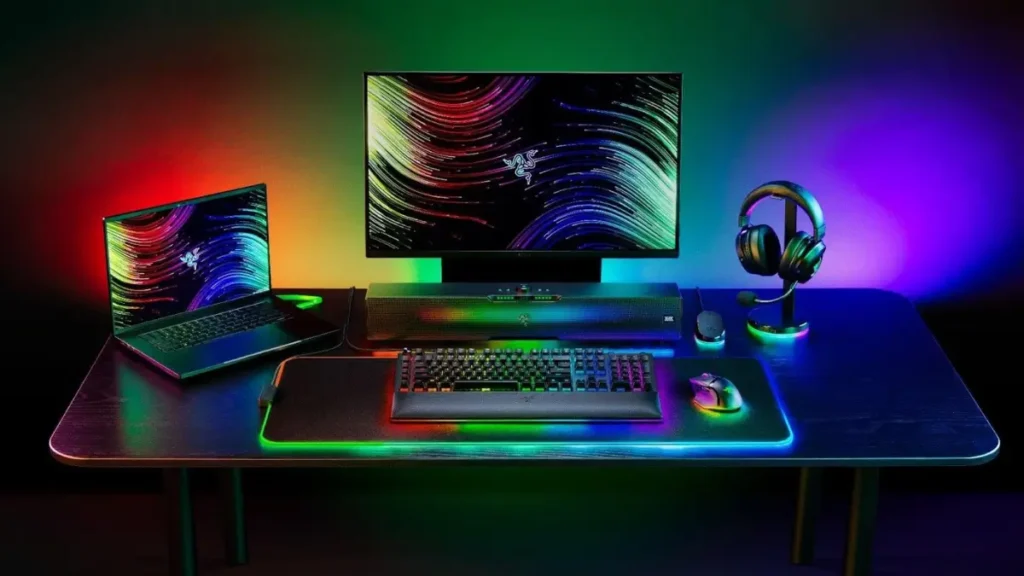
The razer blackwidow v4 pro is a full-size mechanical keyboard that offers not only a complete key set including a numpad but also a wide range of additional macro keys dedicated media controls and a customizable multifunction dial. This is more than enough not just for a pc and one could easily imagine a single keyboard like this being sufficient to control a spaceship. Let’s take a closer look in this review.
Contents
show
Technical specifications
Form factor is 100 percent. Construction is skeleton-style. Switches are razer green mechanical switches third generation. Key count includes 104 keys plus 8 macro keys a multifunction dial button 4 media keys and an additional multifunction roller. Layout is ansi english. Hot-swappable switches are not supported. Keycaps are double-shot abs with a cherry profile. Nkro is supported. Lighting is rgb and fully customizable. Media controls use dedicated keys plus a roller. Connectivity is usb-c and bluetooth. Polling rate goes up to 8000 hz. Compatibility includes windows and macos. Onboard memory is available with up to five profiles. Case material combines aircraft-grade aluminum and plastic. A wrist rest is included and it is magnetic with lighting. Dimensions are 466 × 153 × 444 mm. Weight is 1639 g. Software support is available. Special features include macro keys a multifunction dial media keys and roller a magnetic wrist rest and the razer snap tap function.
Package contents and design
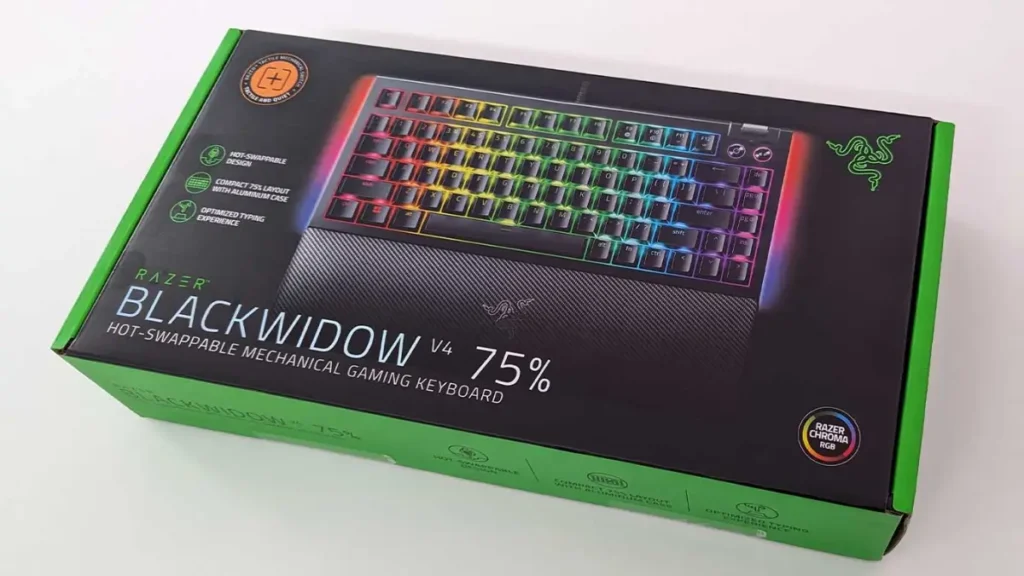
The razer blackwidow v4 pro comes packaged in an elongated box with full-color printing that shows the keyboard and highlights its main features such as immersive lighting additional macro and media keys mechanical switches and a magnetic wrist rest. If the device is displayed on a store shelf a potential buyer can quickly understand what to expect and make an informed purchasing decision based on this information.
Inside the box the keyboard is secured with pressed cardboard dampers and wrapped in a protective plastic sleeve. The package includes two usb-a to usb-c cables one for connecting the keyboard itself and another for powering the usb passthrough port a magnetic wrist rest and a user manual with a set of stickers.
The model uses a full-size chassis and is designed for users who need a complete key set including a numpad and auxiliary keys. Beyond that the keyboard features several additional controls. Along the far-left column next to standard keys like esc tilde and tab there are m1 through m5 macro keys with a rotary dial button positioned above them. Nearby on the left edge of the case there are three more small buttons. On the right side above the numpad razer has added four media keys for previous track play or pause next track and mute along with a rotary volume roller.
This layout allows you to configure functions efficiently without relying on fn key combinations. Macro keys can be assigned to complex macros frequently used commands in online games such as mmo abilities or shooter buy menus or productivity tasks like cut copy and paste.
The connection interfaces are located along the rear edge of the keyboard. Inside a recessed area are two usb-c ports. One powers the keyboard while the second supplies power to a nearby usb-a 2.0 passthrough port. You can connect headphones a microphone a webcam a mouse or a flash drive although the power may not be sufficient for more demanding devices such as external hard drives.
The top plate of the razer blackwidow v4 pro is made from aircraft-grade aluminum with a matte slightly textured finish. The skeleton-style design leaves the switches exposed which makes the rgb lighting more visible and cleaning dust much easier.
Led lighting strips run along the side edges of the keyboard and visually connect with the illuminated wrist rest. The wrist rest attaches magnetically and connects through a dedicated connector. The result is a bright immersive lighting setup where the switches glow legends shine through the keycaps and both the case edges and wrist rest light up to enhance the desk setup.
The wrist rest itself is covered with synthetic leather and soft padding which makes it comfortable for long work sessions or extended gaming.
Ergonomics are further supported by fold-out feet on the base of the keyboard that allow adjustment of the rear height to six or nine degrees. Rubberized pads across the bottom prevent unwanted sliding on the desk.
The keycaps are made from double-shot abs plastic with thick walls and a durable surface designed for long-term use. While pbt is more common in gaming keyboards abs still provides good resistance to wear. The multifunction dial and volume roller feature tactile notches that are easy to feel.
Connection and configuration
The razer blackwidow v4 pro supports wired connectivity only. Out of the box several functions are preconfigured. Media keys control playback while the roller adjusts system volume. The fn plus ctrl plus one through nine combinations switch lighting effects. Pressing fn plus f9 records macros on the fly and fn plus f10 enables game mode.
The multifunction dial performs different actions depending on the selected mode which is changed by pressing the dial and indicated by lighting. Four default modes are available. These include backlight brightness shown in green page zoom shown in red application switching shown in blue and track scrubbing shown in yellow.
Side macro keys provide quick access to the screenshot menu launch the xbox game bar and activate application switching.
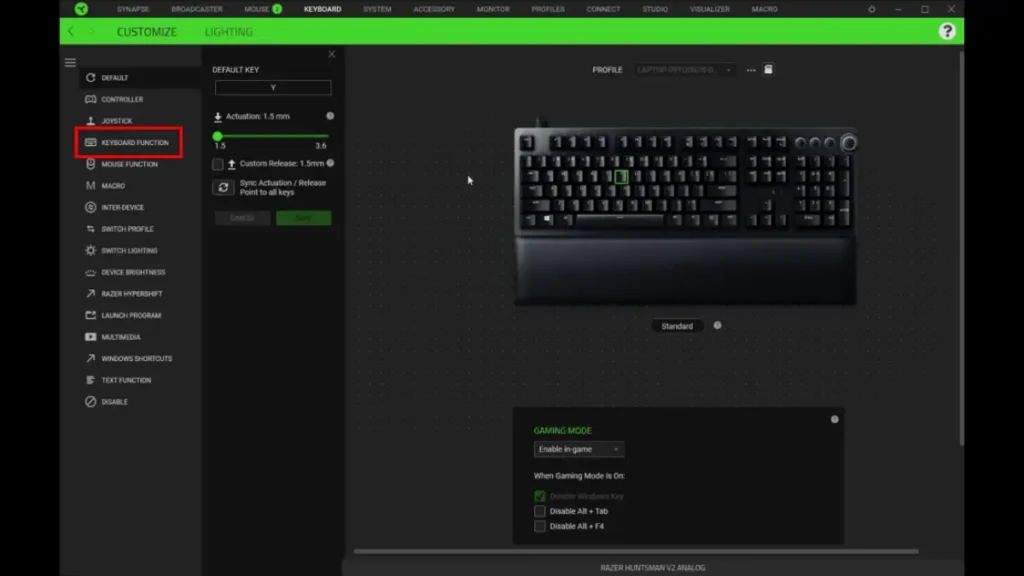
For deeper customization you need to install the razer synapse software. Two main tabs are available for the razer blackwidow v4 pro.
The customize tab covers all core functions. Here you can remap keys enable game mode add extra commands for the multifunction dial such as track selection vertical or horizontal scrolling browser tab switching or a custom action and adjust the polling rate from 125 to 8000 hz. This section also allows you to enable snap tap which prioritizes input for faster execution. This feature is especially useful for fast strafing since you can press a without releasing d to instantly change direction and save critical milliseconds in competitive online matches.
The lighting tab is dedicated to rgb configuration. You can adjust brightness set the time before lighting turns off choose preset effects or create your own using the razer chroma module.
The keyboard includes onboard memory for up to five profiles allowing you to store settings for different scenarios ranging from everyday work to gaming.
Gamers often combine their keyboard setup with optimized software. You can also read our Opera GX gaming browser review for better gaming performance.

I haven’t been working in the IT industry for very long, but ever since I was a kid I knew this was what I wanted to do. I started studying and tinkering with hardware when I was around 10 years old, although I had been using computers long before that , I used my first mouse at just 3 years old.
My studies focused on computer science topics, mainly cybersecurity. Over time, I discovered how much I enjoyed sharing hardware-related news and information with others.
Like many professionals in the industry, video games were one of my main motivations for getting into tech. They’re still a big part of my daily life, and I’m always keeping an eye on the latest announcements.
I’ve been working at PerfCore for a while now as a writer, and little by little I’m gaining experience in other roles as well such as doing in-depth product reviews and developing a more critical, analytical approach to hardware.