
Razer DeathAdder V4 Pro Review: Is It the Best Gaming Mouse?
The new Razer DeathAdder V4 Pro mouse looks modest, but it packs top-tier hardware designed to give gamers the lightness and precision needed for fast-paced online games. In this review, we take a closer look at what this flagship model is capable of.

Contents
show
Technical specifications
- Type: Wireless
- Sensor: Razer Focus Pro 45K (2nd generation)
- Maximum resolution: 45,000 DPI
- Polling rate: Up to 8,000 Hz
- Number of buttons: 6
- RGB lighting: No
- Tracking speed: 900 IPS
- Acceleration: 85 G
- Switch type: Razer 4th-generation optical mouse switches
- Switch lifespan: 100 million clicks
- Configuration software: Available
- Connectivity: Wired, 2.4 GHz wireless
- Battery life: Up to 150 hours
- Body material: Plastic
- Dimensions: 44 × 68 × 128 mm (width × height × length)
- Weight: 56 g
Package contents and design
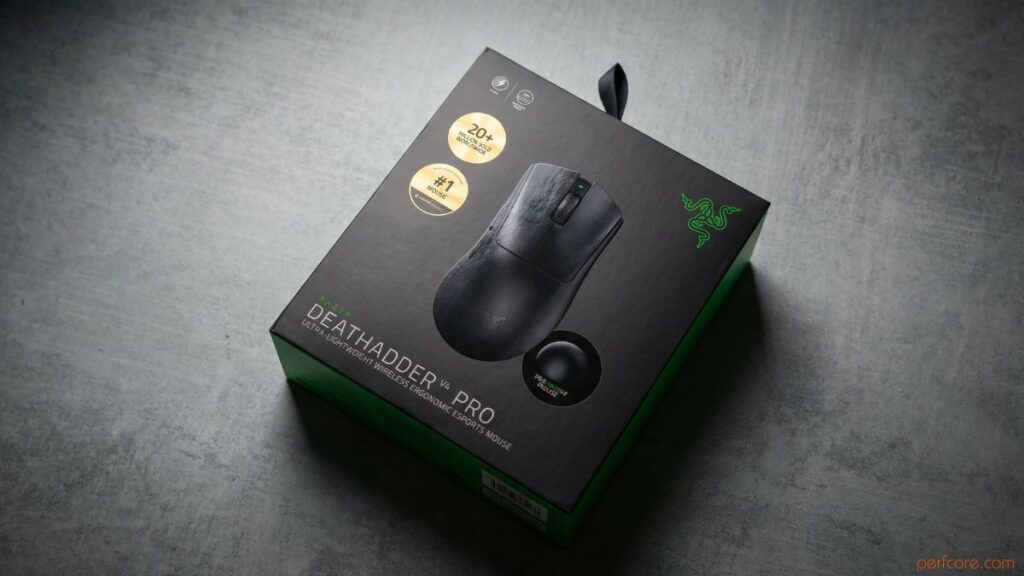
The Razer DeathAdder V4 Pro comes in a cardboard box finished in the brand’s traditional green and black colors. The packaging shows the appearance of the mouse, lists its key features, and highlights the device’s esports-focused design.
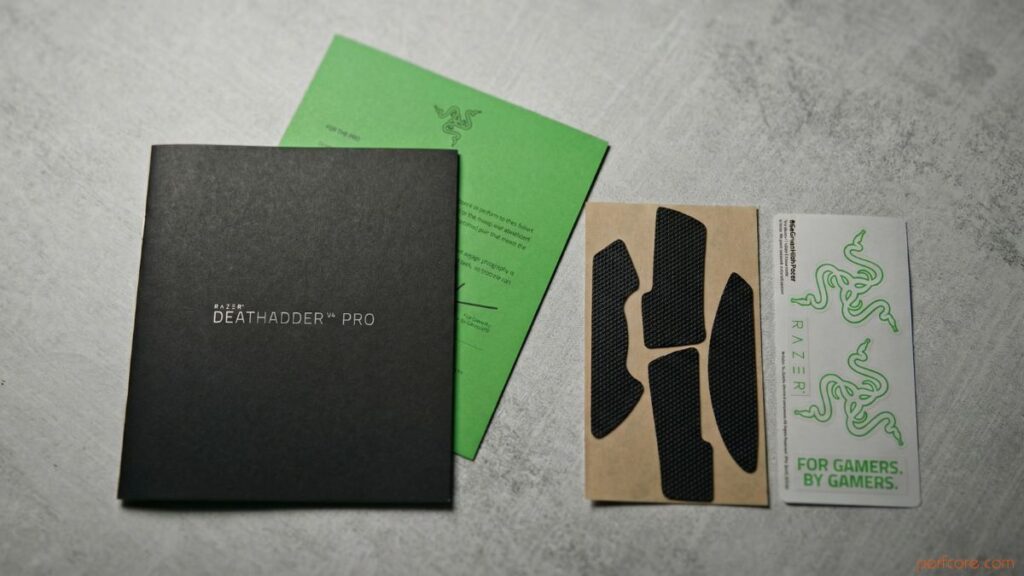
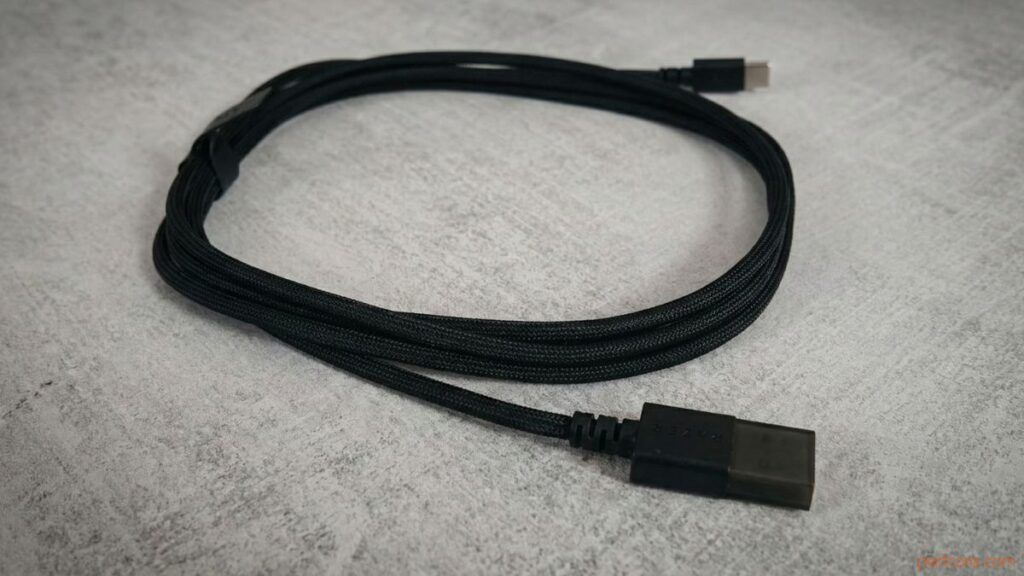
Inside the box, the owner will find the mouse itself and its receiver, designed as a hemispherical unit with a USB-C port for connection and three LED indicators. The package also includes a fabric-braided USB-A to USB-C cable, a user manual, a set of grip tapes, and a sheet of stickers.
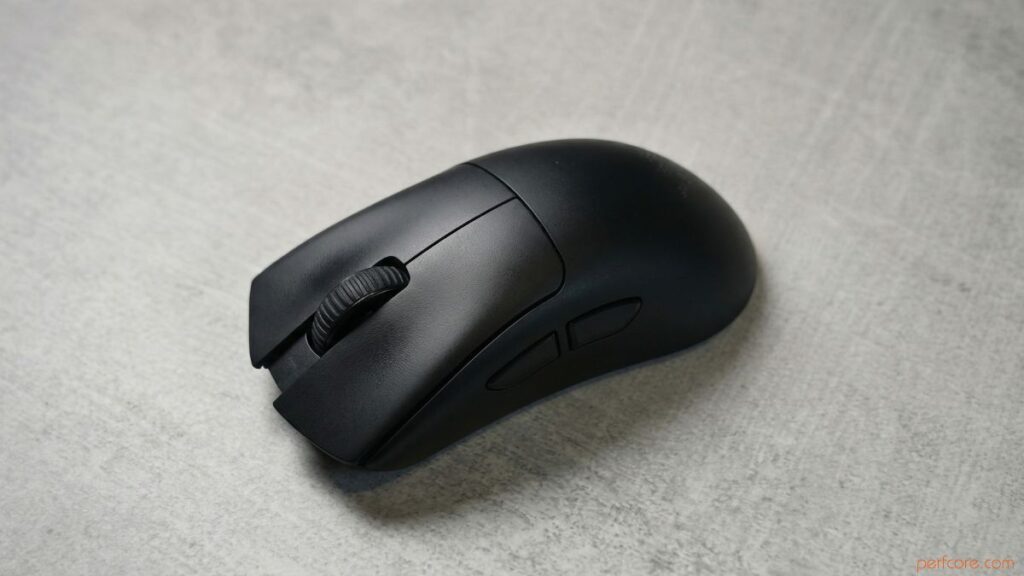
The mouse retains the classic DeathAdder shape, where ergonomics take center stage. The body is asymmetrical, with a pronounced rise on the left side and a noticeable slope to the right, a high back, and finger grooves on both the left and right mouse buttons. As a result, the mouse sits perfectly in the hand and works well with all grip styles. However, it is worth noting that due to its fairly large dimensions, the Razer DeathAdder V4 Pro may feel somewhat oversized for users with smaller hands.
Ergonomics are further enhanced by the low weight. The device weighs just 56 grams, which is a well-balanced figure that allows for precise mouse control without causing fatigue during long gaming sessions. Many believe that an extremely low mouse weight is not always beneficial, as it can increase strain on the finger muscles, which is why the optimal range is considered to be between 46 and 58 grams. This model fits perfectly within that range.
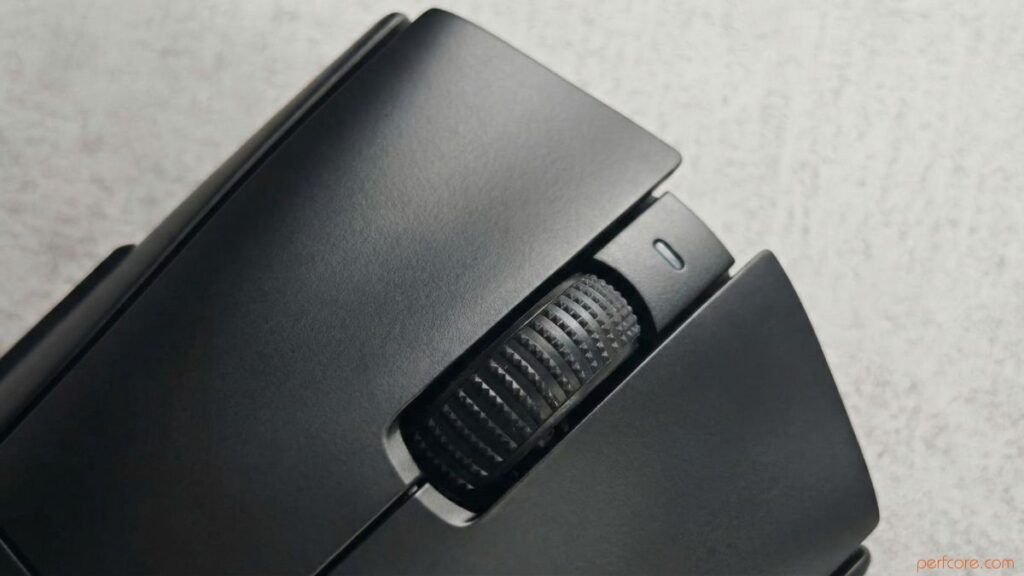
The mouse is equipped with a standard set of buttons: the primary left and right buttons, a scroll wheel between them, two additional buttons on the left side, and a button on the bottom that handles both power on and off and DPI switching. The scroll wheel is rubberized, with large ridges that make it easy for the finger to grip, and it uses an optical mechanism that is 3.3 times more reliable than mechanical alternatives. Under the main buttons are fourth-generation Razer optical switches rated for over 100 million clicks. They are fairly loud, but deliver a clearly defined tactile response.
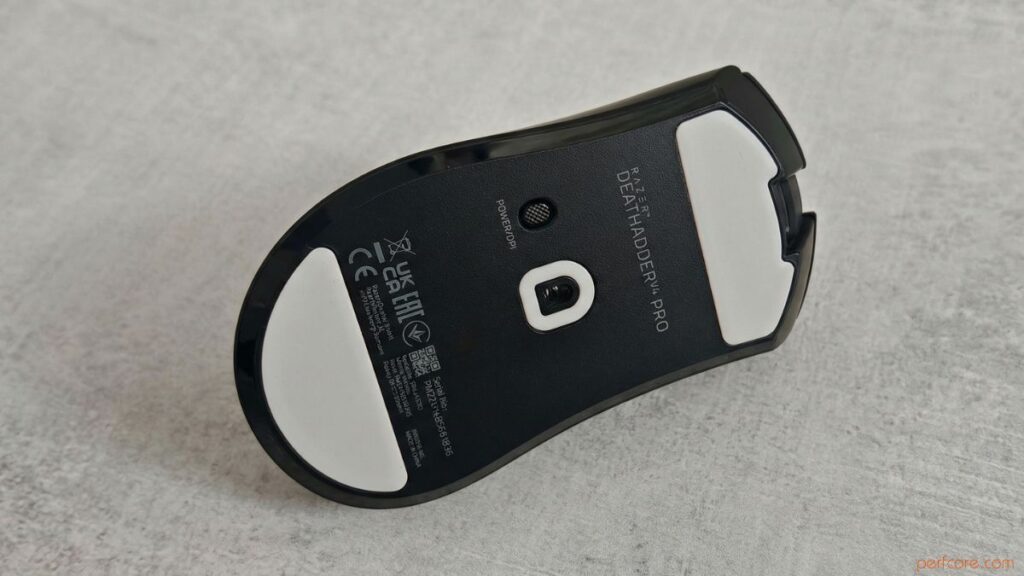
The base features wide PTFE glide feet that slide effortlessly across any surface, whether it is a mouse pad or a desk. Razer notes that the feet were made larger based on feedback from pro gamers, who prefer this type of design.
The mouse body is made of plastic with a matte, slightly textured finish. Build quality is excellent: all components fit tightly together, and the device does not creak even when firmly squeezed in the hand. This creates a strong impression of reliability and durability.
Connection and setup
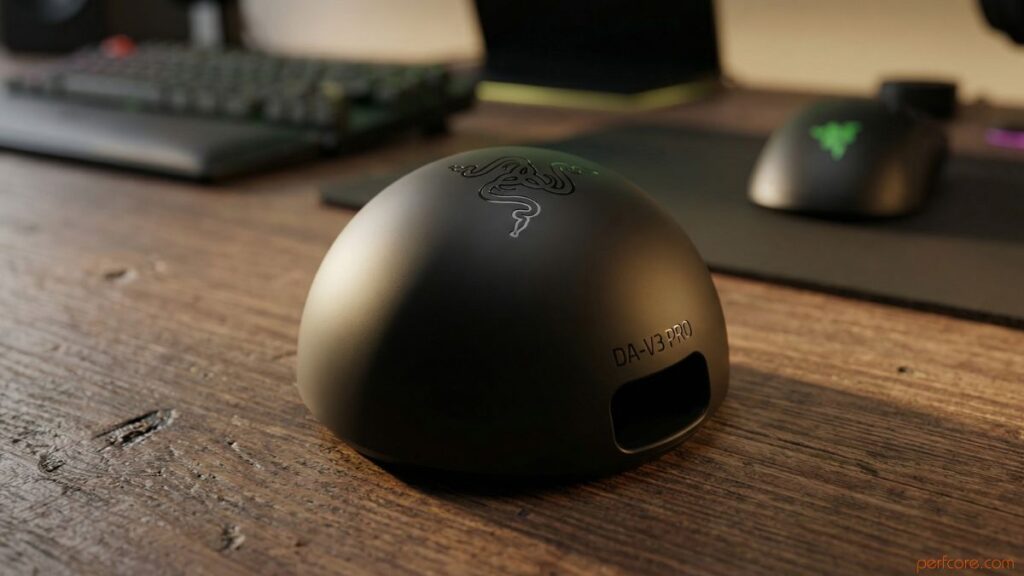
The Razer DeathAdder V4 Pro can be connected to a PC either via cable or through a 2.4 GHz wireless receiver. The receiver is designed as a hemispherical unit and is noticeably weighty, and it is equipped with three LED indicators that by default display connection stability, the mouse’s battery level, and the polling rate.
The model is configured using the proprietary Razer Synapse application, which serves as a central hub for all devices from the brand. The software provides access to the mouse’s core options, allowing users to fully customize its behavior and performance:
- Customization of button functions and scroll wheel behavior, as well as selection of LED indicator signals;
- Sensitivity adjustment from 100 to 45,000 DPI with 1 DPI increments, polling rate adjustment from 125 to 8,000 Hz, with the ability to set different polling rates for desktop use and gaming, and mouse calibration;
- Configuration of power consumption modes;
- Calibration of the surface on which the mouse is used;
- Dynamic sensitivity settings and adjustment of the mouse rotation angle.
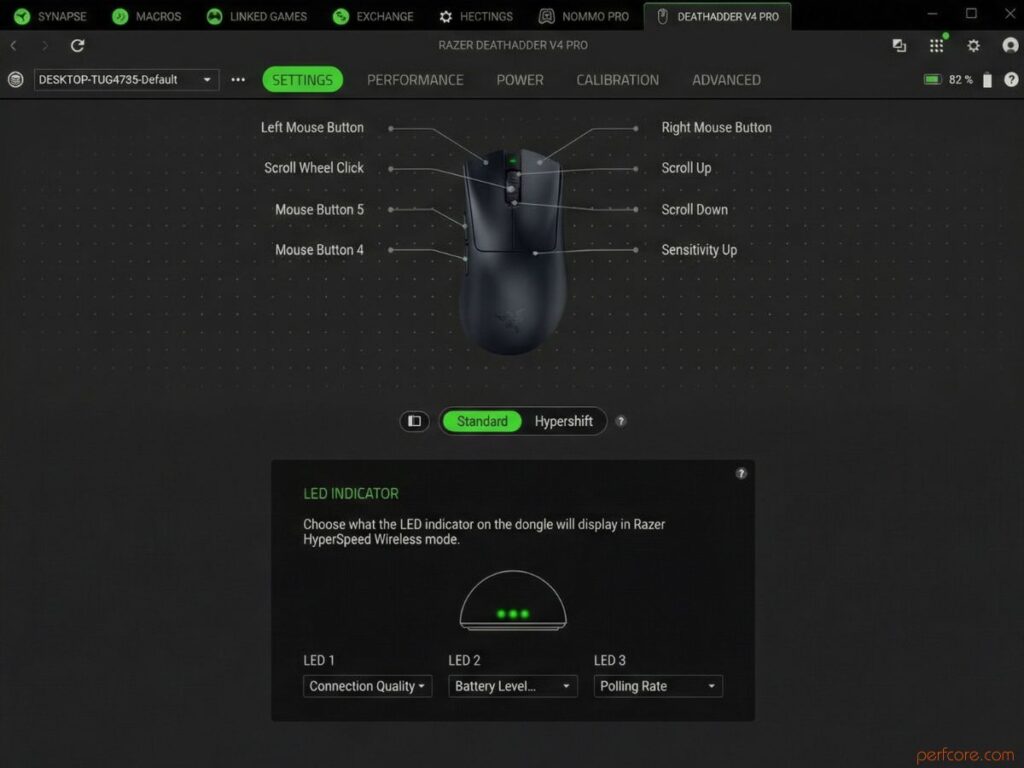
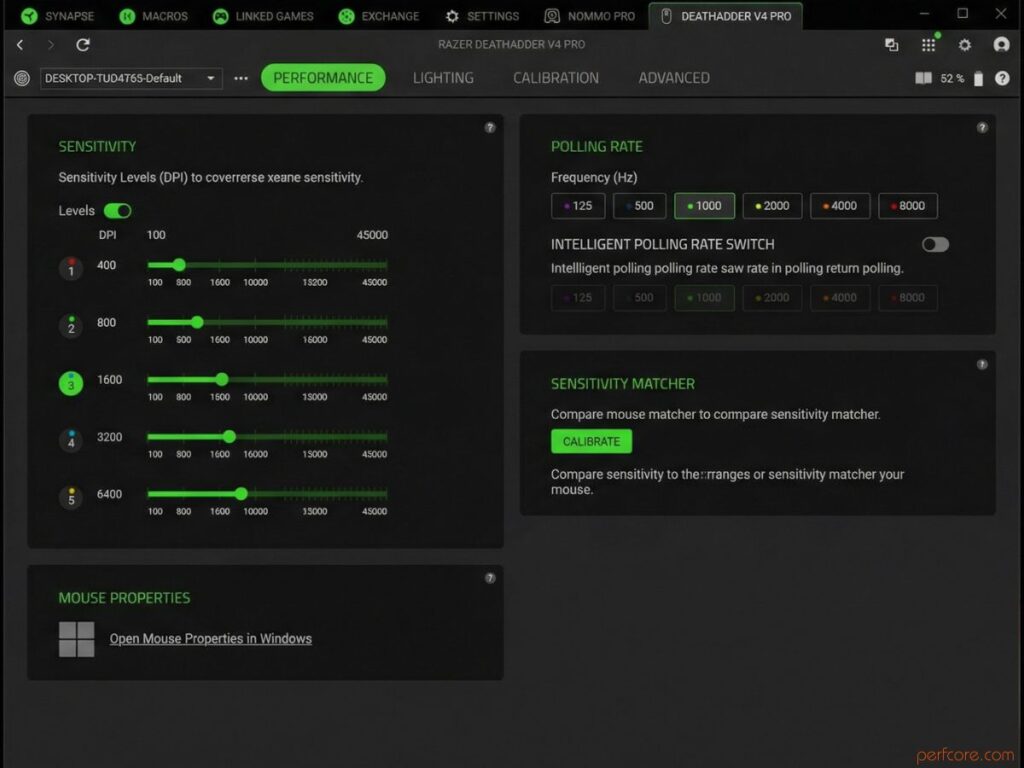
If you play at a professional level and like to fine-tune your mouse in detail, the application is essential. The settings are saved to the device’s onboard memory, so you can connect it to another PC and get the same performance as on your primary gaming machine.
Impressions from use
The Razer DeathAdder V4 Pro is equipped with truly top-tier internals. The Razer Focus Pro 45K sensor, developed in collaboration with Pixart, supports resolutions of up to 45,000 DPI, a tracking speed of 900 IPS, and acceleration of 85G. It automatically detects the type of surface and maintains a consistent lift-off distance to provide maximum accuracy and control for the player.
Thanks to Motion Sync technology, the sensor synchronizes its signals with the precise intervals at which the PC receives data, making tracking even more stable. The lift-off distance can be adjusted across 26 levels, while the dynamic sensitivity feature allows automatic switching from low to high sensitivity. This makes it possible, for example, to turn a character 180 degrees with a quick mouse movement without performing extra actions.
The optical switches and scroll wheel are designed for a long service life. Feedback from the switches is clearly felt, and actuation precision is exceptionally high. However, as mentioned earlier, the main buttons are somewhat loud, and while this is unlikely to be an issue, you will definitely hear them.
The second-generation Razer HyperSpeed Wireless Dongle provides a stable connection with a polling rate of up to 8,000 Hz. A high polling rate helps smooth out mouse movements and eliminate micro stutter, but it also reduces battery life. At 8,000 Hz, you can expect around 20 to 22 hours of use, while at 1,000 Hz battery life extends up to 150 hours. Which option is better is a choice each user will need to make individually.
We played a wide variety of titles with the Razer DeathAdder V4 Pro, ranging from Counter-Strike 2 and VALORANT to PowerWash Simulator and The Outer Worlds 2. In every scenario, the mouse delivered flawless accuracy and stable performance. The sensor does not lose tracking during intense firefights, and the buttons or scroll wheel do not fail at the most critical moments.
Conclusion
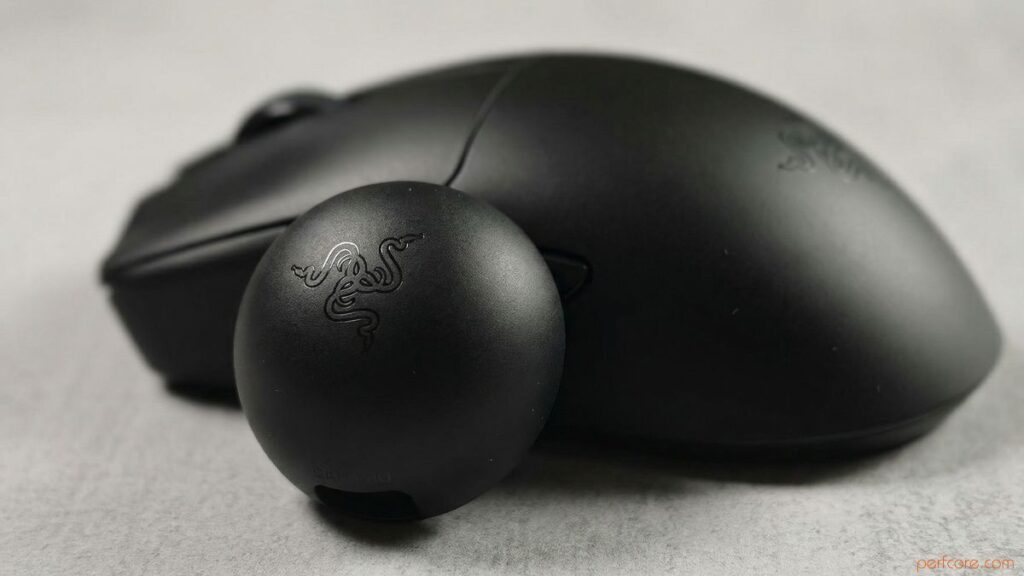
Razer has put all of its knowledge and achievements in gaming mouse development into the DeathAdder V4 Pro. This mouse can easily be called close to ideal when you add up all of its strengths, including top-tier hardware, flexible customization options, and excellent build quality.
The drawbacks are mostly subjective. The body is fairly large, and the price is steep. While the cost can be justified by the flagship specifications, the size comes down to personal preference and hand dimensions. In any case, nothing stops you from trying the mouse in your hand before buying it. Whether the new model is worth spending your hard-earned money on is ultimately up to you.
Take a look at the Razer DeathAdder V4 Pro now on Amazon.

I haven’t been working in the IT industry for very long, but ever since I was a kid I knew this was what I wanted to do. I started studying and tinkering with hardware when I was around 10 years old, although I had been using computers long before that , I used my first mouse at just 3 years old.
My studies focused on computer science topics, mainly cybersecurity. Over time, I discovered how much I enjoyed sharing hardware-related news and information with others.
Like many professionals in the industry, video games were one of my main motivations for getting into tech. They’re still a big part of my daily life, and I’m always keeping an eye on the latest announcements.
I’ve been working at PerfCore for a while now as a writer, and little by little I’m gaining experience in other roles as well such as doing in-depth product reviews and developing a more critical, analytical approach to hardware.