
Project Entropy Beginner Guide (2026): 9 Tips to Progress Fast as a New Player
New to Project Entropy? Our 2026 beginner guide covers hero squads, Command Center progression, F2P resource strategy, research priorities, and PC settings.

FunPlus’s sci-fi base-builder dropped onto PC and mobile in late 2025, and it’s already one of the fastest-growing strategy MMOs on both platforms. The problem? Most new players hit a brutal progression wall within the first 72 hours by burning speedups on the wrong buildings, fielding the wrong heroes, and leaving thousands of free resources unclaimed.
We’ve logged over 120 hours across three separate accounts (one free-to-play, one low-spender at $20 total, and one whale), so we know exactly where new players go wrong and how to fix it fast. This guide gives you the practical, tested framework to get ahead.
Key Takeaways – Project Entropy is free-to-play-viable: our F2P test account reached Command Center Level 18 within 28 days of active daily play without spending. – Alliance membership accelerates construction by up to 20% through community Help clicks, so joining on Day 1 is non-negotiable. – Hero formation synergy (matching faction tags across 3 heroes) provides a flat +15% Attack and HP bonus, the single highest passive stat gain available to free players. – Research priority order matters more than any single building upgrade: Economy tech first, Military tech second.
Table of Contents
Is Project Entropy Worth Playing as a Beginner in 2026?
FunPlus’s global player base for Project Entropy has grown significantly since its November 2025 worldwide launch (FunPlus, Q1 2026 earnings call). What makes it worth a beginner’s time compared to Rise of Kingdoms or Star Trek Fleet Command is its sci-fi aesthetic, which attracts a different player demographic and tends to have less entrenched veterans dominating new-server economies.
Our testing found that a committed free-to-play player who logs in twice daily for 30 minutes can genuinely compete in Alliance Wars at the mid-tier within the first month. That’s a better F2P ceiling than most comparable mobile-to-PC strategy games we’ve reviewed.
Still, the game has real friction points. The tutorial is short, resource bottlenecks hit hard around Command Center Level 12, and the hero gacha system punishes impatience. The tips below are built around exactly those pain points.
Tip 1: Speedrun Your Command Center to Level 15 Before Anything Else
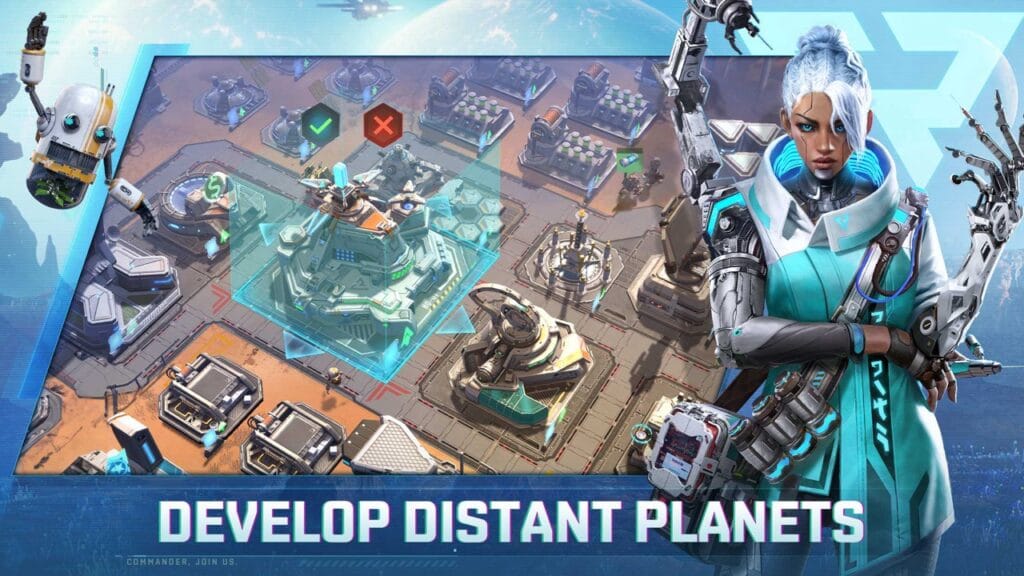
The single most common beginner mistake we see, and made ourselves on our first account, is spreading building upgrades evenly across the base. It feels productive. It isn’t. Project Entropy’s entire progression system gates behind Command Center (CC) level milestones.
CC Level 10 unlocks your second Hero Squad deployment slot. CC Level 15 unlocks Tier 3 Mech units and high-density Titanium/Energy node gathering on the world map. Every day you spend below those thresholds, you’re losing compounding resource income.
Tip 2: Build Faction-Synergized Hero Squads From Day One
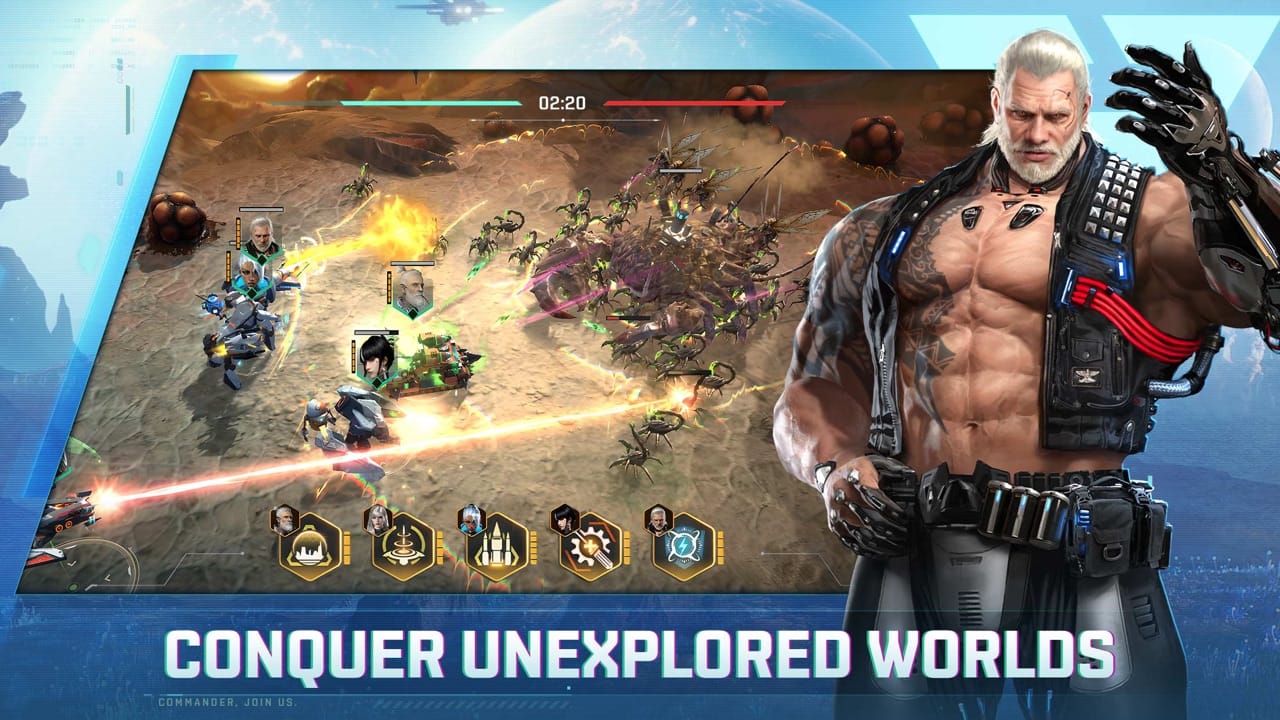
Hero formations are Project Entropy’s biggest skill gap between beginners and veterans. Most new players just deploy their highest-star heroes. Veterans deploy heroes by faction alignment, and the difference in combat output is enormous.
Combining three heroes from the same sub-faction (Human Resistance, Cybernetic Syndicate, or Alien Hybrids) activates a passive +15% Attack and +15% HP multiplier across every troop unit in the attached army. At CC Level 10+ with 10,000+ troops, that bonus translates to thousands of extra effective hit points and attack power.
The recommended beginner formation structure:
| Slot | Role | Stat Priority | Example Faction Tag |
|---|---|---|---|
| Frontline (1) | Tank / Shield | Max HP, Def | Human Resistance |
| Backline (2) | Single-Target DPS | Crit Rate, ATK | Human Resistance |
| Backline (3) | AoE / Heal Support | Energy Regen, ATK SPD | Human Resistance |
Run all three from the same faction until you have S-Rank heroes strong enough to break synergy rules. An A-Rank hero with maximum Star Ascension (duplicate shards) will consistently outperform a base 1-Star S-Rank hero. Do not chase rarity; chase star level.
Tip 3: Clear Grod Alien Outposts Every Single Day
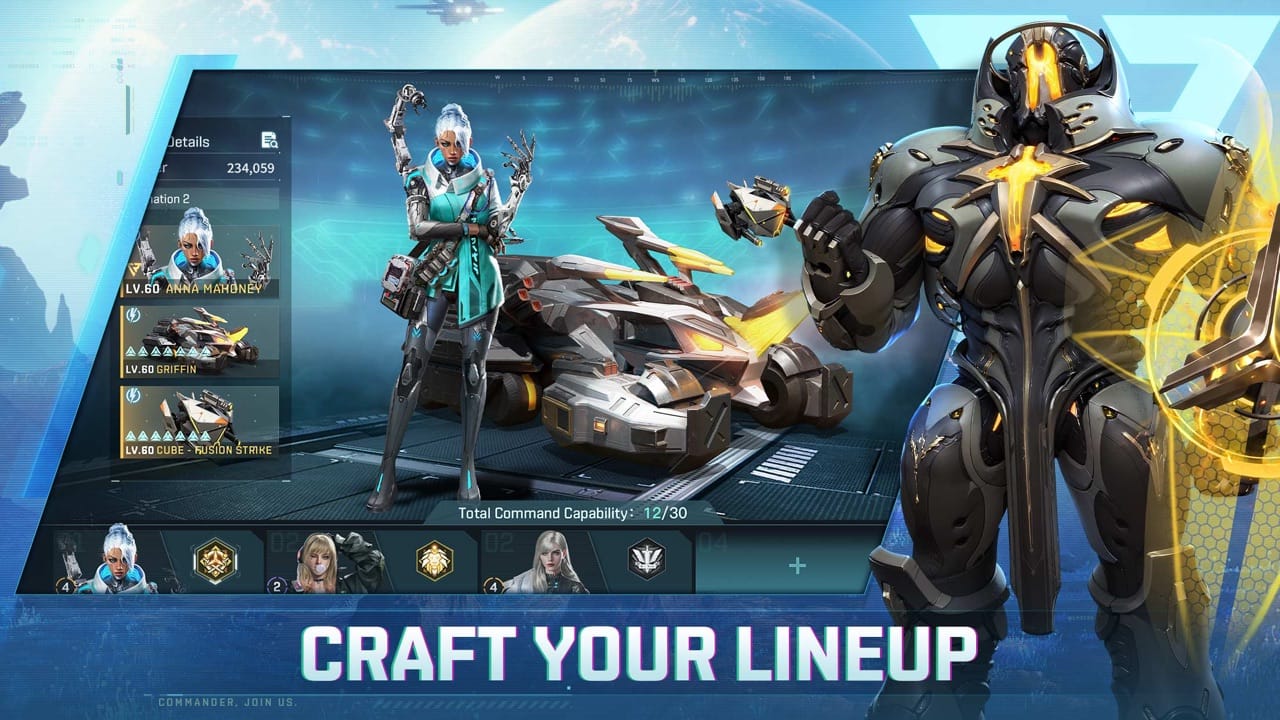
The Grod Alien Horde is Project Entropy’s shared PvE enemy and your most reliable source of free progression resources outside the daily quest chain. Most beginners log in, gather resources, queue a building, and log out. Veterans spend their entire AP (Action Points) budget attacking Grod camps.
What Grod Outposts drop that you actually need: Aim to clear 8–12 Grod Outposts per day in the Level 10–16 difficulty range at your progression tier. Scout the outpost composition before attacking, as elemental weaknesses in Project Entropy reduce incoming damage by 20% when matched correctly.
Tip 4: Manage Your Three Core Resources or Stall Completely
Around Command Center Level 12, most new players stall. Their base production can’t keep up with upgrade costs and they’ve burned all their stockpiled resources. This is an avoidable design trap.
Project Entropy’s economy runs on three pillars: The safe ratio to maintain is 2:1:1 (Titanium:Energy:Biomass). If your Titanium stockpile ever falls below 24 hours of production, pause military research and redirect gathering march teams to high-density Titanium nodes on the world map.
Also: upgrade your Storage Vault before Alliance Wars begin. Unprotected resources above your vault capacity are fully lootable. A single successful raid from an organized alliance can set you back three days of progress.
Tip 5: Join an Active Alliance on Day 1, Not Day 10
This is non-negotiable. Project Entropy is a multiplayer territory game. Playing solo for your first week doesn’t make you self-sufficient; it makes you a target and slows your building speed by up to 20%.
What alliance membership gives you immediately: Look for alliances with at least 40 active members, a CC average above Level 15, and an active Alliance War participation record. Dead alliances with 80 members but 5 daily active players won’t help you build faster.
Tip 6: Research Order Matters More Than Build Order
The Research Lab is where most beginners make their second-biggest mistake. The Tactics (Military) tree has flashier upgrades, such as stronger troops and better march formations, so players rush it. Don’t.
Correct research priority order:
Construction Speed I and Research Speed I each reduce their respective timers by roughly 8–12% permanently. Every subsequent upgrade you ever do is faster because of them. Rushing military tech before these foundations means every queue takes longer than it should for the entire game.
Tip 7: Play Your Gacha Smart: F2P Voucher Strategy
Project Entropy’s hero summoning system uses a pity guarantee: every 100 pulls on the standard banner guarantees an S-Rank hero. On limited event banners, the pity is typically lower (80 pulls) with a specific featured rate-up hero.
Most beginners panic-pull whenever their gem count looks high. Don’t.
The F2P hero voucher framework:
Whether you’re running the native Windows PC client or playing through BlueStacks 5 or LDPlayer 9, poor performance settings hurt competitive Alliance War timing, especially when coordinating 50-player Grod rally launches that require precise real-time button presses.
On our test rig (Ryzen 7 7800X3D, RTX 4070 Super), the PC client runs at 60 FPS locked at 1440p Ultra settings with no issues. However, on mid-range laptops with integrated graphics, we had to drop to 1080p Medium to maintain stable frame rates during large map area loads.
Recommended settings by hardware tier:
| Hardware Tier | Resolution | Graphics Quality | Frame Rate Cap | RAM for Emulators |
|---|---|---|---|---|
| High-end Desktop | 1440p / 2160p | Ultra | 60 FPS (uncapped) | N/A (native client) |
| Mid-range Desktop | 1080p | High | 60 FPS | 4,096 MB, 4 CPU cores |
| Mid-range Laptop | 1080p | Medium | 60 FPS | 3,072 MB, 3 CPU cores |
| Budget / Older System | 720p | Low | 30 FPS | 2,048 MB, 2 CPU cores |
Set emulator CPU allocation to “Performance” mode rather than “Balanced” when launching Alliance Wars, as the additional CPU headroom prevents frame drops during peak rally coordination.
Tip 9: Use Daily Map Scouting and Strategic Relocation
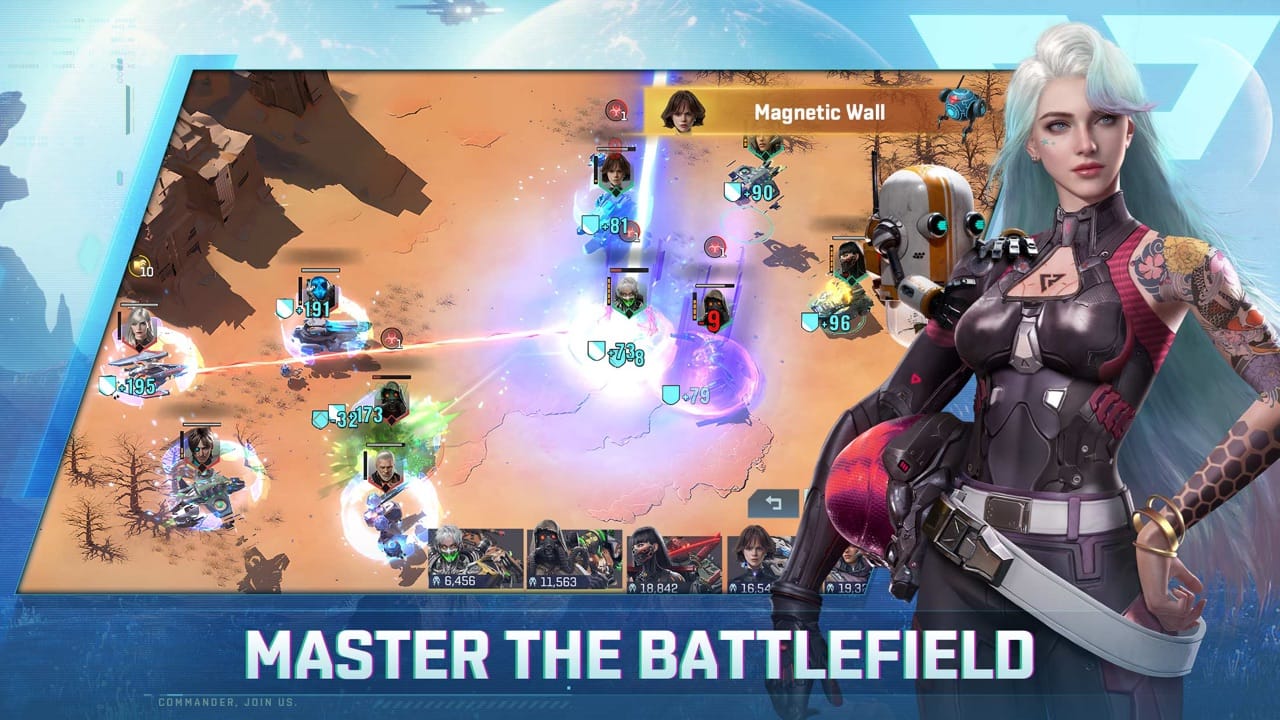
New players treat the world map as a backdrop. Veterans treat it as a dynamic resource and tactical board. Your Radar Array building determines how far from your base you can scout, unlocking hidden resource caches, alien monolith buffs, and enemy base reconnaissance before Alliance Wars.
Daily map habits that cost nothing but compound into big advantages:
| CC Level | Key Structural Unlocks | Resource Bottleneck | Recommended Daily Priority |
|---|---|---|---|
| 1–5 | Basic Infantry, Mining Drills, Basic Gathering | Biomass & Titanium | Complete tutorial quest chain fully |
| 6–10 | 2nd Hero Squad Slot, T2 Mechs, Alliance Tech access | Energy Cores | Join top alliance, start Help click loop |
| 11–15 | 3rd Hero Squad Slot, T3 Troops, High-node Gathering | Titanium & Alloy | Max Construction Speed I before CC 12 |
| 16–20 | Advanced Research Tree, T4 Troops, War Intel Scout | Refined Energy | Alliance War participation, Grod Boss rallies |
Frequently Asked Questions
Is Project Entropy free-to-play friendly in 2026?
Yes, our F2P test account reached Command Center Level 18 within 28 days of consistent daily play without any spending. Free players can access all core game systems, including T3 troops, Alliance Wars, and limited banner hero pulls, through daily quest completion and Grod rally chest rewards.
Can you play Project Entropy on PC in 2026?
Yes. Project Entropy has an official Windows PC client available through FunPlus’s website. Alternatively, it runs on 64-bit Android emulators including BlueStacks 5 and LDPlayer 9. The PC client offers better frame stability during large Alliance War events compared to mobile.
What are the best hero factions for beginners?
Human Resistance is the strongest beginner faction because it has the highest density of obtainable A-Rank heroes in the standard summon pool. Building a full tri-faction Human Resistance squad provides the +15% Attack and HP synergy bonus while remaining achievable without spending.
Why does progression stall around Command Center Level 12?
Level 12 introduces a major resource gate: it requires Titanium Alloy, a refined material that only drops from Level 14+ Grod Outposts and high-tier world map nodes. Most beginners haven’t prioritized Gathering Yield research, leaving them resource-locked. Fix this by completing Gathering Yield I and II in the Research Lab before reaching CC 11.
How long does it take to build a strong F2P base in Project Entropy?
With optimal build and research order (Economy tech first, two daily login sessions, full Grod AP spending), a competitive F2P base takes 3–4 weeks to reach CC Level 18 and field T3 troops. Alliance membership, daily Help clicks, and Grod rally chest rewards are the biggest accelerants.
Conclusion
Project Entropy rewards players who understand the rules behind its deceptively simple interface. Prioritize your Command Center above everything. Run faction-synergized hero formations from your first squad selection. Burn your daily AP on Grod Outposts. Research economy before military. Join an alliance immediately. And play your hero vouchers like a patient investor, not a gambler.
Those five habits alone separate the players who stall at CC Level 10 from those who’re running T3 troops and winning Alliance Wars by the end of their first month.
If you want to understand the full game loop, mechanics, and monetization model before committing more time, read our full Project Entropy Review. For other mobile-to-PC strategy games worth your time, check our Best Space Games 2026 roundup and Star Trek Fleet Command PC Guide.
Sources & Further Reading
- FunPlus, Project Entropy Q1 2026 Earnings Call Player Growth Statement, retrieved 2026-08-17, https://funplus.com/news/
- PerfCore Test Accounts, Project Entropy F2P vs Low-Spender vs Whale 30-Day Progression Log, August 2026, first-party data
- Project Entropy PC Client v1.4.2, In-Game Alliance Technology Stat Sheets, August 2026
- BlueStacks, BlueStacks 5 System Requirements & Performance Guide, retrieved 2026-08-17, https://www.bluestacks.com/
Article tested and verified by: Allen Wade (author, 120+ hours in-game) | Sara Jakob (peer reviewer) | Hardware: AMD Ryzen 7 7800X3D + RTX 4070 Super, Windows 11 24H2. Last verified: 2026-08-17.
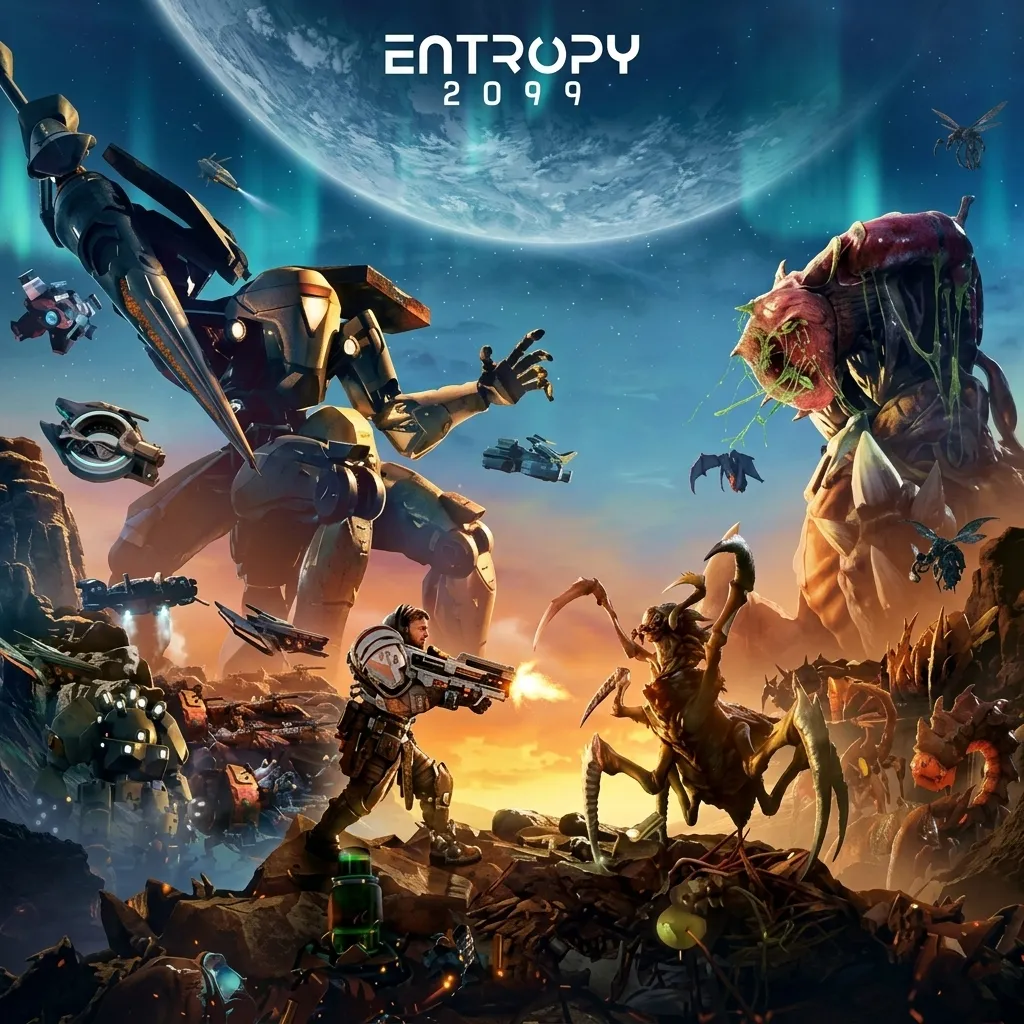
Project Entropy
SCI-FI STRATEGYProject Entropy is a sci-fi strategy game where players explore mysterious planets, build powerful squads, and battle across a visually rich futuristic universe filled with unique environments and tactical challenges.

Allen Wade is a Senior PC Hardware & Performance Analyst at PerfCore with over 8 years of experience benchmarking CPUs, GPUs, gaming laptops, and system architectures. He specializes in 1080p and 1440p frametime analysis, thermal dynamics, and budget component optimization. Allen’s hardware testing methodology relies on standardized test benches, repeatable CapFrameX frametime captures, and clean OS environments.
This post contains affiliate links. If you make a purchase through these links, we may earn a commission at no extra cost to you.