
Aniimo PC Review: Is It Worth Playing on Windows in 2026?

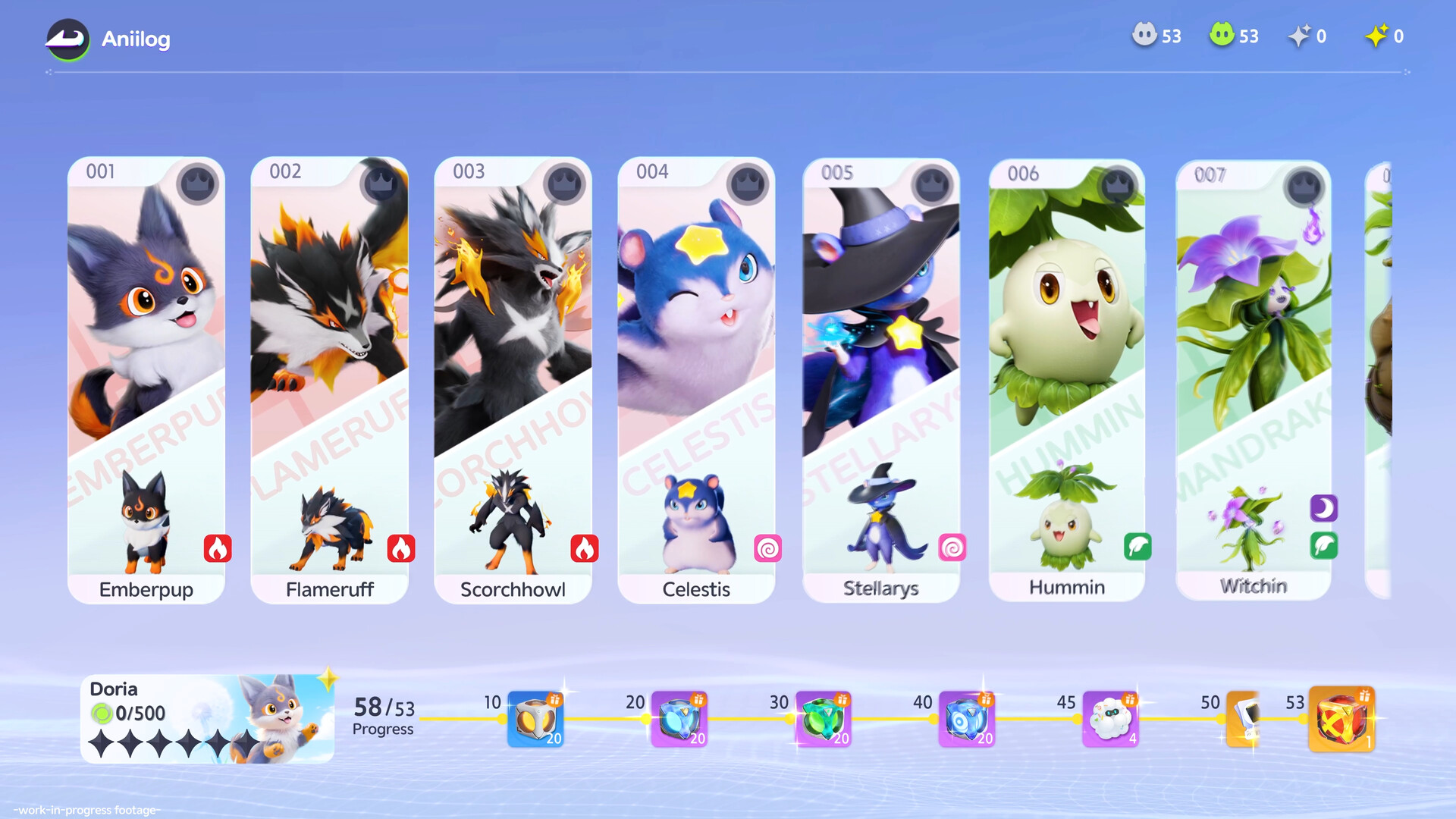
Aniimo launched in late 2026 into a creature-catching action RPG landscape eager for genuine mechanical evolution. Developed by Pawprint Studio, this free-to-play open-world adventure invites players to step onto the sprawling continent of Idyll as Pathfinders. The central promise revolves around capturing more than 200 fantastical beasts while leveraging a transformative mechanic known as Twining to merge directly with your companions in real time.
In our comprehensive Aniimo PC review, we break down how the title performs on Windows, examine whether the Twining system lives up to its creative ambition, and explore its balanced strengths and controversial friction points. Whether you are curious about hardware optimization or assessing the free-to-play ecosystem, this guide covers what you need to know before installing.
Aniimo at a glance:
A free-to-play open-world creature-catching action RPG developed by Pawprint Studio. Available on Windows PC, it features over 200 capturable species, real-time tactical combat, seamless exploration across Idyll, the signature Twining system, and competitive PvPvE multiplayer.
Table of Contents
What is Aniimo?
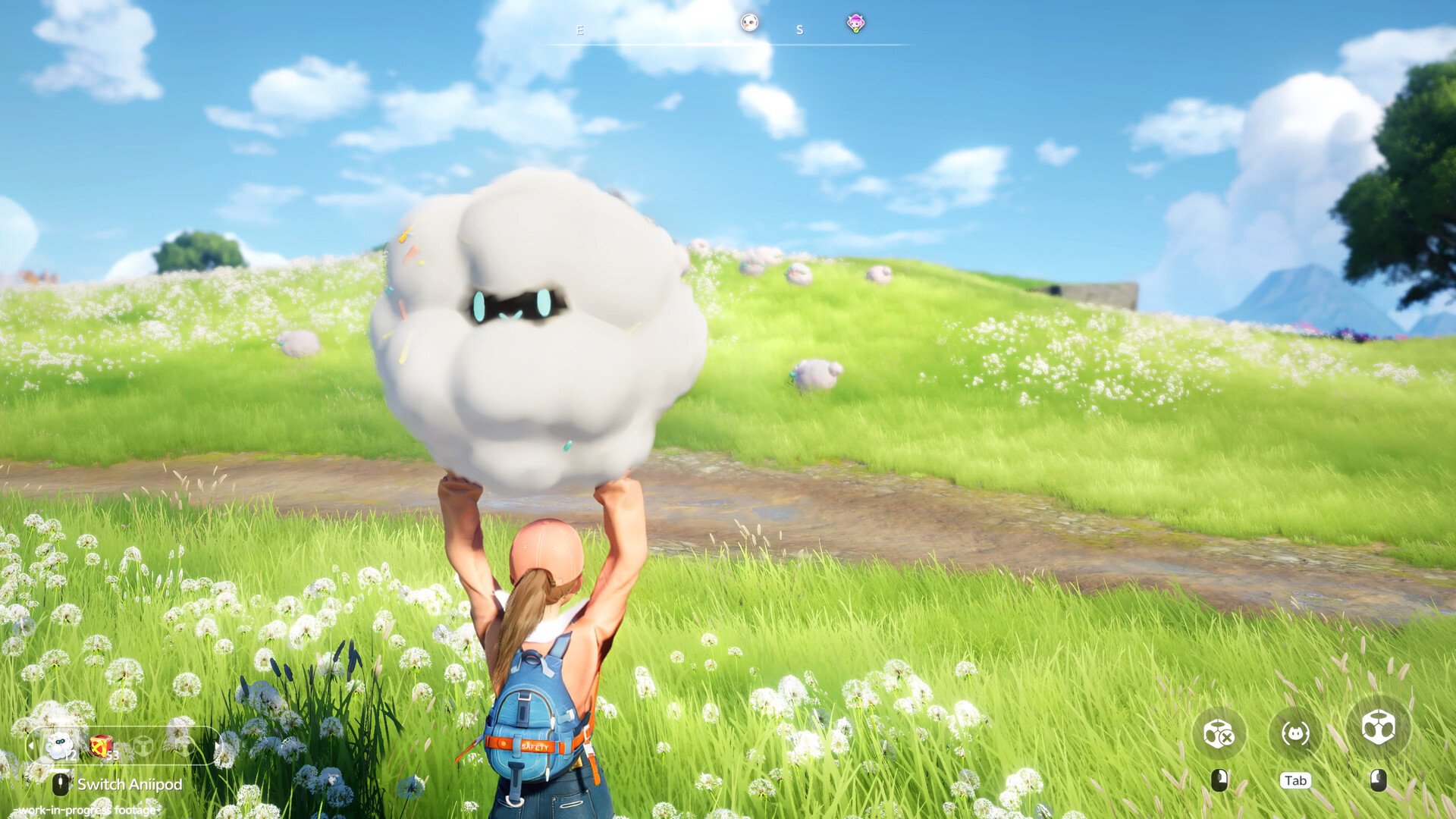
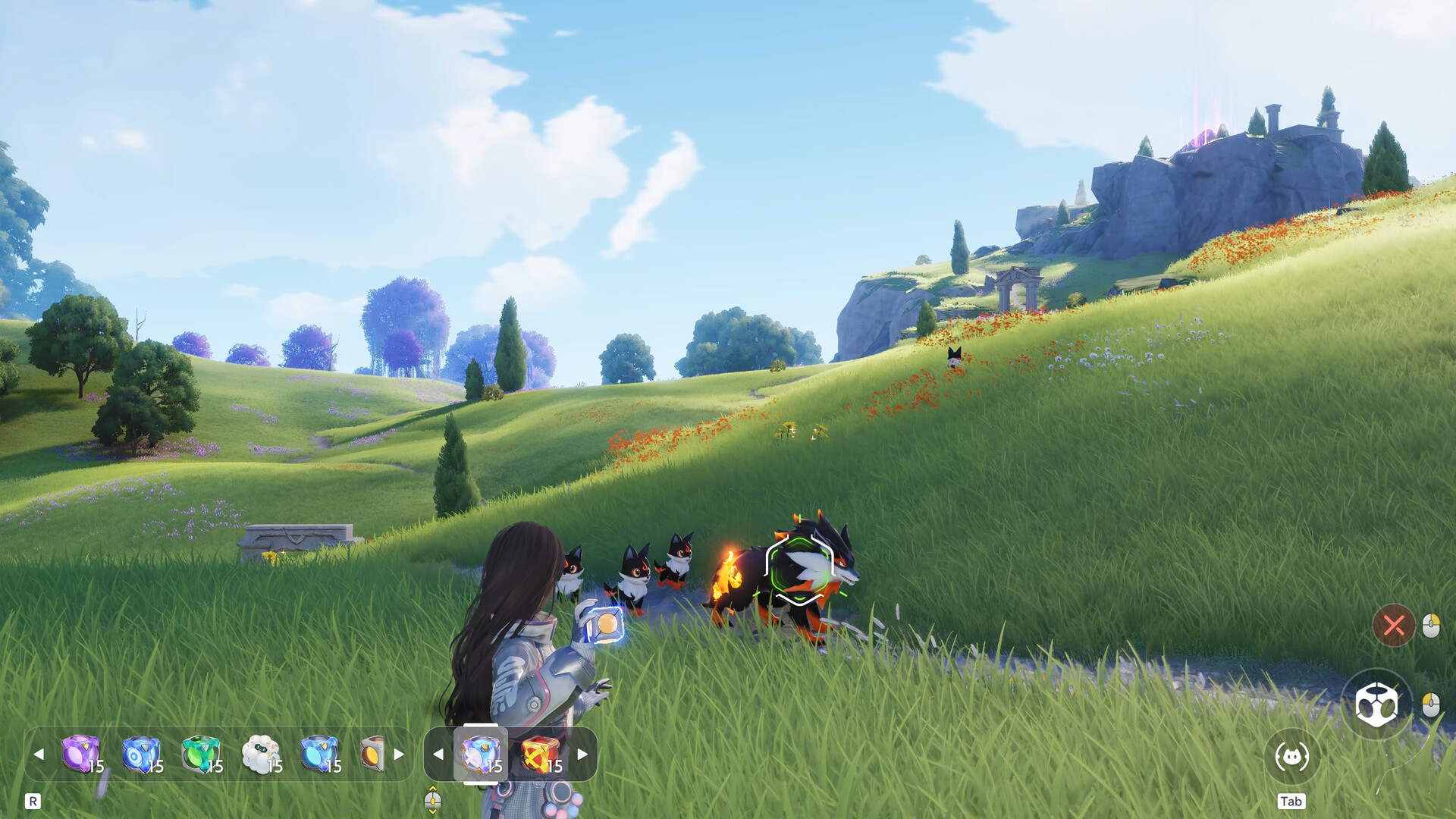
Aniimo reimagines the familiar creature-collector formula by integrating third-person action combat and dynamic exploration. Players venture across vibrant biomes, cataloging wild specimens and utilizing specialized capture capsules known as Aniipods. Catch success relies heavily on player technique, including stealthily approaching resting targets and staggering wild beasts with Break abilities.
The defining innovation is the Twining system. Rather than issuing passive turn-based or menu commands, Twining enables players to physically inhabit their Aniimo. When merged, you gain complete direct control over the creature’s locomotion and special abilities, allowing you to fly, tunnel underground, or execute nimble combat maneuvers that your human Pathfinder avatar cannot perform.
PC system requirements for Aniimo
Aniimo runs on a stable modern graphics framework. While the minimum baseline allows older gaming PCs to boot the game, recommended specifications ensure high framerates during intensive multi-creature battles:
| Hardware Component | Minimum Requirements | Recommended Specifications |
|---|---|---|
| Operating System | Windows 10 64-bit | Windows 10 / 11 64-bit |
| Processor (CPU) | Intel Core i7-4770 / AMD Ryzen 7 2700 | Intel Core i7-10700 / AMD Ryzen 5 5600 |
| System Memory (RAM) | 8 GB RAM | 16 GB RAM (dual-channel) |
| Graphics Card (GPU) | NVIDIA GeForce GTX 970 / AMD Radeon RX 5600 | NVIDIA GeForce RTX 3060 / AMD Radeon RX 6700 |
| DirectX Version | Version 11 compatible | Version 11 compatible |
| Storage Space | 40 GB available space (SSD recommended) | 40 GB available space on NVMe SSD |
| Network Connection | Broadband internet (Always-online) | Broadband internet (Always-online) |
How to download Aniimo on Windows
Players can install Aniimo on Windows PC completely free of charge across several distribution options:
- Official Website: Download the dedicated game client directly from the official portal at aniimo.com for streamlined patch delivery.
- Steam Store: Search for Aniimo (Steam App ID 4126040) to incorporate the title into your existing Steam library.
- Epic Games Store: Install through Epic Games launcher with integrated account synchronization.
Aniimo PC review: Twining and combat mechanics
Combat in Aniimo centers around an active four-member battle team. During encounters, players alternate between commanding companions from afar and engaging directly through Twining:
Twining Transformation and Control
Switching into Twining mode happens instantaneously. Once transformed, your movement speed, attack animations, and defensive evasions reflect your chosen Aniimo. This proves crucial against formidable Alpha bosses, allowing you to use aerial rolls or burrow beneath sweeping ground waves to evade lethal strikes.
Pod Tiers and Capture Strategy
Standard Aniipods suffice for basic field wildlife, but capturing rare and Sparkling variants requires strategy. Utilizing Tumbler pods in conjunction with the Nurture system escalates catch rates up to 6x. Ultra and Sparkling Cubes guarantee successful captures for high-priority Elite targets. For in-depth creature statistics and optimal team builds, consult community tools at aniimo.gg.
Exploring the continent of Idyll
The wilderness of Idyll features dynamic ecosystems governed by changing weather and day-night rotations that alter creature appearances:
- Branches: Landmark structures that clear the fog of war across regional territories. Offering Lumin Amber to Branches temporarily increases the spawn rates of rare Sparkling specimens.
- Blooms: Regional teleporters that activate as fast-travel hubs once you secure a local Bronze Collection Badge.
- Sanctums: Hidden puzzle dungeons holding treasure chests packed with rare upgrade materials and pod schematics.
- Egg Heist Multiplayer: A dedicated 3v3 PvPvE competitive mode challenging teams to secure and extract precious eggs while contesting rival squads. Complete mechanics are detailed on the Aniimo Wiki.
Is Aniimo worth playing on PC in 2026?
Aniimo brings remarkable innovation to the open-world monster-taming space. Directly controlling creatures via the Twining system elevates combat pacing, and the biome diversity of Idyll rewards patient wilderness exploration.
On the other hand, the game faces community scrutiny regarding early monetization structures and anti-cheat software configurations. Furthermore, standard commander-mode combat feels comparatively basic when you are not actively Twined. Nevertheless, frequent updates from Pawprint Studio continue to refine game balance and performance.
To optimize input responsiveness during fast-paced creature dodges, review our step-by-step walkthrough to reduce input lag in Windows 11. If you want to see how Aniimo compares against other notable PC adventures, explore our curated guide to the best PC games of 2026.
Frequently asked questions
Is Aniimo completely free to play on Windows PC?
Yes. Aniimo is free to download and play via the official website at aniimo.com, Steam, and Epic Games Store. Gameplay progression remains accessible without mandatory microtransactions.
Does Aniimo require an always-online connection?
Yes. An active broadband internet connection is mandatory to explore Idyll, manage progression, and access cooperative or competitive modes.
What makes the Twining mechanic unique?
Twining allows your character to merge with captured Aniimo, granting real-time manual control over their movement, traversal capabilities, and attack abilities.
Does Aniimo support crossplay and cross-progression?
Yes. Logging in with your unified Pawprint Studio account synchronizes your unlocked Aniimo, inventory, and quest milestones seamlessly between PC and console systems.

Allen Wade is a Senior PC Hardware & Performance Analyst at PerfCore with over 8 years of experience benchmarking CPUs, GPUs, gaming laptops, and system architectures. He specializes in 1080p and 1440p frametime analysis, thermal dynamics, and budget component optimization. Allen’s hardware testing methodology relies on standardized test benches, repeatable CapFrameX frametime captures, and clean OS environments.