

Wuthering Waves PC: How to Play on Windows in 2026

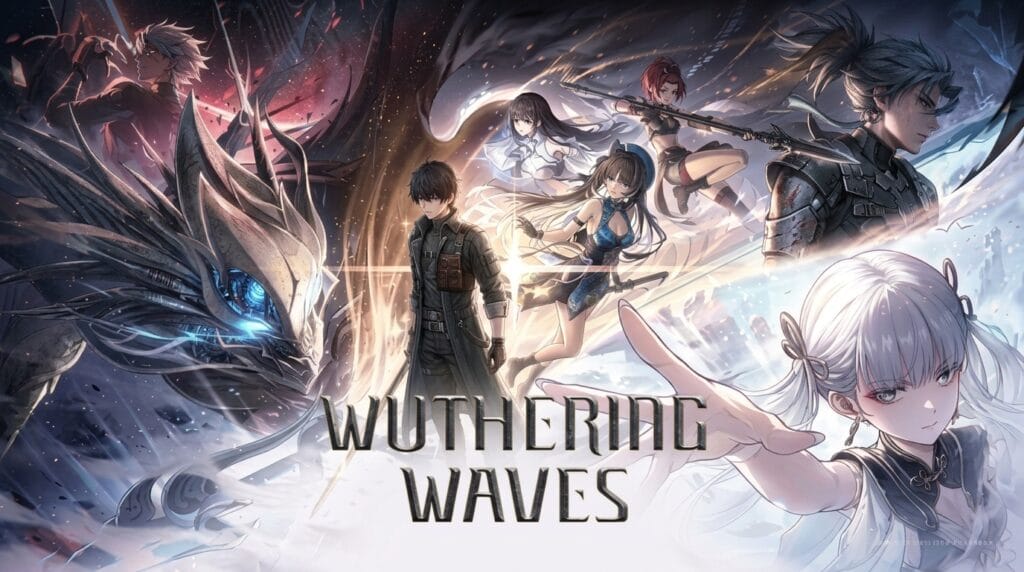
Wuthering Waves PC stands out as one of the most mechanically demanding and visually stunning open-world action RPGs available today. Developed by Kuro Games, the experience places high value on fast character movement, frame-tight defensive parries, and intricate team rotations. While mobile versions exist, running the game on a desktop or laptop setup with a low-latency keyboard and mouse or controller unlocks the true depth of its combat loop.
If you want to explore the post-apocalyptic continent of Solaris-3 with crisp draw distances, ultra-smooth 120 FPS frame rates, and zero touch-screen input lag, Windows PC is the definitive platform. In this guide, we walk through how to download the official Windows client, analyze current hardware requirements, break down the core combat and Echo mechanics, and provide practical performance tips for a seamless experience.
What is Wuthering Waves?
Wuthering Waves is a free-to-play open-world action RPG developed by Kuro Games. Players control the Rover alongside heroic Resonators, battling corrupted Tacet Discords across Solaris-3. Its signature elements include high-speed hack-and-slash combat, parry counters, mid-combo character switching, and a monster-taming Echo absorption system.
Table of Contents
Wuthering Waves PC: how to download on Windows

Downloading Wuthering Waves on Windows is free and accessible through multiple trusted channels, all connecting to identical global game servers with complete cross-save support:
- Official Kuro Games Launcher: Grab the standalone PC installer directly from the official portal at wutheringwaves.kurogames.com for direct patch management.
- Steam Store: Search for Wuthering Waves (Steam App ID 3513350) and add the game to your library to enjoy automatic background updates and community features.
- Epic Games Store: Download through the Epic Games desktop client if you organize your PC game library there.
Because Solaris-3 continues to expand with major regional expansions, the game client requires approximately 150 GB of storage space. Installing on a modern NVMe solid-state drive is crucial to prevent asset streaming hitches during high-speed grapple-hook traversal.
PC system requirements for Wuthering Waves

Wuthering Waves operates on a heavily customized Unreal Engine 4 pipeline, delivering dense volumetric lighting, complex weather patterns, and intensive particle simulations during boss fights:
| Hardware Component | Minimum Requirements | Recommended Specifications |
|---|---|---|
| Operating System | Windows 10 64-bit | Windows 10 / 11 64-bit |
| Processor (CPU) | Intel Core i5 (9th Gen) / AMD Ryzen 2700 | Intel Core i7 (9th Gen) / AMD Ryzen 3700 |
| System Memory (RAM) | 16 GB RAM | 32 GB RAM (for seamless multitasking) |
| Graphics Card (GPU) | NVIDIA GTX 1060 / AMD RX 570 / Intel ARC A380 | NVIDIA RTX 2060 / AMD RX 5700 XT / ARC A750 |
| DirectX Version | DirectX 12 compatible | DirectX 12 compatible |
| Storage Space | 150 GB available space on SSD | 150 GB available space on NVMe SSD |
Why Wuthering Waves plays better on Windows PC
While mobile cross-play is convenient for casual daily tasks, conquering high-difficulty holograms and endgame Tower of Adversity stages is vastly superior on Windows PC:
- Native 120 FPS Fluidity: Supported PC hardware unlocks 120 frames per second, providing twice the visual feedback of mobile caps to read enemy telegraph animations instantly.
- Sub-Millisecond Key Inputs: Executing split-second swap cancels and dodge counters on mechanical keyboards or low-latency controllers removes touch-screen friction.
- NVIDIA DLSS and Frame Generation: Modern GeForce RTX graphics cards utilize DLSS upscaling to maintain rock-solid frame pacing in intense multi-target encounters.
Wuthering Waves PC: combat and Echo system breakdown

The combat architecture in Wuthering Waves rewards calculated aggression, rhythm, and tactical build planning:
Parries and Perfect Dodge Counters
When powerful adversaries initiate heavy strikes, a golden halo or glint contracts around them. Timing a normal attack or skill precisely when the ring aligns deflects the assault, drains enemy poise, and primes your squad for massive stagger damage. For unparriable attacks, dodging at the last split second triggers a time-dilation window followed by a punishing Dodge Counter.
Concerto Energy and Swap Combos
Attacking and executing skills fills the Concerto meter. Once full, switching heroes activates an Outro Skill from your departing fighter (such as team damage amplifiers) and triggers an aggressive Intro Skill from your incoming Resonator, sustaining offensive momentum seamlessly.
The Echo Equipment Loop
Defeating wild monsters allows you to absorb their essences as Echoes. Echoes serve as stat gear and summonable field abilities. Equipping a balanced 4-3-3-1-1 cost distribution matching your character’s elemental Sonata effect optimizes critical rates and elemental damage scaling. For updated builds and tier lists, bookmark the community database at wutheringwaves.fandom.com.
Tips to get started on PC in 2026
- Concentrate Starter Resources: Level up one primary main damage Resonator first before dividing development credits across your support roster.
- Prioritize Data Bank Leveling: Capture every new Echo species you encounter across the map to raise your Data Bank rank, unlocking 5-star gold drops and boosted stamina caps.
- Master Camera Target Lock: Use middle mouse click or controller R3 to anchor your viewpoint onto agile bosses during chaotic aerial leaps.
- Pick Top Starter Supports: Take advantage of beginner selector banners to recruit Verina, widely recognized as the premier universal healer and team buffer.
To ensure your gaming PC delivers maximum responsiveness during frame-tight parry windows, check out our guide on how to reduce input lag in Windows 11. If you are curating your next gaming backlog, explore our ranked guide to the best PC games of 2026.
Frequently asked questions
Is Wuthering Waves officially available on Windows PC?
Yes. Wuthering Waves features an official Windows client downloadable via the standalone launcher at wutheringwaves.kurogames.com, Steam, and Epic Games Store for Windows 10 and Windows 11.
Can you play Wuthering Waves at 120 FPS on PC?
Yes. Supported PC hardware and graphics configurations officially support 120 FPS gameplay options within the in-game display settings.
How much storage space does the PC version require?
The PC client requires approximately 150 GB of available space. Kuro Games strongly recommends installing on an internal solid-state drive (SSD) for smooth asset loading.
Does Wuthering Waves support cross-save between PC and mobile?
Yes. By logging into the same Kuro Games account, all unlocked Resonators, inventory, and quest progress synchronize automatically across PC and mobile platforms.

Allen Wade is a Senior PC Hardware & Performance Analyst at PerfCore with over 8 years of experience benchmarking CPUs, GPUs, gaming laptops, and system architectures. He specializes in 1080p and 1440p frametime analysis, thermal dynamics, and budget component optimization. Allen’s hardware testing methodology relies on standardized test benches, repeatable CapFrameX frametime captures, and clean OS environments.