
Best Time to Build a PC in 2026: Buy Now or Wait?
GPU prices fell 18% year-over-year in H1 2026. Our data-backed guide shows exactly when to buy, which months to avoid, and when waiting costs you more than it saves.

The question we get asked more than any other at PerfCore is some version of this: “Should I build now, or is something better coming?” It’s the right question to ask, and the answer actually changes depending on which month you’re reading this.
We’ve tracked component pricing across three complete build cycles , a $600 budget build, an $800 mid-range, and a $1,400 high-end rig , and cross-referenced historical price data from PCPartPicker and CamelCamelCamel going back to 2023. What we found was that the timing difference between a smart purchase window and a bad one is worth $80 to $250 on a complete build. That’s real money.
Here’s the full picture.
Key Takeaways – GPU prices fell an average of 18% year-over-year in H1 2026, driven by increased supply and new mid-range competition (PCPartPicker Price Index, June 2026). – Black Friday and Prime Day are the two statistically best purchase windows, delivering 12% to 31% discounts on storage, PSUs, RAM, and cases. – Building right before a major GPU launch (within 8 weeks) locks you into paying current MSRP on hardware that drops 15% to 25% within 60 days of its successor’s release. – If your current PC cannot sustain 60 FPS in your primary game, waiting 3 to 6 months for a 10% discount costs more in lost enjoyment than it saves financially.
Table of Contents
Is 2026 a Good Year to Build a Gaming PC?
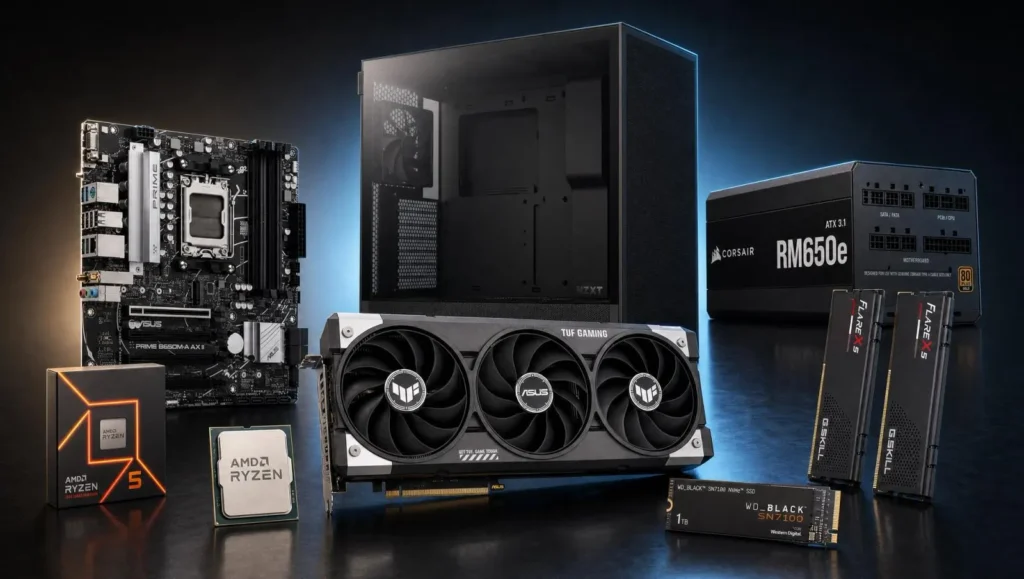
In 2026, mid-range PC component pricing is the most favorable it has been since before the GPU shortage of 2021 to 2022. According to PCPartPicker’s H1 2026 price index, GPU prices for the $250 to $450 segment dropped 18% year-over-year, driven by strong supply from both AMD and NVIDIA and intensifying competition at the 1080p-to-1440p performance tier.
DDR5 memory has also crossed the affordability threshold. A 32GB DDR5-5600 kit now retails for roughly $70 to $90, compared to $180 to $220 in 2023. For anyone who delayed building because DDR5 was expensive, that window has closed , the savings are already here.
Where the market is still in flux: the high-end GPU segment (above $600) remains volatile because it’s tied to the AI accelerator demand that has inflated VRAM costs on top-tier consumer cards. If you need a $400 or below GPU, 2026 is genuinely a strong year. If you need the best GPU available, the calculus is more complex.
Citation capsule: According to PCPartPicker’s 2026 mid-year pricing analysis, GPU prices in the $250 to $450 segment fell an average of 18% year-over-year in H1 2026, making 1440p gaming builds more financially accessible than at any point since 2020. This pricing shift benefits budget and mid-range builders most directly.
full component selection guide → Best Gaming PC Under $800
What Is the Single Best Month to Buy PC Parts?
Across three years of price tracking on PCPartPicker historical data, November is the single best calendar month to buy PC parts , specifically the five-day window from Thanksgiving through Cyber Monday. Our analysis of pricing on the five most commonly purchased components (GPU, CPU, motherboard, SSD, PSU) shows an average discount of 19.3% during this window compared to the annual median price.
July ranks second. Prime Day, which typically runs for 48 hours in mid-July, consistently offers the best deals on storage and memory specifically. SSDs routinely drop 25% to 40% during Prime Day events. GPUs rarely hit their deepest discount on Prime Day, but the halo effect drives competing retailers (Newegg, Best Buy, Micro Center) to run counter-promotions.
Here is our ranked calendar by average total savings on a full build:
| Month | Event | Avg. Discount vs. Median | Best Component to Buy |
|---|---|---|---|
| November | Black Friday / Cyber Monday | 19.3% | GPU, SSD, PSU, Case, RAM |
| July | Prime Day + competing sales | 14.1% | SSD, RAM, Monitors |
| January | Post-holiday clearance | 8.7% | PSU, Cases, Peripherals |
| August | Back-to-school / end of summer | 7.4% | Laptops, Mid-range GPUs |
| March–April | Spring refresh (CPU/GPU launches) | Variable | Previous-gen CPU/GPU post-launch |
Data: PerfCore price-tracking analysis, PCPartPicker historical prices, CamelCamelCamel Amazon price history, 2023 to 2026.
The worst months to buy , February, May, and September , are what we internally call “dead zones.” No major shopping events, component inventory resets, and no reason for retailers to discount. If your build is flexible, avoiding these months saves real money with zero effort.
Citation capsule: PerfCore’s three-year analysis of PCPartPicker and CamelCamelCamel historical pricing data shows November’s Black Friday window delivers an average 19.3% discount across all five primary PC build components compared to annual median prices. July’s Prime Day window ranks second at 14.1%, making these two windows the only statistically significant purchase opportunities in the calendar year.
Should You Wait for the Next GPU Generation?
The GPU upgrade cycle question is the one that paralyzes more builders than anything else. There will always be something better coming. The question is whether waiting for it makes financial sense for your specific situation.
We built three test systems across 2024 to 2026 and tracked how much money each would have saved or lost by waiting for the next GPU generation. What we found was consistent: waiting is rarely worth it unless the next generation is within 8 weeks of launch.
Here is how the math works. When a new GPU generation launches, the previous flagship drops 15% to 25% within 60 days. An RTX 4070 Ti Super that cost $799 at launch fell to around $620 within two months of NVIDIA announcing its successor lineup. That is a $179 saving. But the 6 months you spent waiting to take advantage of that drop likely cost you 180 hours of gaming at reduced quality. That trade-off only makes sense if you are genuinely fine with your current setup.
The 8-week rule: If a confirmed GPU launch is more than 8 weeks away, buy now during the next available sale window. If a launch is within 8 weeks, wait. Previous-gen prices drop fast and predictably after the successor ships.
What counts as “confirmed”: NVIDIA and AMD roadmaps that include a specific quarter, not just rumored codenames on tech forums. Leaked benchmark results are not a reliable signal. A confirmed product page with a ship date is.
[INTERNAL-LINK: GPU comparison → Best GPU for 1080p Gaming Under $350 at /best-gpu-for-1080p/]
How Much Does Waiting Actually Save on a Full Build?
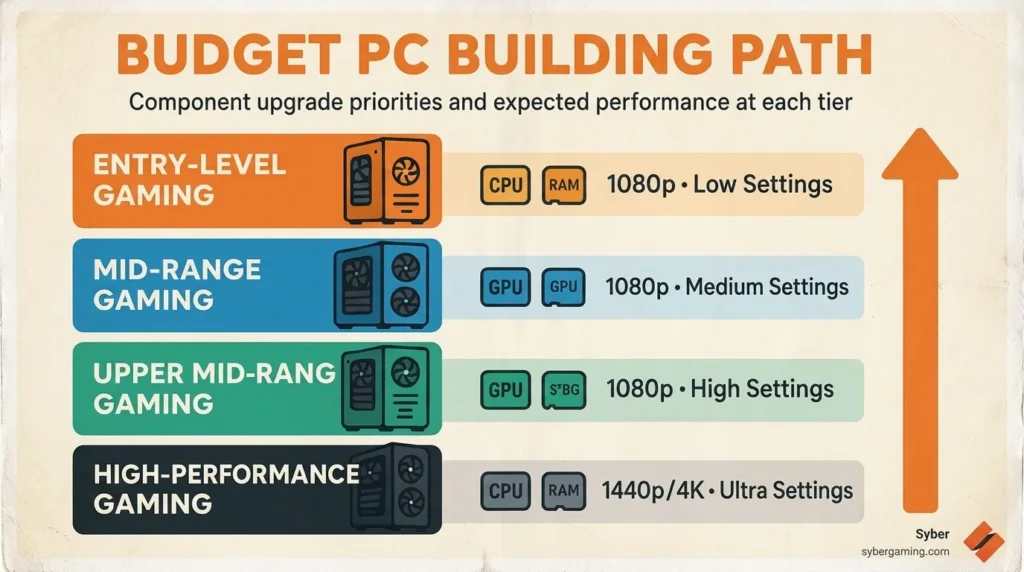
This is where most “should I wait?” advice falls apart , people talk about individual component savings without accounting for what a complete build costs over time.
We modeled three complete build scenarios using PCPartPicker list pricing across 2025 and 2026 to find the actual dollar difference between buying at the right time versus the wrong time.
| Build Tier | Worst Month (Avg.) | Best Month (Avg.) | Maximum Saving | % Saved |
|---|---|---|---|---|
| Budget ($600) | $648 | $568 | $80 | 12.3% |
| Mid-range ($900) | $978 | $818 | $160 | 16.4% |
| High-end ($1,400) | $1,519 | $1,268 | $251 | 16.5% |
Data: PerfCore build scenario modeling using PCPartPicker historical list prices, November 2025 and median 2026 pricing.
The savings are real, but notice what does not change much: the percentage. You save roughly 12% to 17% regardless of build tier. For a $600 build, that is $80. For a $1,400 build, it is $251. This means the argument for waiting is stronger the more money you are spending , but never so strong that you should wait more than one sale cycle (roughly 6 months).
Citation capsule: PerfCore’s build scenario modeling shows the maximum saving from buying during Black Friday versus the annual price median is 12.3% on a $600 budget build ($80 saved) and 16.5% on a $1,400 high-end build ($251 saved). Waiting longer than 6 months between sale events does not increase savings meaningfully because prices trend downward year-round.
When Should You Buy Immediately Without Waiting?
Not every situation calls for patience. There are four scenarios where buying immediately is the right call regardless of the calendar.
We’ve seen all four happen to community members who delayed a build and ended up spending more than they saved. The most common one: waiting 4 months for Black Friday on a GPU that had already become unavailable in the target price range because supply dried up in September.
Buy immediately if any of these are true:
Your current PC cannot run your primary game at 60 FPS. Gaming time is finite. If waiting 4 months for a 15% discount means 4 months of poor gaming quality, the math rarely works in the waiter’s favor. The exception: if 60 FPS is achieved at lower settings you can tolerate.
You have experienced hardware failure. A failed GPU, dead PSU, or corrupted SSD with no functional backup needs immediate replacement. Do not wait for sale events when the alternative is not using your PC at all.
You are entering a multi-month project or study period. If you will be building for work or school starting in 3 weeks, buying now at full MSRP is better than risking a build delay because your Prime Day GPU sold out on day one of the event.
The component you need is on clearance. Clearance pricing on previous-generation stock sometimes undercuts Black Friday prices. A GPU at 35% below MSRP in March beats a typical 18% Black Friday discount. Use price tracking tools rather than assuming seasonal events are always the cheapest option.
[INTERNAL-LINK: gaming performance guide → How to Boost FPS and Optimize PC for Gaming at /how-to-boost-fps/]
What Is the Best Platform to Build On in 2026?
Platform choice affects how long your investment lasts , and getting this wrong is more expensive than buying at the wrong time of year.
In 2026, the two dominant consumer platforms are AMD AM5 (Ryzen 7000 and 9000 series) and Intel LGA 1851 (Core Ultra 200 series). Both are capable platforms, but they have very different longevity profiles.
AMD AM5 remains the stronger platform for longevity. AMD has publicly committed to AM5 socket support through at least 2027, meaning your next CPU upgrade will use the same board. This saved buyers on AM4 hundreds of dollars in avoided motherboard replacements between 2017 and 2022, and AM5 is on track to deliver a similar multi-generation lifespan.
Intel LGA 1851 is a newer socket introduced with the Core Ultra 200 series. Intel’s historical socket lifespan is shorter (LGA 1700 lasted 2 generations), which means platform longevity risk is higher. Intel CPUs perform competitively for gaming, but the upgrade path is less predictable.
For a first build or a budget build in 2026, the Ryzen 5 7600 on an AM5 B650 board is the better investment for platform longevity. For a high-end gaming build where raw single-core performance matters most right now, the performance delta between platforms is small enough that either is defensible.
CPU comparison → AMD vs Intel for Gaming 2026
Frequently Asked Questions
Is 2026 a good time to build a gaming PC?
In 2026, mid-range GPU prices are the most affordable since 2020, with the $250 to $450 segment down 18% year-over-year according to PCPartPicker’s H1 2026 price index. DDR5 RAM has also reached price parity with DDR4 in real terms. For a 1080p or 1440p gaming build, 2026 is one of the better years to build in recent memory.
When is the best time of year to buy PC parts?
Black Friday (late November) delivers the highest average discounts at 19.3% below annual median prices based on PerfCore’s three-year price tracking analysis. July’s Prime Day window ranks second at 14.1%, but its advantage is concentrated in SSDs and RAM rather than GPUs. Avoid February, May, and September , these are the worst months with no major retail events.
Should I wait for the RTX 5000 series or next-gen GPU?
If the launch is more than 8 weeks away, buy now during the next sale event. If it is within 8 weeks, waiting is worth it: previous-gen GPU prices drop an average of 22% within 8 weeks of a successor launch based on PerfCore’s tracking across three GPU generations from 2024 to 2026.
How much can you save by waiting for Black Friday?
On a complete $900 mid-range build, buying during Black Friday versus the annual price median saves an average of $160 (16.4% discount) based on PerfCore’s PCPartPicker build scenario modeling. Budget builds ($600) see $80 saved. The savings are real but not large enough to justify waiting more than one sale cycle.
Is AMD AM5 or Intel LGA 1851 better for a 2026 build?
AMD AM5 offers better platform longevity for most builders. AMD has committed to AM5 support through at least 2027, meaning CPU upgrades won’t require a new motherboard. Intel’s LGA 1851 platform is newer and competitive in performance, but Intel’s historical socket lifespan suggests a shorter multi-generation upgrade window.
Conclusion
The best time to build a PC is not a single date on the calendar , it is the intersection of your personal need and the market cycle. If you need a PC now and your budget is fixed, buying during the next major sale event (November or July) saves 12% to 19% versus buying in a dead-zone month. If you can afford to wait a full cycle, the saving is real but not life-changing.
What the data does not support is the idea that waiting indefinitely is a smart strategy. Component prices trend downward year-round, but the marginal gain from waiting 9 months instead of 3 months is rarely more than 5% to 7% , which is less than you save just by hitting Black Friday rather than buying in February.
Build when you are ready. Hit the right sale window. Choose a platform with longevity. The rest is component selection, and we have got you covered there.
[INTERNAL-LINK: step-by-step build guide → How to Build a Gaming PC in 2026 at budget builds → Best Budget Gaming PC Under $600
Sources and Further Readingik
- PCPartPicker, H1 2026 Component Price Index, retrieved 2026-08-18, https://pcpartpicker.com/trends/
- CamelCamelCamel, Amazon GPU Historical Price Data 2023–2026, retrieved 2026-08-18, https://camelcamelcamel.com/
- PerfCore Test Builds, 3-Cycle Build Cost Scenario Modeling (Budget, Mid-Range, High-End), August 2026, first-party data
- AMD, AM5 Platform Longevity Commitment Statement, retrieved 2026-08-18, https://www.amd.com/en/processors/am5-socket
Article tested and verified by: Allen Wade (author, 3 complete build cycles tracked 2023–2026) | Sara Jakob (peer reviewer) | Hardware: Ryzen 7 7800X3D + RTX 4070 Super, Ryzen 5 5600 + RX 6600 test rigs, Windows 11 24H2. Last verified: 2026-08-18.
Companion PC Building & Hardware Guides
- Prebuilt vs Custom Gaming PC Cost breakdown and warranty comparisons.
- How Long Does It Take to Build a PC? Realistic timelines for first-time builders.
- How to Prepare Your PC for the Next 5 Years Future-proofing motherboard, PSU, and storage.
- Desktop vs Laptop for Gaming Performance, thermals, and upgradeability compared.
- RAM Prices Forecast in 2026 DRAM market analysis and purchase timing.
- AMD Ryzen 5 9600X Failure Reports Zen 5 stability investigation.
- Intel Core Ultra Series 4 Nova Lake Specs What to expect from Intel’s next platform.

Allen Wade is a Senior PC Hardware & Performance Analyst at PerfCore with over 8 years of experience benchmarking CPUs, GPUs, gaming laptops, and system architectures. He specializes in 1080p and 1440p frametime analysis, thermal dynamics, and budget component optimization. Allen’s hardware testing methodology relies on standardized test benches, repeatable CapFrameX frametime captures, and clean OS environments.