
Onimusha: Way of the Sword PC Review: Is It Worth Playing in 2026?

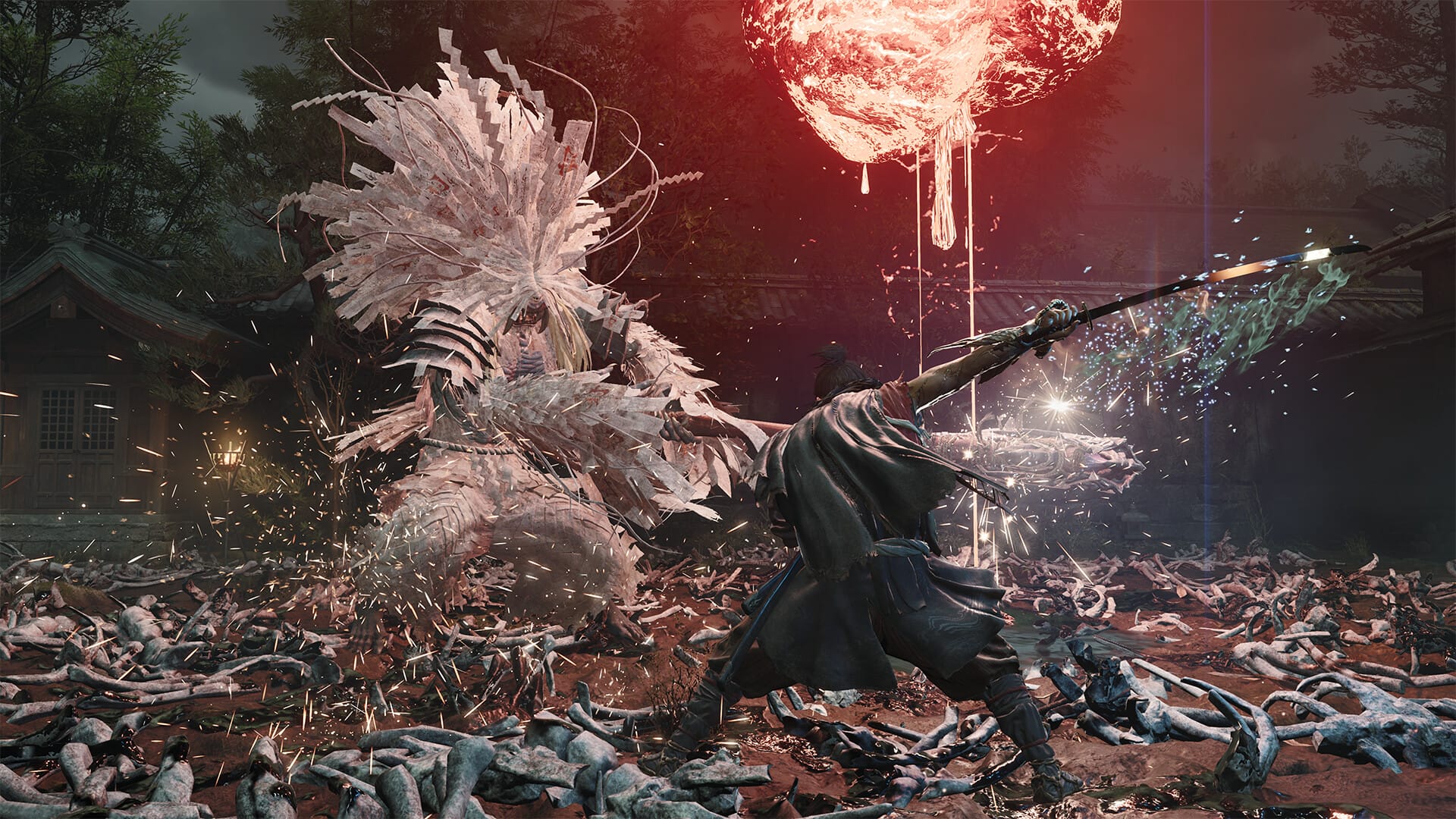
Twenty years is a long time to wait for a sequel. The last mainline Onimusha game shipped in 2006, and fans of Capcom’s samurai action series have spent two decades wondering whether the franchise would ever return. The answer, as of September 4, 2026, is an emphatic yes, and the comeback is sharper than most people probably expected. Onimusha: Way of the Sword puts you in control of Miyamoto Musashi, a wandering swordsman who stumbles into a demonic occupation of Edo-period Kyoto and picks up the legendary Oni Gauntlet, an artifact that lets him absorb the souls of the Genma creatures he cuts down and channel that power into supernatural combat abilities. In this review, we break down how Onimusha: Way of the Sword PC performs, what it does well, and whether it justifies its $69.99 price tag in 2026.
Is Onimusha: Way of the Sword worth buying on PC in 2026?
Yes. If you enjoy third-person action games with fast, precise swordplay and a dark feudal Japanese atmosphere, Way of the Sword delivers exactly that at a high level. The Oni Gauntlet combat system, boss encounters, and cinematic presentation are all excellent. The open-world structure occasionally slows the narrative momentum, but the core gameplay loop is strong enough to carry you through. At $69.99 on Steam, it is a premium price for a premium experience.
Table of Contents
What Is Onimusha: Way of the Sword?
Onimusha: Way of the Sword is a third-person action game developed and published by Capcom. Set in an Edo-period Kyoto corrupted by a supernatural force called Malice, you play as Miyamoto Musashi, a ronin who inherits the Oni Gauntlet and becomes the only warrior capable of standing against the demonic Genma invasion. Capcom modeled Musashi’s likeness and performance on legendary actor Toshiro Mifune, which gives the character an immediate weight and gravitas that most action game protagonists take several hours to build.
The game is available on PC via Steam and Epic Games Store, as well as PlayStation 5, Xbox Series X/S, and Nintendo Switch 2. A free demo covering the opening section is also available on all platforms if you want to test the combat before committing.
Official PC System Requirements for Onimusha: Way of the Sword (2026)
Capcom released a detailed multi-tier spec sheet for this one, which is useful because performance targets are explicitly matched to each tier. Here is the core breakdown:
| Hardware Component | Minimum (1080p / 30 FPS) | Recommended (1080p / 60 FPS) |
|---|---|---|
| Operating System | Windows 11 64-bit | Windows 11 64-bit |
| Processor (CPU) | Intel Core i5-8400 / AMD Ryzen 3 3100 | Intel Core i5-10400 / AMD Ryzen 5 3600 |
| Memory (RAM) | 16 GB | 16 GB Dual-Channel |
| Graphics Card (GPU) | NVIDIA GTX 1660 6GB / AMD RX 5500 XT 8GB | NVIDIA RTX 2060 Super 8GB / AMD RX 6600 8GB |
| Storage Space | 50 GB SSD (required) | 50 GB SSD (required) |
| DirectX Version | DirectX 12 | DirectX 12 |
Note that an SSD is a hard requirement at all tiers, not just a recommendation. The game uses fast asset streaming during combat transitions, and a mechanical hard drive will cause visible stuttering regardless of GPU power. If you are targeting 1440p at 60 FPS with high settings, Capcom specifies an RTX 4060 Ti or RX 6750 XT. For 4K at ultra settings, you are looking at an RTX 4070 Ti or RX 7900 XT. Capcom also released a free standalone benchmark tool that is worth running before you launch the full game, as it gives you a frame-accurate read on your hardware’s actual performance.
How to Download and Install Onimusha: Way of the Sword on PC
The installation process is clean and straightforward:
- Go to the official Onimusha: Way of the Sword Steam page and click Add to Cart. The game is priced at $69.99.
- After purchase, open your Steam library and click Install. Select an SSD drive with at least 50 GB of free space. A mechanical hard drive is not supported for stable performance.
- Wait for the download to complete, then click Play. The game launches directly through Steam with no secondary launcher.
- On first launch, run the built-in graphics auto-detection tool, which analyzes your GPU and sets appropriate quality presets automatically.
- Complete the opening cinematic and tutorial sequence, which runs approximately 15 minutes and introduces the Oni Gauntlet system before opening into the wider game.
Capcom’s PC port is excellent. Full keyboard and mouse support, comprehensive resolution and refresh rate options up to 4K / 120 FPS, and both DLSS and FSR integration are all present from day one.
Gameplay Review: What Onimusha: Way of the Sword Does Well
The combat is the centerpiece, and it earns the attention. Three interlocking systems make it work.
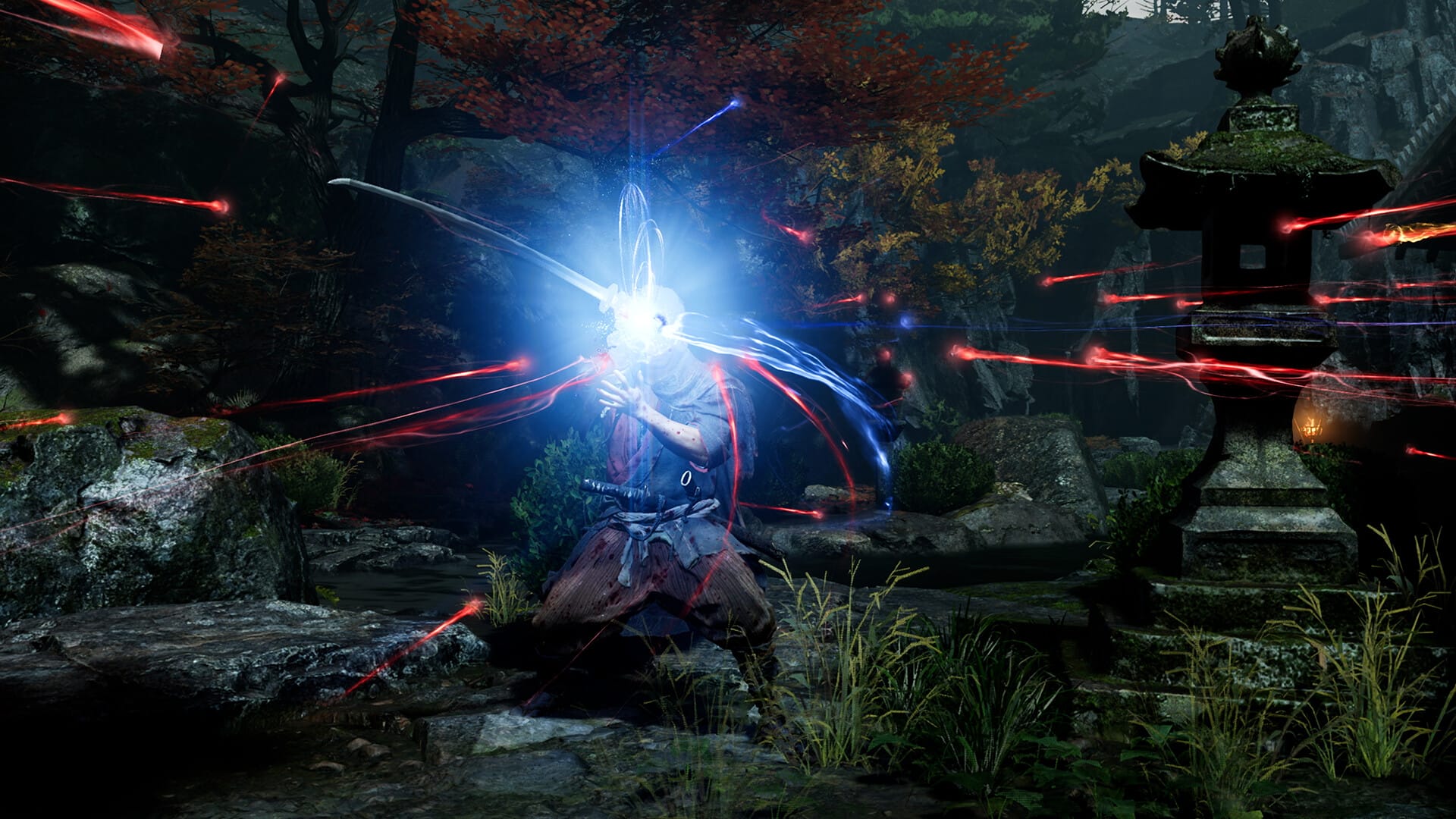
- The Oni Gauntlet: Every Genma enemy you defeat can be absorbed immediately after death by holding the gauntlet out during the soul-release window. Absorb enough souls of a particular type and you unlock new abilities, passive buffs, and temporary power states. It rewards aggression because the faster you kill, the better your soul absorption timing gets, and the more powerful your next encounter starts.
- Parry and Break Issen: Blocking at the exact moment an enemy attack connects triggers a parry that staggers the attacker and opens a high-damage counter window. Land that counter with a fully charged heavy strike and you trigger Break Issen, a slow-motion finishing sequence that deals massive damage and looks spectacular.
- The Oni Bow: A secondary weapon that handles both ranged combat and environmental puzzle-solving. Some Genma enemies have specific weaknesses to projectile attacks, and several of the game’s exploration sections involve using the bow to manipulate elements in the environment.
- Where it is rougher: The open-world sections between major story beats occasionally feel like filler. The world of corrupted Kyoto is visually striking, but the ambient activities in the open areas are not particularly inventive, and the pacing dips noticeably whenever the game pulls you away from its strong linear story segments.
Combat Deep-Dive: Musashi, the Genma, and the Oni Gauntlet
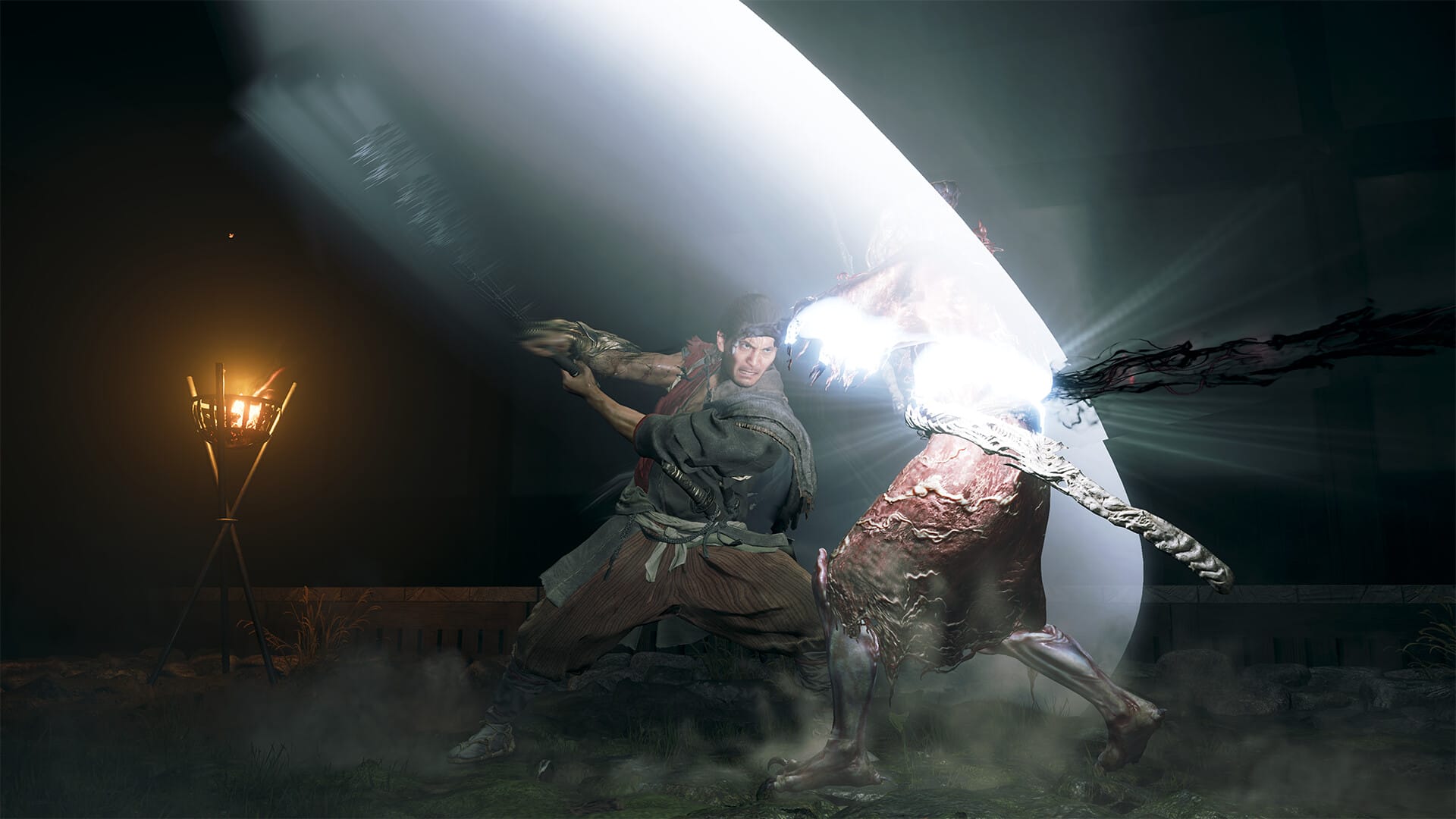
The Genma enemy design is one of the most impressive aspects of the game. Unlike many action titles where standard enemies exist purely to be cleared before a boss encounter, the Genma in Way of the Sword are designed with specific behavioral patterns and elemental affinities that the gauntlet system directly interacts with.
Fighting a group of Karasu-class Genma, crow-like aerial enemies, rewards using the Oni Bow to ground them before transitioning to melee. Switching to the heavy sword stance against armored Oni-Ogre types and waiting for their three-hit combo to complete before parrying is its own rhythm. The game has genuine depth here, and the variety of enemy types keeps combat from feeling repetitive even in the later hours.
Boss encounters are the highlight. Each major boss is essentially a masterclass in the game’s parry and Break Issen system, with multi-phase patterns that demand real engagement with the mechanics rather than brute-force attrition. The rematch against Saemon of the Genma Seven in the midgame is one of the best boss fights in any action game released this year.
PC Performance: How Does It Run?
Very well, particularly for a Capcom release. Way of the Sword shipped with a polished frame pacing system and no major stuttering issues at launch, even on minimum-spec hardware with an SSD.
On an RTX 2060 Super at 1080p with DLSS Quality enabled, the game holds a consistent 60 FPS through all combat and exploration sections, with the heaviest particle effects during late-game boss fights occasionally causing brief dips to the mid-50s. On minimum spec hardware with a GTX 1660, targeting 30 FPS at low settings is achievable with some manual tweaking of shadow quality and particle density.
DLSS 4 and FSR 3.1 are both fully supported, including Frame Generation on compatible cards. Enabling Frame Generation on an RTX 4070 pushes 1440p high settings from around 75 FPS to a very smooth 120+ FPS. For fine-tuning driver settings across RE Engine titles, our guide on best NVIDIA Control Panel settings for maximum FPS covers the specific adjustments that help squeeze out extra frametime consistency.
Frequently Asked Questions
Is Onimusha: Way of the Sword a sequel or reboot?
It is a new standalone story set in the Onimusha universe rather than a direct sequel to any previous game. You do not need any knowledge of the original series to follow the narrative. Long-time fans will recognize lore callbacks and character archetypes, but the game is designed to be a complete entry point.
Is there a free demo available on PC?
Yes. Capcom released a standalone demo on Steam covering the game’s opening section, which includes the full tutorial and the first major boss encounter. Your progress does not carry over to the full game, but it gives you an accurate picture of the gameplay and PC performance.
How long is Onimusha: Way of the Sword?
A focused main story playthrough takes 18 to 25 hours depending on difficulty and exploration. Completing all side content and collectibles extends that to around 35 hours.
Is there difficulty customization?
Yes. The game offers Casual, Standard, and Oni difficulty settings, plus a full suite of individual accessibility sliders covering parry timing windows, enemy aggression, and health multipliers.
Does it run on Windows 10?
Windows 11 is the listed minimum operating system. While user reports on the Steam community page suggest the game launches and runs on Windows 10, stability on older OS versions cannot be guaranteed without official support.
Verdict
Onimusha: Way of the Sword is the series revival it needed to be. The Oni Gauntlet combat system is excellent, the boss encounters are among the best Capcom has designed in years, and Musashi as a protagonist is immediately compelling. For fans of third-person melee combat and samurai epics, it is an easy recommendation. If you are exploring other top releases on Windows right now, check out our curated guide to the best PC games in 2026.
Sources: Official Onimusha: Way of the Sword Steam store page, IGN review, and PC Gamer coverage, September 2026.

Allen Wade is a Senior PC Hardware & Performance Analyst at PerfCore with over 8 years of experience benchmarking CPUs, GPUs, gaming laptops, and system architectures. He specializes in 1080p and 1440p frametime analysis, thermal dynamics, and budget component optimization. Allen’s hardware testing methodology relies on standardized test benches, repeatable CapFrameX frametime captures, and clean OS environments.