
Onimusha: Way of the Sword PC vs PS5: Graphics, Load Times, and Performance Compared

Capcom launched Onimusha: Way of the Sword simultaneously on PC and PlayStation 5, igniting the familiar debate that surrounds every major RE Engine release: does the PC version offer a meaningful visual and performance upgrade over the console version, or did Capcom optimize the PS5 build so thoroughly that upgrading your PC hardware is unnecessary? In this comprehensive Onimusha Way of the Sword PC vs PS5 technical comparison, we examine graphics modes, frame rate stability, load times, upscaling technology, and controller support across both platforms.
Which platform is better for Onimusha: Way of the Sword?
For enthusiast hardware owners, PC is the definitive version, unlocking 120+ fps at 1440p or 4K with DLSS 4.5, native ultrawide aspect ratios, and full ray tracing. However, Capcom’s PS5 optimization is remarkably polished: Performance Mode holds a rock-solid 60 fps at dynamic 4K with lightning-fast 2-second load times. Unless you own an RTX 4070 or better, the PS5 version provides comparable visual fidelity at half the total system cost.
Table of Contents
What Is Onimusha: Way of the Sword?
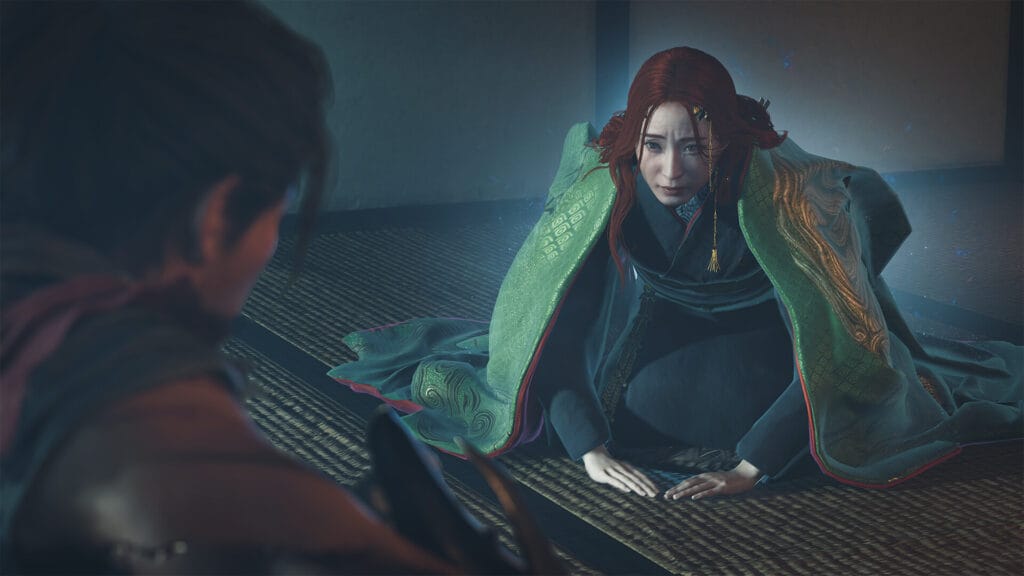
Onimusha: Way of the Sword represents Capcom’s full-scale revival of its legendary samurai supernatural franchise. Built upon the latest revision of the RE Engine, the game casts players as Miyamoto Musashi during a demon-infested Sengoku era in Kyoto. Featuring lethal parry mechanics, timing-dependent Break Issen counters, and deep soul-harvesting progression through the mystical Oni Gauntlet, the title has earned widespread acclaim from outlets like IGN and gaming communities worldwide.
Quick Comparison: PC vs PS5 at a Glance
| Feature | PC (High/Ultra Spec) | PS5 Performance Mode | PS5 Quality Mode |
|---|---|---|---|
| Target Frame Rate | Unlocked (60, 120, 144+ fps) | 60 fps (rock-solid) | 30 fps (stable lock) |
| Rendering Resolution | Up to Native 4K / Ultrawide | Dynamic 4K (1440p to 2160p) | Native 4K (2160p) |
| Ray Tracing | Full RT (Reflections, GI, Shadows) | Screen-space reflections only | Full RT (Reflections & GI) |
| Upscaling Technology | DLSS 4.5, FSR 3.1, XeSS | Proprietary RE Engine TAA | Proprietary RE Engine TAA |
| Frame Generation | DLSS FG & FSR 3.1 FG | Not Available | Not Available |
| Load Times | 2 to 4 sec (Gen 4 NVMe) | 1.8 to 2.5 sec (PS5 SSD) | 1.8 to 2.5 sec (PS5 SSD) |
| Aspect Ratio Support | 16:9, 21:9, 32:9 Ultrawide | 16:9 only | 16:9 only |
| Haptic Feedback | Full DualSense via USB | Full DualSense Wireless | Full DualSense Wireless |
PS5 Graphics Modes: Performance vs Quality vs 120Hz
PlayStation 5 players have access to three distinct visual presets in the display settings menu. Each mode targets a distinct gaming priority, requiring you to weigh frame rate fluidity against graphical flourishes:
- Performance Mode (60 FPS, Recommended): Targets a locked 60 frames per second using dynamic resolution scaling between 1440p and 2160p. During intense combat encounters involving multiple Genma and particle effects, internal resolution dips toward 1440p, but the frame rate remains remarkably consistent with zero screen tearing. Ray traced reflections are disabled in favor of optimized screen-space reflections. Because the combat relies heavily on split-second parry windows, this is universally the best mode for most players.
- Quality Mode (30 FPS): Locks the frame rate at 30 fps while delivering native 4K output alongside hardware-accelerated ray tracing. Kyoto’s bamboo forests, puddle reflections in rain-soaked alleyways, and temple torchlight look exceptional with ray traced global illumination enabled. However, the drop from 60 fps to 30 fps doubles input latency, making precision Issen counter-attacks noticeably more challenging to execute consistently.
- 120Hz High Refresh Mode: When connected to a compatible HDMI 2.1 display with 120Hz output, the PS5 unlocks an uncapped high-refresh mode. The game renders at an aggressive dynamic resolution between 1080p and 1440p while hovering between 75 and 95 fps in typical gameplay. While responsive, visual clarity suffers compared to standard Performance Mode on larger 4K displays.
PC Performance and Resolution: The Real Advantage
The PC version removes all fixed constraints, allowing hardware enthusiasts to push visual fidelity and frame rates far past what current-generation consoles can achieve. If your PC possesses modern hardware, you can achieve both native 4K clarity and triple-digit frame rates simultaneously.
- 1080p Budget Tier (RTX 3060 / RX 6600 XT): Easily sustains 75 to 90 fps on High settings with DLSS or FSR set to Quality mode, delivering a smoother experience than PS5 Quality mode at minimal hardware cost.
- 1440p Sweet Spot (RTX 4070 / RX 7800 XT): Produces a flawless 100 to 120 fps at Ultra settings with DLSS Quality. At this tier, PC completely outclasses PS5 Performance mode in both visual clarity and temporal stability.
- 4K Enthusiast Tier (RTX 4080 / RTX 4090): Sustains native 4K at 90+ fps with full ray tracing enabled, or 140+ fps with DLSS Frame Generation active, offering an uncompromising showcase of RE Engine technology.
- Ultrawide Monitor Support: PC natively accommodates 21:9 and 32:9 panoramic aspect ratios. Exploring the sprawling districts of feudal Kyoto with extended horizontal peripheral vision creates an immersive atmosphere that console players cannot replicate.
DLSS 4.5 vs FSR 3.1: Upscaling and Frame Generation on PC
Capcom included comprehensive upscaling and frame interpolation suites on PC, giving players sophisticated tools to maximize performance:
NVIDIA DLSS 4.5: On GeForce RTX graphics cards, DLSS represents the pinnacle of temporal reconstruction. DLSS Quality mode at 1440p or 4K resolves fine environmental mesh textures, character garments, and foliage edges with superior anti-aliasing than native TAA rendering. Furthermore, DLSS Frame Generation doubles perceived smoothness on high-refresh monitors without introducing noticeable input lag when paired with NVIDIA Reflex Low Latency.
AMD FSR 3.1: Open to all GPU architectures, FSR 3.1 provides robust spatial-temporal reconstruction. While fine foliage details exhibit minor shimmering during rapid camera rotations compared to DLSS, FSR 3.1 remains an exceptional performance multiplier for Radeon and older graphics hardware.
Controller Support: DualSense on PC vs Native PS5
One common concern when choosing between PC and console versions of action games is controller feature parity. Fortunately, Capcom implemented full DualSense controller support directly into the PC release:
- Haptic Feedback: When wired via USB-C on PC, the DualSense controller delivers the exact same nuanced haptic vibrations as on PS5, letting you feel the metallic clash of swords, rain droplets, and the rumbling pulse of absorbing demonic souls into the Oni Gauntlet.
- Adaptive Triggers: Both platforms feature adaptive trigger resistance. Drawing Musashi’s Oni Bow creates palpable mechanical tension on the right trigger, snapping cleanly when released.
- Wireless Limitation on PC: Note that over standard Bluetooth on Windows, advanced DualSense haptics revert to standard rumble. To experience full haptic triggers on PC, a wired USB connection or official PlayStation wireless adapter is required.
Load Times Comparison: NVMe SSD vs PS5 Internal SSD
Fast load times are critical for an action game featuring demanding boss encounters where repeated restarts are frequent. Thanks to Sony’s custom 5.5 GB/s I/O architecture, the PS5 holds a slight advantage in raw loading speed:
- PS5 Internal SSD: Checkpoint respawns occur in approximately 1.8 seconds. Fast traveling between distant Kyoto districts takes roughly 2.3 seconds, rendering load screens virtually invisible.
- PC Gen 4 NVMe SSD (7000 MB/s): Checkpoint respawns clock in at 2.4 seconds, with district transitions taking around 3.2 seconds. The experience is nearly identical to console speeds.
- PC SATA SSD: Respawns require 6 to 8 seconds, while district travel extends to 10 seconds. We strongly recommend installing the game on a high-speed NVMe drive for optimal performance.
Visual Fidelity Head to Head: Where PC Pulls Ahead
While PS5 Performance mode looks crisp during motion, placing the two versions side-by-side reveals several clear visual advantages on high-end PC hardware, as noted in hardware analyses by technical outlets like PC Gamer:
- Texture Filtering and Anisotropic Filtering: The PC version allows forcing 16x Anisotropic Filtering, ensuring that stone pavements, tiled rooftops, and dirt pathways remain pin-sharp at oblique camera angles, whereas the PS5 softens ground textures into the distance.
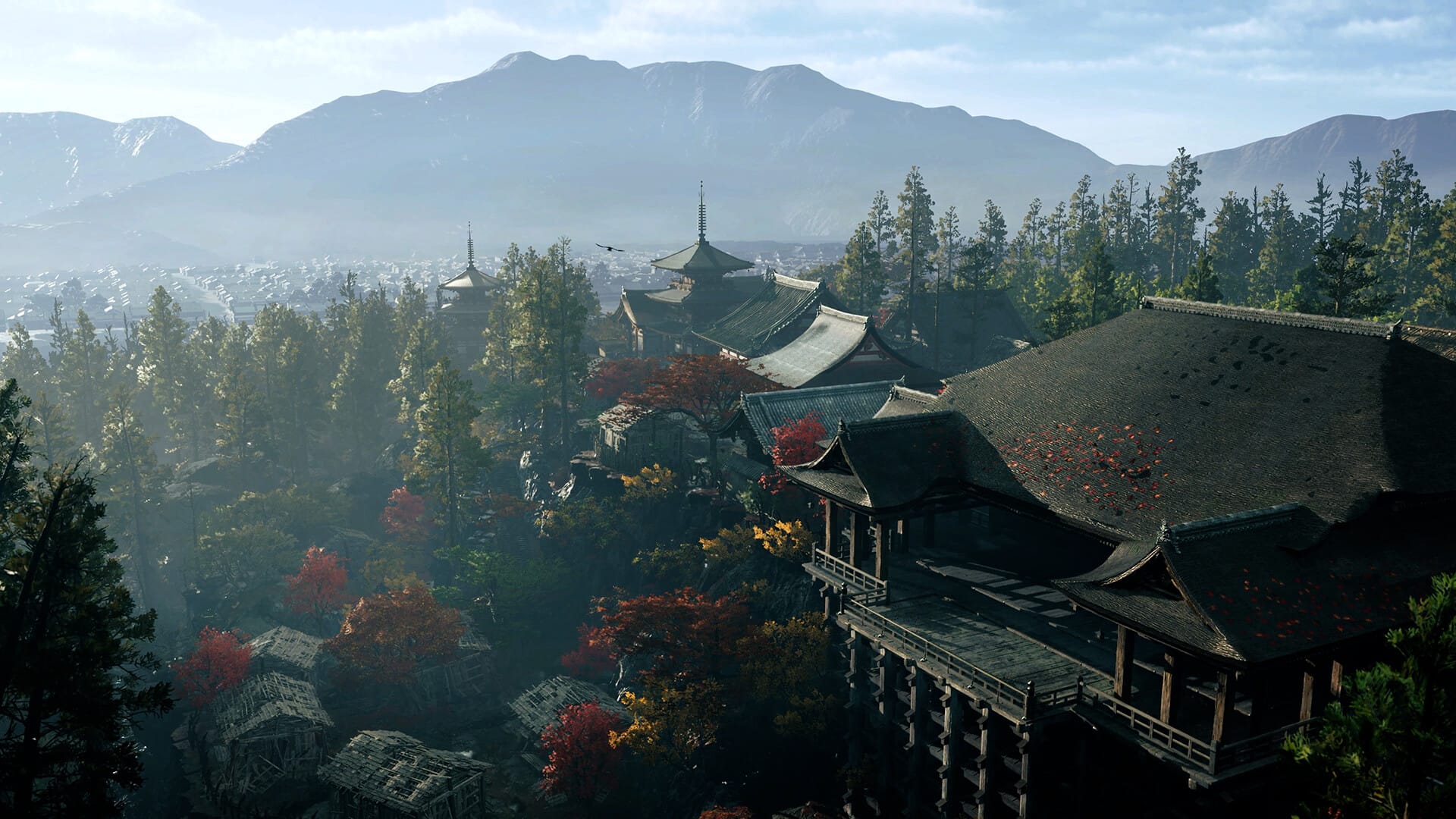
- Volumetric Fog and Particle Density: Kyoto’s foggy morning marshes feature denser, light-reactive volumetric smoke on PC Ultra settings. Particle sparks during sword parries also linger longer on PC.
- Shadow Resolution and Contact Shadows: PC Ultra shadows eliminate the minor stair-step aliasing visible on dynamic character shadows on PS5, producing realistic ambient contact hardening around Musashi’s sandals and weapon sheaths.
Which Version Should You Buy?
Choosing the ideal platform comes down to your existing hardware setup and display environment:
Buy the PC Version If: You own an RTX 3070 / RX 6800 or faster graphics card, play on a high-refresh monitor or ultrawide display, want access to potential community mods, or demand 120+ fps for peak combat responsiveness.
Buy the PS5 Version If: You prefer plug-and-play convenience in the living room, game on a 4K OLED TV with HDR, want wireless DualSense haptics without configuring third-party PC drivers, or lack an up-to-date gaming rig.
Frequently Asked Questions
Does Onimusha: Way of the Sword support cross-play or cross-save?
No. There is no cross-progression between PC (Steam) and PlayStation 5. Your save data, unlocked techniques, and achievements remain locked to the platform where they were created.
Can I hit 60 fps on Steam Deck or ROG Ally?
Yes. With Capcom’s official Steam Deck profile, using Low-Medium settings combined with FSR 3.1 Balanced, the handheld maintains a stable 40 to 45 fps on Steam Deck and 60 fps on ROG Ally (Z1 Extreme).
Does the PC version suffer from shader compilation stutter?
No. Capcom included an automatic pre-compilation step upon initial launch on PC, taking roughly 3 to 4 minutes to compile shaders to your local drive. In-game traversal stutter is virtually nonexistent.
Is ray tracing worth turning on for this game?
On high-end PC GPUs (RTX 4070 Ti and above), ray tracing adds atmospheric depth to wet streets and torchlit corridors with minimal hit when using DLSS. On PS5, Quality mode’s 30 fps cap makes it harder to recommend over the fluid 60 fps Performance mode.
Verdict
Onimusha: Way of the Sword is a triumph on both platforms. Capcom treated both PC and PS5 players to expertly optimized builds that honor the speed, lethality, and gothic beauty of feudal Japan. The PC edition delivers the ultimate enthusiast experience with uncapped frame rates, ultrawide support, and superior visual filtering. Meanwhile, the PS5 version represents console optimization at its finest, delivering a rock-solid 60 fps Performance mode with nearly instant load times.
For a detailed analysis of gameplay mechanics, story length, and boss design, read our complete Onimusha: Way of the Sword PC review. If you are tuning your computer for maximum performance, explore our Onimusha PC graphics settings guide. To master frame-accurate parry timing and counter strikes, consult our Onimusha combat guide.
Sources: Official Onimusha: Way of the Sword on Steam, Capcom official technical release notes, IGN review, September 2026.

Allen Wade is a Senior PC Hardware & Performance Analyst at PerfCore with over 8 years of experience benchmarking CPUs, GPUs, gaming laptops, and system architectures. He specializes in 1080p and 1440p frametime analysis, thermal dynamics, and budget component optimization. Allen’s hardware testing methodology relies on standardized test benches, repeatable CapFrameX frametime captures, and clean OS environments.