Avast Review 2026: Is It the Best Free Antivirus for PC Users and Gamers?


Back in the early 2000s, PC users looking for dependable security without paying exorbitant subscription fees were given a real lifeline when Avast launched its free antivirus suite, becoming one of the earliest tools to deliver real-time protection directly to everyday consumers. Since that initial breakthrough, the application has been continuously refined, absorbed into the cybersecurity giant Gen Digital, and today offers a broad suite of defensive features tailored for modern systems. Do everyday PC users and gamers actually need the capabilities of Avast in 2026, and what real advantages can this utility provide over built-in options? We explore these questions in this hands-on Avast review 2026.
Table of Contents
Installation and first launch experience
To highlight the security suite’s straightforward onboarding, Avast hosts the download link on a dedicated portal. The installer download is lightweight, and the software unpacks and installs in under a minute on modern Windows machines. If desired, optional modules and secondary utilities such as trial add-ons or diagnostic data sharing can be unchecked during installation by opting for custom setup.
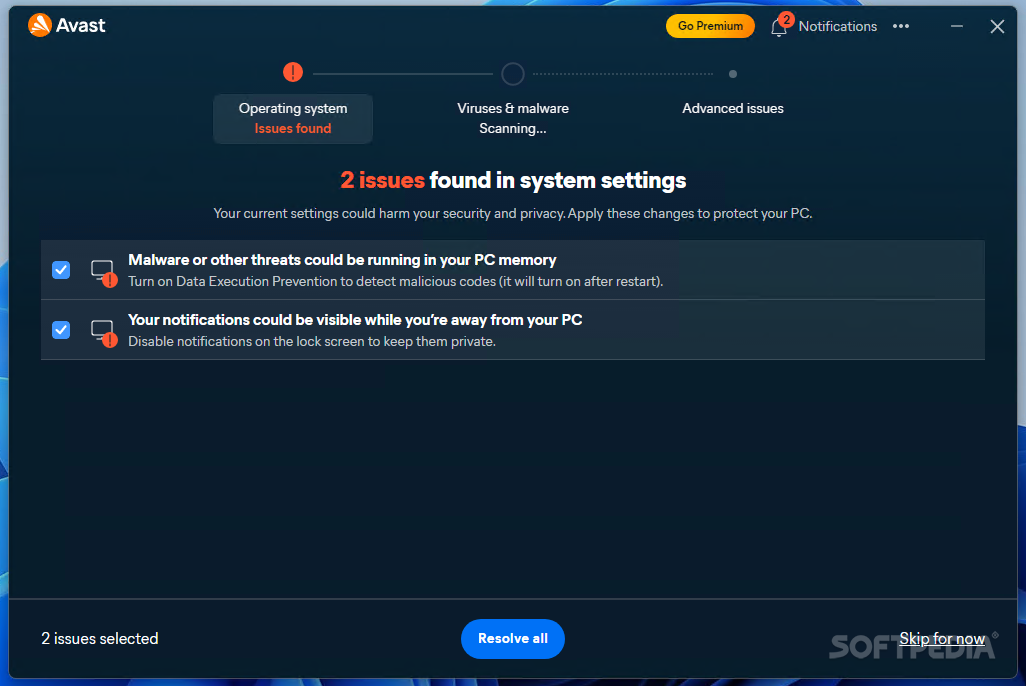
When launched for the first time, Avast greets the user with an initial system scan dialog. Here, you can trigger a Smart Scan to identify dormant browser threats, scan system memory for corrupted registries, configure shield sensitivities, and review initial privacy preferences. Once the initial audit wraps up, you land directly on the clean, dark-themed central control hub.
Interface and main dashboard features
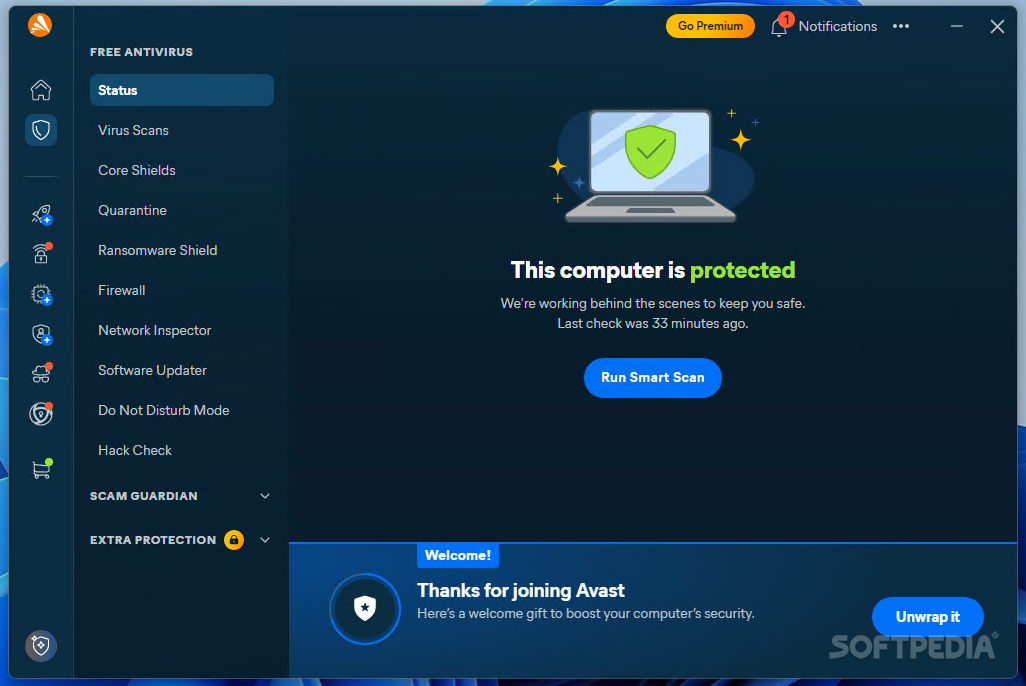
After setup, you can move on to actually using the software. The home screen features an unmistakable, prominent status banner across the top indicating whether your PC is fully secured or requires attention. At the center of the display sits the primary Smart Scan trigger, which inspects critical system zones in a single click.
Down the left-hand navigation pane, Avast organizes its broad collection of utilities into four straightforward pillars: Status, Protection, Privacy, and Performance. This clean hierarchical layout keeps the interface from feeling cluttered, allowing users to jump straight between automated background shields, firewall preferences, and system maintenance utilities without wading through endless nested menus.
Core shields and real-time protection
Core Shields are the primary defensive barrier running silently in the background of your operating system. With them, you can oversee how the software intercepts file modifications, inbound web traffic, and suspicious executable behavior. For example, if you download an experimental zip archive or community utility from the internet, File Shield instantly parses the payload before Windows allows it to execute.
Web Shield functions alongside your daily web browser, inspecting incoming data packets, blocking malicious script injections, and stopping fraudulent phishing websites before they can render. Behavior Shield takes things a step further by actively observing running processes. If a newly installed app begins attempting unauthorized registry writes or attempts to tamper with protected system files, Avast freezes the process immediately, regardless of whether a formal malware definition exists yet.
System cleanup and browser hygiene
Avast includes dedicated system cleanup utilities designed to keep your PC nimble. It allows you to clear broken registry entries, wipe obsolete browser cookies, eliminate cached temporary files, and sweep away tracking data left behind by web portals. This option is worth using periodically to keep your primary drive tidy and reduce digital clutter.
While third-party cleanup utilities sometimes risk breaking system dependencies, Avast’s maintenance modules focus conservatively on proven cache directories and orphaned download remnants. For users looking to optimize their setup further, pairing routine cleaning with our guide on the best NVIDIA Control Panel settings for max FPS provides a substantial uplift in overall system responsiveness.
Network inspector and Wi-Fi security
Network Inspector is a built-in diagnostic module that inspects your local Wi-Fi environment and connected router. It maps out every device currently sharing your network, flagging weak router administrator passwords, unpatched firmware vulnerabilities, and open ports that could leave your local subnet exposed to unauthorized intruders.
There is real practical benefit here, especially in households with numerous smart home gadgets, gaming consoles, and mobile devices competing on the same router. Having a utility that quickly surfaces whether an unknown MAC address has joined your network adds a layer of perimeter security that typical antivirus programs completely overlook.
Do Not Disturb mode and gaming optimization
Do Not Disturb mode (frequently referred to as Game Mode) is designed specifically for gamers and power users who cannot afford sudden desktop pop-ups or background CPU spikes. Whenever Avast detects an application running in full-screen mode, it automatically suppresses all antivirus notifications, pauses scheduled background scans, and silences non-critical alerts.
This ensures that your CPU and RAM remain dedicated to active game rendering rather than fighting with background security scans during high-stakes competitive matches. If maintaining minimum frame times and zero input hesitation is a priority on your rig, check out our walkthrough on how to reduce input lag in Windows 11 to complement Avast’s silent gaming profile.
Ransomware shield and data protection
Ransomware Shield acts as an armored vault for your most critical personal documents, pictures, and game saves. Rather than attempting to detect malicious code solely by signatures, it locks down specified folders, preventing untrusted applications from altering, encrypting, or deleting any files stored within them without explicit user consent.
Even if an undiscovered zero-day ransomware payload manages to slip past initial web filters, your designated document vaults remain strictly untouched. You can easily whitelist trusted productivity tools or creative software while keeping rogue executables completely walled off from your precious archives.
Independent lab results and detection rates
Independent security evaluation organizations have consistently scrutinized Avast over the years, and the 2026 data reflects continued top-tier defensive reliability. In rigorous roundups published by the testing authorities at AV-TEST and the detailed research benchmarks conducted by AV-Comparatives, Avast regularly captures perfect or near-perfect protection scores, successfully neutralizing between 99.8% and 100% of tested real-world malware samples.
Much of this defensive speed stems from the global threat intelligence ecosystem operated by parent organization Gen Digital. Because hundreds of millions of endpoints feed real-time telemetry into the cloud analysis engine, newly discovered threats encountered halfway across the globe produce defensive definitions that shield all connected users within minutes.
Additional features and privacy tools
Beyond standard malware eradication, it is worth noting several additional strengths built into the suite. These include Email Shield, which inspects incoming mail attachments for malicious macros, an intuitive Software Updater that identifies outdated desktop programs carrying known security holes, and a dedicated Rescue Disk utility that lets you burn a clean bootable USB drive to scrub heavily infected, unbootable computers.
On paid tiers like Avast Premium Security, you also gain access to a dedicated Webcam Shield that prevents rogue software from secretly hijacking your camera, Sensitive Data Shield to lock down identity documents, and an isolated Bank Mode desktop that guarantees online banking sessions cannot be captured by keyloggers.
Final verdict: Avast review 2026
So, do you actually need Avast in 2026?
Short answer: probably not mandatory. Longer answer: it depends on what you expect your security suite to do besides, you know, sit in the tray and scan files without throwing a tantrum.
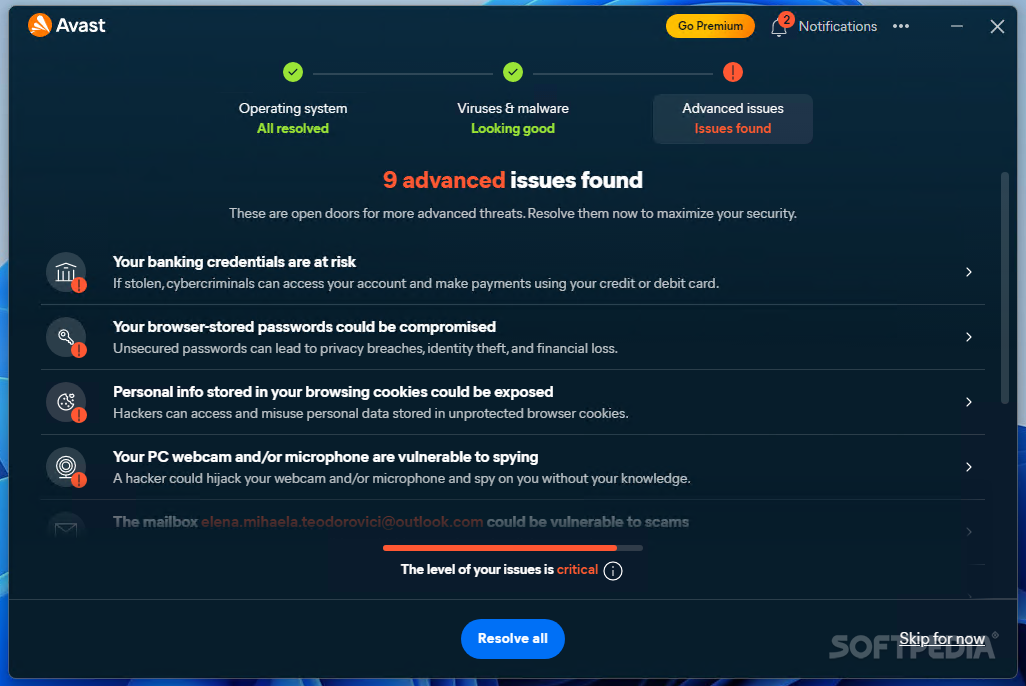
Avast comes with a bunch of extras you won’t find in native tools like Microsoft Defender, but not all of them are slam dunks. Take the free tier’s upgrade alerts, for example. In theory, they’re just highlighting optional security layers you might want. In practice? I’ve seen them trigger dramatic pop-ups warning of “advanced issues” that simply turn out to be sales pitches for paid plans. Helpful if you genuinely want an all-in-one commercial suite. Less helpful when you’re in the middle of a focused work session and a notification suggests your PC is at risk when it’s really just missing a paid feature.
Then there’s the cleanup utility, which sounds exciting until you realize it’s basically a shortcut to temporary file directories that Windows Disk Cleanup can already handle. Handy, sure. Exclusive or game-changing? Not really. It’s convenience dressed up as innovation, which is fine, but let’s call it what it is.
Where Avast genuinely shines is comprehensive perimeter awareness. Network Inspector, robust web shielding, automated sandboxing, and Do Not Disturb mode this is a suite that really wants to keep watch over everything happening around your system. If you download experimental software, browse beyond mainstream walled gardens, or manage a busy home network full of assorted devices, that kind of multi-layered defensive net can be surprisingly reassuring. I’ve tested numerous suspicious downloads in safe environments, and Avast’s reactive heuristics caught threats before they could unpack. No complaints there. Mostly.
Do Not Disturb mode, despite its simplicity, makes immense sense for gamers and content creators. If you’re dealing with demanding titles or streaming setups, being able to rein in intrusive background pop-ups and resource-heavy disk scans isn’t nothing. It just works automatically in the background, requiring zero manual babysitting once toggled.
Performance-wise, though? Don’t expect miracles. In terms of overall CPU footprint during daily browsing and light productivity, Avast feels pretty much on par with Microsoft Defender. It’s not dramatically lighter. It’s not drastically heavier on modern SSD rigs. It’s just… fine.
So no, you don’t need to abandon your current setup in a panic and sprint toward a third-party security suite if Microsoft Defender meets all your basic needs. But if you want more active control over your web shields, enjoy having a built-in Wi-Fi inspector, or appreciate having dedicated ransomware protection baked right in, Avast Free Antivirus remains a perfectly reasonable and powerful option. It keeps refining its engine, too, which means it continues to deliver enterprise-grade protection for anyone who wants their PC security to feel a little more proactive.
And honestly? Sometimes that’s enough.

Avast Free Antivirus
SECURITY SUITEEngineered for reliable PC protection, Avast provides real-time malware shields, cloud-assisted threat detection, and gaming-friendly performance tools to keep your system safe while you work, stream, and play.

Sara Jakob is the Senior Gaming Software & Systems Editor at PerfCore, specializing in PC game optimization, browser performance benchmarks, and free-to-play MMO mechanics. With a background in computer science and software testing, Sara leads PerfCore’s game setting optimization guides and software utility reviews.