
Roblox pc Review: Is It Worth Playing on Windows in 2026?

Roblox is not a single video game. It is a massive entertainment platform built entirely around user-generated worlds and community creations. In 2026, with over 120 million daily active users accessing the ecosystem across every modern device, Roblox remains a dominant digital powerhouse. On Windows PC, the platform delivers its highest visual fidelity, smoothest frame rates, and most precise control schemes.
In our comprehensive Roblox PC review, we examine where the platform stands today on Windows. We break down the actual hardware requirements, highlight the standout games genuinely worth your time, assess engine upgrades like 4K texture streaming and acoustic simulation, and provide an honest evaluation of the free-to-play ecosystem.
Roblox at a glance:
A free-to-play user-generated creation platform developed by Roblox Corporation. Available on Windows PC, it hosts millions of community-crafted experiences across action RPGs, tactical shooters, survival horror, and social simulators. Windows PC represents the definitive, high-performance way to play.
Table of Contents
What is Roblox?
Roblox operates as an open-ended digital sandbox and gaming network. Rather than developing individual titles in-house, Roblox Corporation maintains the engine, infrastructure, and developer toolkit. Independent creators and studios build and publish playable experiences directly to the cloud. Players download the lightweight Roblox Player client on Windows, set up a free profile, and immediately access an immense catalog of interactive worlds.
The platform economy functions using Robux, a virtual currency utilized primarily for custom avatar clothing, expressive animations, and optional in-experience perks. While certain individual games offer microtransactions, entering and exploring the vast majority of experiences costs nothing.
PC system requirements for Roblox

Roblox is engineered for broad accessibility across practically all Windows systems. While baseline entry specs are remarkably modest, modern experiences pushing dense lighting and complex geometry benefit from dedicated graphics cards:
| Hardware Component | Minimum Requirements | Recommended Specifications |
|---|---|---|
| Operating System | Windows 10 64-bit | Windows 10 / 11 64-bit |
| Processor (CPU) | 1.6 GHz clock speed (2005 or newer) | Modern Intel Core i5 / AMD Ryzen 5 |
| System Memory (RAM) | 1 GB RAM | 8 GB to 16 GB RAM |
| Graphics Card (GPU) | DirectX 10 feature level support | NVIDIA GeForce GTX 1050 Ti / AMD equivalent |
| Storage Space | Roughly 20 MB base client plus cache | SSD recommended for rapid asset caching |
| Internet Connection | Broadband internet connection | Stable broadband connection |
How to download Roblox on Windows PC
Setting up the platform on Windows is rapid and requires zero purchase upfront:
- Official Portal: Visit the official download hub at roblox.com/download to install the standalone desktop Roblox Player.
- Microsoft Store: Search for Roblox within the Windows Microsoft Store application for automated background updates.
Roblox PC review: top games and experiences
Navigating through the massive catalog can feel daunting. Several standout experiences highlight what the platform achieves on PC:
Action and Competitive Combat
Titles like Jujutsu Shenanigans deliver high-intensity, skill-driven brawling mechanics where keyboard and mouse accuracy grants players a clear competitive advantage over mobile users. Similarly, competitive shooters like Rivals capture fast-paced tactical gunplay with crisp hit registration and smooth responsiveness.
Deep Progression RPGs
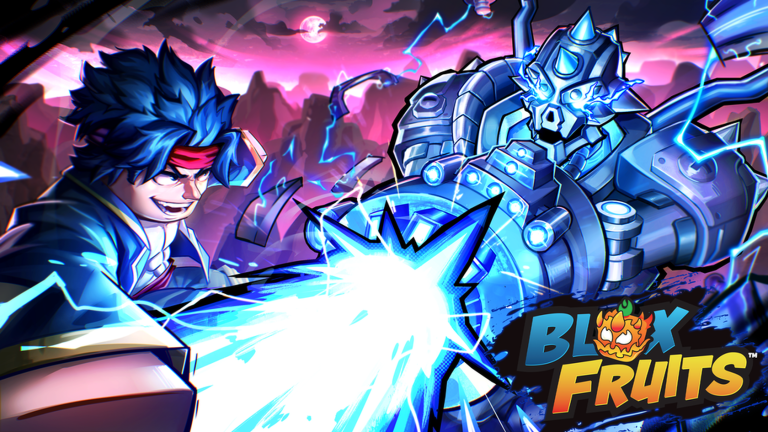
Blox Fruits remains a massive juggernaut, providing expansive open-sea exploration, ability leveling, and intricate boss encounters. Meanwhile, relaxing progression games like Fisch introduce surprisingly complex fishing mechanics and dynamic weather systems that keep long sessions engaging.
Atmospheric Survival and Social Hubs
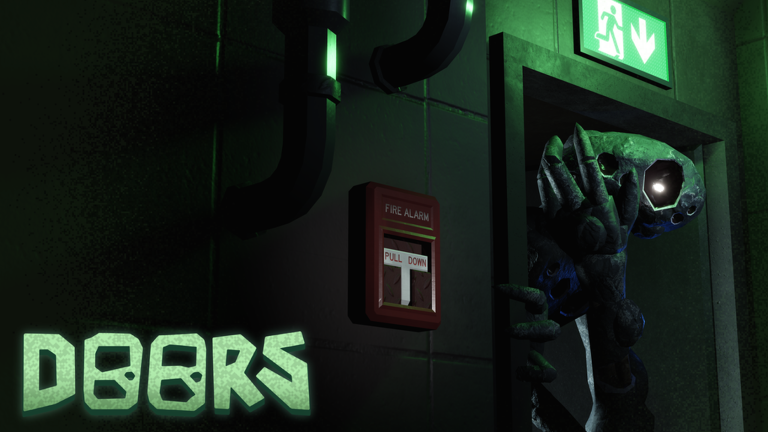
Doors demonstrates the technical boundaries of Roblox graphics, immersing players in tense hotel corridors with procedural surprises and eerie sound design. On the social end, Brookhaven RP and Adopt Me! continue to host hundreds of thousands of concurrent players who treat these virtual spaces as interactive community gathering spots.
Platform upgrades and technical features in 2026
Recent platform enhancements have significantly improved the Windows experience:
- 4K Texture Streaming: Higher-resolution asset streaming gives supported experiences crisp textures on high-definition PC monitors.
- Acoustic Simulation: Realistic sound occlusion, distance reverb, and spatial audio dramatically elevate immersion in horror and adventure games.
- Enhanced Server Authority: Updated latency mitigation reduces rubberbanding in fast-paced multiplayer and competitive encounters.
- Roblox Studio AI Tooling: Generative mesh tools and advanced animation state machines empower developers to build sophisticated titles faster on PC.
Is Roblox worth playing on PC in 2026?
Roblox on Windows PC remains an exceptional value proposition. The variety across genres is practically infinite, the zero-cost entry makes testing experiences frictionless, and the mechanical advantages of mouse and keyboard give PC players the definitive competitive edge.
However, the platform still struggles with discovery clutter, as formulaic clones frequently crowd trending leaderboards. Monetization practices also vary wildly between individual developers, meaning players should exercise discernment before spending currency inside specific titles.
To ensure optimal control precision during intense competitive matches, read our guide on how to reduce input lag in Windows 11. If you are exploring the broader PC landscape this year, check out our curated list of the best PC games of 2026.
Frequently asked questions
Is Roblox completely free to play on Windows PC?
Yes. Downloading the client and accessing community experiences is completely free. Microtransactions exist via optional Robux purchases, mostly for avatar personalization.
Does Roblox run better on PC than on mobile devices?
Yes. PC hardware enables higher resolution rendering, advanced acoustic simulation, and superior framerate stability, alongside precise keyboard and mouse controls.
Can low-spec laptops run Roblox on Windows?
Yes. The basic client requires minimal processing power and basic DirectX 10 graphics, allowing older laptops and budget desktops to run most casual games easily.
What are the top Roblox games for adults and competitive players?
Experiences such as Jujutsu Shenanigans, Rivals, and Doors cater to players seeking tactical challenge, competitive shooting mechanics, and genuine survival horror thrills.

Allen Wade is a Senior PC Hardware & Performance Analyst at PerfCore with over 8 years of experience benchmarking CPUs, GPUs, gaming laptops, and system architectures. He specializes in 1080p and 1440p frametime analysis, thermal dynamics, and budget component optimization. Allen’s hardware testing methodology relies on standardized test benches, repeatable CapFrameX frametime captures, and clean OS environments.